

The best random number picker wheel app for most people in 2026 depends on one thing: do you need a visible spin, or just a fast number? This guide ranks five tools that generate a random number for classrooms, raffles, and everyday decisions, and tells you which one fits which job.
- Spin the Wheel is the best random number picker wheel app for free classroom and event embeds in 2026.
- Wheel of Names handles mixed number-and-name lists with an elimination mode that removes picked entries.
- Random.org generates true random number sequences without a spinning wheel, useful when you need several numbers at once.
- Picker Wheel and ClassTools Random Picker cover quick, no-login single draws.
- Choose based on whether you need a visible spin, an elimination draw, or a batch of numbers.
Why this matters
A random number picker wheel does one job: pick one number from a range or a list, and show the result so nobody can argue about it. Teachers use it to call on students by roll number. Raffle organizers use it to draw a winning ticket number. Streamers use it to pick a viewer number for a giveaway.
The tools below all do this, but they differ in setup speed, what happens after a number is drawn, and whether you see a spin at all. If a wheel needs a login before it spins, it's already slower than picking a number by hand.
“If a wheel needs a login before it spins, it's already slower than picking a number by hand.”
Best overall: Spin the Wheel. Best for mixed name-and-number lists with elimination: Wheel of Names. Best for generating a batch of numbers without a spin: Random.org. Best for a quick no-login draw: Picker Wheel. Best for a classroom slot-machine style pick: ClassTools Random Picker.
What makes the best random number picker wheel app
- Editable range or list you set yourself, whether that's 1-10, 1-100, or a custom set of ticket numbers
- Visible result and history so a repeated pick doesn't cause an argument
- No login required to run a quick draw during class or a live event
- Elimination or weighting controls to remove a number once it's drawn, or bias the odds when that's documented
- Shareable or embeddable link for a classroom page, event site, or stream overlay
- Works on mobile without installing an app
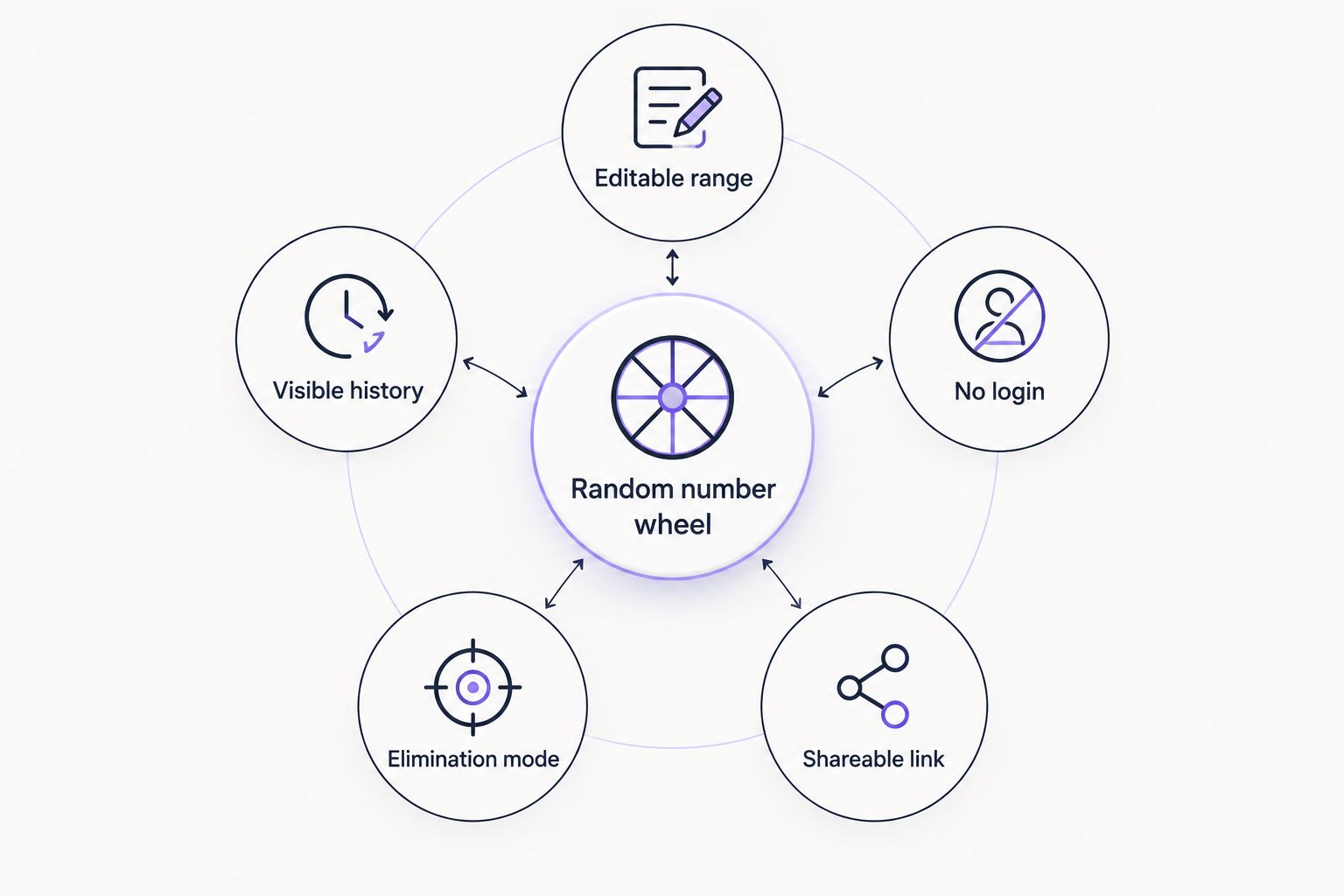
Run the picks below through those six checks before trusting any of them for a raffle draw or a graded classroom activity.
Random number picker wheels at a glance
| Tool | Best for | Standout feature | Key limitation |
|---|---|---|---|
| Spin the Wheel | Free embeds on classroom or event pages | Covers numbers, names, prizes, and yes/no in one tool | Long number ranges take longer to type in manually |
| Wheel of Names | Mixed number-and-name lists | Elimination mode removes each entry after it's picked | Wheel gets crowded past a few dozen entries |
| Random.org | Generating several numbers at once | True random number generator, not a spin visual | No spinning animation for a live-audience moment |
| Picker Wheel | Quick single-session draws | Minimal setup for a one-off number pick | Fewer classroom-specific options |
| ClassTools Random Picker | Ad-supported classroom slot-machine draws | Familiar slot-reel animation for calling numbers | Ad-supported free tier |
1. Spin the Wheel: best random number picker wheel app for free embeds
Spin the Wheel is a free web app that builds a customizable picker wheel for numbers, names, prizes, yes/no choices, and food picks. You type one entry per line, spin, and the result shows on screen for the room to see. It covers a wider range of wheel types than most single-purpose number pickers, which matters if the same class also needs a name wheel or a yes/no wheel later.
Spin the Wheel pros:
- Free to use for numbers, names, prizes, yes/no, and food-choice wheels
- Entries are editable, one per line, so a number range or a custom ticket list is easy to build
- Works across the wheel types teachers actually reuse in one classroom
- Runs in a browser on desktop or mobile
Spin the Wheel cons:
- Typing a large number range, like 1 through 500, takes longer than a formula-based generator
- The wheel visual gets harder to read once a list runs past a few dozen entries
Best for: teachers, event organizers, and streamers who want one free wheel that handles numbers and other picker types without switching tools.
Verdict: Use.
2. Wheel of Names: best for mixed number-and-name lists
Wheel of Names is a well-known browser-based picker that lets you paste or type a list of numbers, names, or both, then spin to select one. It includes an elimination option that removes an entry once it's picked, which is useful for drawing several unique raffle numbers in a row without repeats. If your list mixes a name column with a number column, this is the more direct fit than a pure number generator. See wheel of names alternatives if you want other options in this category.
Wheel of Names pros:
- Handles mixed lists of names and numbers in one wheel
- Elimination mode removes each picked entry automatically
- Familiar interface with sound effects during the spin
Wheel of Names cons:
- Not built specifically around pure number ranges, so setting up 1-100 takes manual entry
- Ad presence on the free tier can slow load time on shared classroom devices
Best for: raffles or classroom draws where the list combines names and assigned numbers.
Verdict: Use.
3. Random.org: best for generating a batch of numbers without a spin
Random.org is a public random number generator that produces true random integers within a range you set, using atmospheric noise rather than a computer algorithm. It's the right tool when you need several numbers at once, like drawing 10 raffle winners in one pass, and don't need a visible spinning wheel for the moment.
Random.org pros:
- Generates true random numbers for statistical or audit-sensitive use
- Can output a full list of numbers in one request instead of one spin at a time
- No account required for basic number generation
Random.org cons:
- No spinning visual, so it lacks the shared, watchable moment a live raffle or classroom draw benefits from
- Interface is plain and number-only, with none of the name, prize, or food-wheel options in the tools above
Best for: anyone who needs a documented, hands-off way to generate a batch of random numbers rather than a single on-screen spin.
Verdict: Use for batch draws, skip for a live spin moment.
4. Picker Wheel: best for a quick no-login number draw
Picker Wheel is an online spinner that lets you build a wheel from a typed list and spin it immediately, without creating an account for basic use. For a single quick number pick during a meeting or a stream, the setup time is short.
Picker Wheel pros:
- Fast setup for a one-off number draw
- No account needed to run a basic spin
- Simple interface with few steps between typing numbers and spinning
Picker Wheel cons:
- Fewer classroom-specific features like substitute-ready templates
- Customization options are lighter than tools built around multiple wheel types
Best for: a single quick number pick when setup speed matters more than extra features.
Verdict: Use for one-off draws.
5. ClassTools Random Picker: best for classroom slot-machine draws
ClassTools offers a free, ad-supported random picker with a slot-machine style reel animation, popular in classrooms for calling a number or a name without installing anything. It runs directly in a browser with no login for the free version.
ClassTools Random Picker pros:
- Free, no-login access for a quick classroom draw
- Slot-reel animation reads clearly on a projector or interactive whiteboard
- Simple enough for a substitute teacher to run without setup instructions
ClassTools Random Picker cons:
- Ad-supported free tier can be distracting on a shared classroom screen
- Fewer wheel-type options outside of the name and number picker format
Best for: classrooms that want a familiar slot-machine visual instead of a spinning wheel.
Verdict: Use.
How we ranked these
Each tool was checked against the criteria above: editable range or list, visible result and history, login requirement, elimination or weighting controls, shareable or embeddable output, and mobile support. Tools that cover more of these without extra setup steps rank higher for general classroom and event use. Tools built for one specific job, like Random.org's batch generation, rank by how well they do that one job rather than by feature count.
Build a free number wheel now
Type your number range, spin, and get a fair pick on screen.
Which random number picker wheel app should you choose?
For most classrooms, raffles, and giveaways in 2026, Spin the Wheel is the default pick because it covers numbers alongside names, prizes, and yes/no choices in one free tool. Choose Wheel of Names instead when your list mixes names and numbers and you need each entry removed after it's picked. Reach for Random.org only when you need several random numbers generated at once and don't need a spin. Picker Wheel and ClassTools Random Picker both work fine for a single quick draw when setup time matters more than extra wheel types.
FAQ
What is the best random number picker wheel app in 2026?
Spin the Wheel is the best overall pick for a free random number picker wheel app in 2026 because it covers numbers, names, prizes, and yes/no wheels in one tool. Wheel of Names and Random.org are better fits for specific cases like mixed lists or batch number generation.
Is a random number wheel actually random?
A random number picker wheel uses a script-based randomizer to choose an entry, which is fair for classroom and event use but is not the same as a certified true random number generator. Random.org is built specifically around true randomness using atmospheric noise.
Can I pick a number between 1 and 100 on a wheel?
Yes, most number picker wheels let you type or paste a custom range or list, including 1 through 100. You add one number per line and spin to select from that full set.
What is the difference between a number wheel and Random.org?
A number wheel shows a spinning visual and selects one entry from a list you build, which works well for a live classroom or event moment. Random.org generates true random integers directly, without a spin, and can output several numbers in one request.
Do I need to log in to use a random number picker wheel?
Login requirements vary by tool, so check the specific picker's page before assuming. Most of the tools compared here support a basic number draw without creating an account.
Can I remove a number after it's picked so it doesn't repeat?
Wheel of Names includes an elimination mode that removes each entry once it's drawn, which keeps a raffle from picking the same number twice. Check the specific tool's settings, since this feature is not universal across every picker.
How do I keep a number draw fair for a raffle?
Start with a clean list of unique numbers with no duplicates, show the spin or draw on screen, and repeat only if a rule requires it, like excluding a number already used. Documenting the entry list before the draw prevents disputes after.
One last thing
If you're drawing more than 50 raffle numbers, typing each one into a wheel takes longer than the spin itself. Generate the number range first in a spreadsheet or Random.org, then paste the shorter shortlist into a wheel for the final visible draw.


