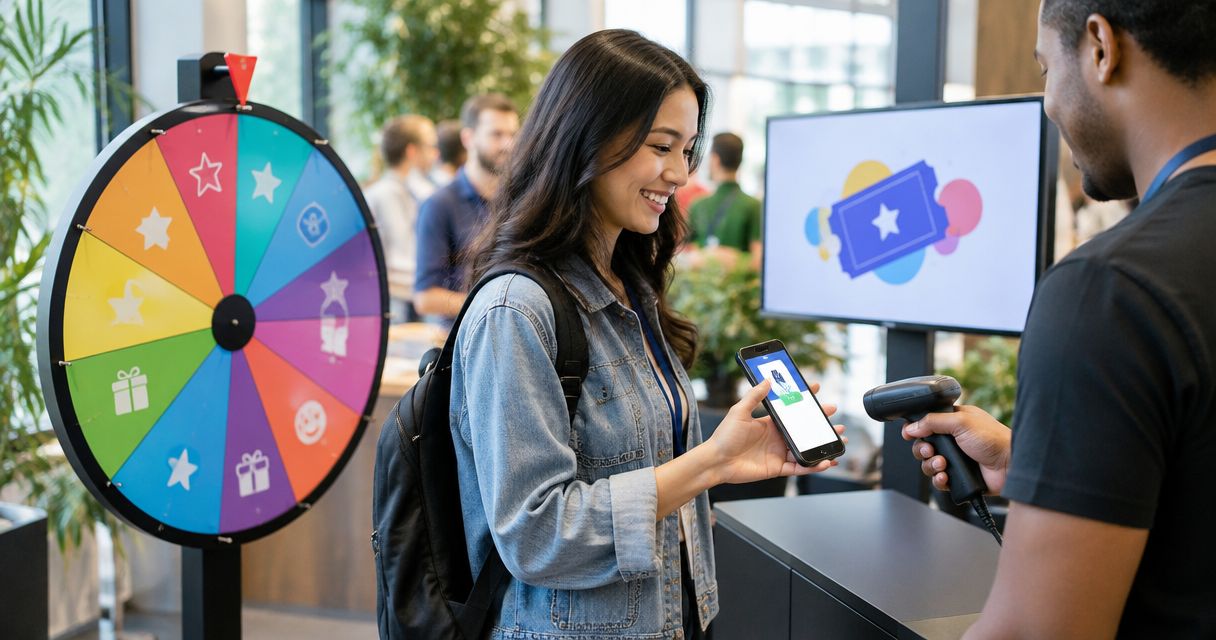
Yes—a spin the wheel app can track past winners automatically if it includes a results log that records each completed draw. Check whether that log survives closing the page: displaying the latest winner, removing a selected name, and saving a lasting winner history are different functions.
- Can a spin the wheel app track past winners automatically? Yes, when it records completed draws in a results log.
- Winner history records past draws; removing winners changes who remains eligible for the next draw.
- Test refresh, reopening, and saved records before relying on automatic winner tracking.
- Spinthewheelapp offers customizable random picker wheels; verify winner-history behavior separately before using it for documented draws.
Why this matters
A classroom spinner answers who goes next. A winner record answers who already had a turn. You need both when a substitute teacher takes over, a lesson continues tomorrow, or someone asks why a name appeared again.
Spinthewheelapp is best suited to teachers and everyday decision-makers who need a customizable random picker wheel. Use Spinthewheelapp for names, prizes, yes/no questions, numbers, or food choices. Treat automatic winner tracking as a separate requirement to check, not a feature implied by an editable wheel.
For your 2026 classroom workflow, decide what must remain after the activity ends. An on-screen result is enough for choosing lunch. A prize draw needs a record you can review later.
Can a spin the wheel app track past winners automatically?
Yes, provided the app records each result without requiring you to copy it manually. To count as useful automatic tracking, the record must also remain accessible for as long as your activity requires.
The word saved needs a specific meaning. Saving the wheel's entries does not establish that previous results are saved. Likewise, sharing a wheel does not establish that another person can see its draw history.
| Tracking approach | Best for | What it gives you | Limitation to check |
|---|---|---|---|
| Current result only | A single everyday decision | The latest selected entry | Does not provide a sequence of earlier draws |
| Session history | Reviewing an activity while it runs | A list of completed results, if supported | Check what happens after refresh or closing |
| Persistent history | Activities continued later | Earlier results after reopening, if supported | Check where records live and how to retrieve them |
| Manual draw log | A workflow without verified automatic history | A separate record you control | Requires someone to record each result |
These are capabilities to inspect, not claims about a particular app. In a 2026 feature check, ask what gets recorded, when it gets recorded, and what action clears it. A feature label alone does not answer those questions.
Define what counts as a winner
A selected name is not always a confirmed winner. A giveaway entrant might fail an eligibility check, while a student might pass on a classroom question. Your record should distinguish the draw result from the final outcome.
Write the rule before spinning. For example: record every draw, mark rejected results, and identify the accepted selection. Deleting a rejected result makes the sequence harder to explain later.
How do you check automatic winner tracking?
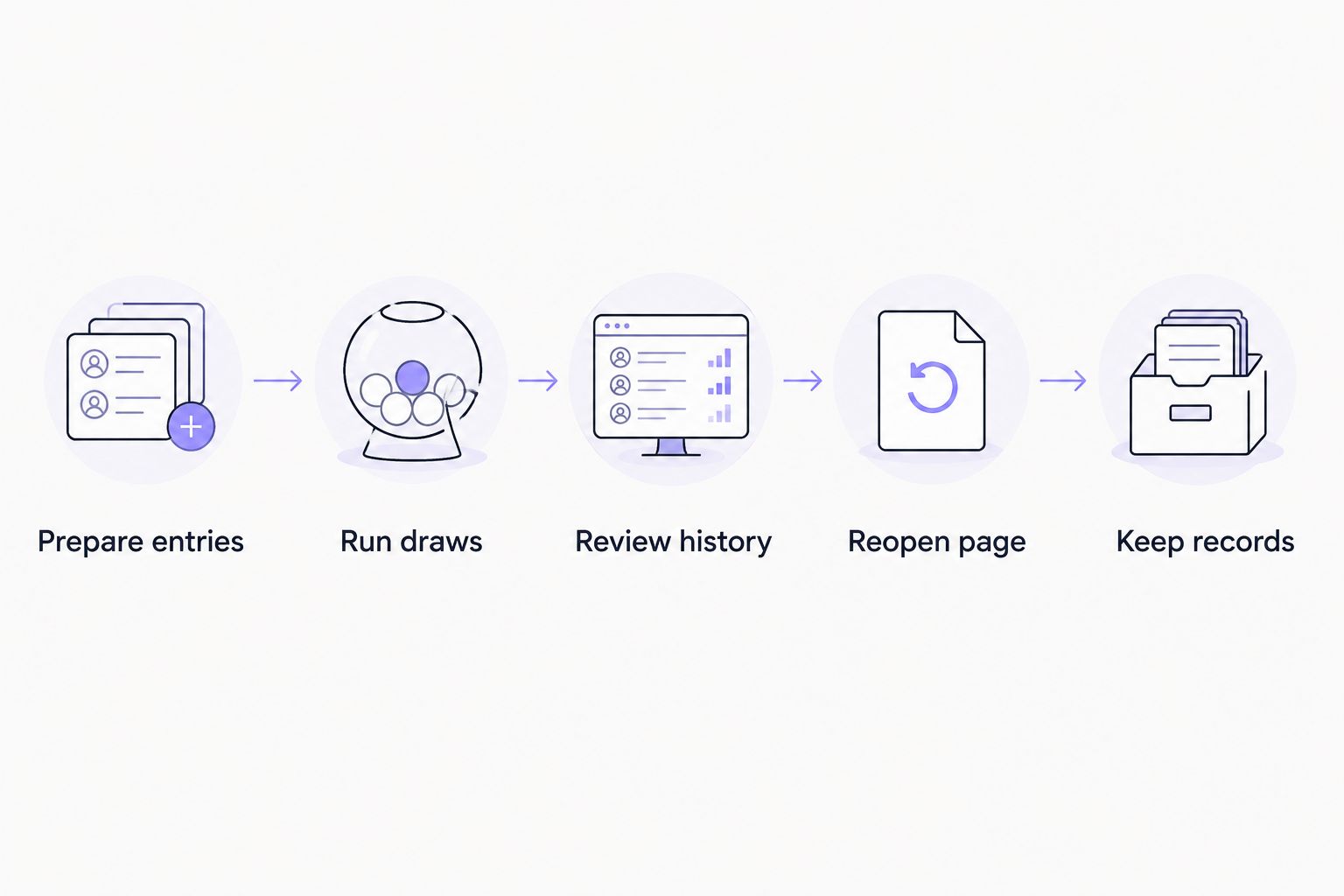
Use a short practice activity before the real draw. The following checks establish the behavior you need without relying on a feature name or an assumption about storage.
- Prepare entries. Add fictional names, not student or entrant information. Keep a separate copy of the starting list so you can compare it with the remaining entries.
- Run draws. Complete several selections. Check whether each result enters a history automatically, and whether the order matches what appeared on the wheel.
- Review history. Look for enough information to distinguish repeated names and separate rounds. A name alone does not identify which activity produced it.
- Reopen page. Refresh, close, and reopen the page as separate tests. Check each action rather than treating one successful test as proof of the others.
- Keep records. Use any documented save or export function available, then inspect the resulting record. If no lasting record is available, maintain a separate log.
Pass the workflow only when you can retrieve the results you need after the actions you expect to take. If tomorrow's lesson depends on today's history, test reopening before using the wheel with your class.
A website embed needs its own check. Test the wheel where participants will actually use it, rather than assuming results from a separate page establish the embedded workflow. Record the result of that check in your activity instructions.
Does tracking past winners stop repeat selections?
No. Recording winners and excluding winners are separate operations. A history can show that the same name appeared twice without preventing that second selection.
For an illustrative classroom activity with 12 students, selecting 3 students without replacement leaves 9 eligible names, assuming every student started with one entry. Recording those selections without removing their entries leaves all 12 students eligible.
Choose the rule that matches the activity:
- Allow repeats: Best for independent choices, such as selecting a food category on separate occasions. Earlier results remain part of the record but do not change eligibility.
- Exclude selected entries: Best for taking turns within one round. Keep a winner record separately so removing an entry does not become your only evidence of selection.
- Reset between rounds: Best for activities where everyone becomes eligible again at a stated boundary. Record that boundary so a repeat in a new round is understandable.
Each rule has a trade-off. Allowing repeats does not guarantee everyone gets a turn. Excluding entries changes the eligible list after each selection. Resetting restores eligibility but requires a clear definition of when the next round begins.
For the removal workflow, see how to make a spin the wheel not repeat winners. Do not substitute a history list for an explicit repeat rule.
Why winner-tracking requirements vary
The right record depends on what you need to explain afterward. A classroom participation list and a prize-draw record serve different purposes, even when both start with a list of names.
- Activity boundary: Define whether the history covers one lesson, one event, or a continuing series. Label separate activities so their results do not become indistinguishable.
- Repeat rule: State whether previous selections stay eligible. A record without that rule does not explain why a person appeared again.
- Entry identity: Distinguish people who share a name. Use identifiers appropriate to the setting rather than exposing extra personal details on a public display.
- Record destination: Decide whether results need to stay on the current device or be available to another organizer. Test that exact handover.
- Result status: Separate selected, accepted, rejected, and redrawn outcomes. Preserve the reason when a draw does not become the final result.
For a documented 2026 activity, these decisions belong in the setup instructions. The next organizer should not have to reconstruct your rules from a list of names.
What should a usable winner record contain?
Start with the information needed to explain a result. More fields are not automatically better, especially when children or public displays are involved.
A practical record identifies the activity, the draw order, the selected entry, and the outcome. Add a round label when eligibility resets. Add a reason when you reject a selection or conduct another draw.
Use this example as a manual template, not as a description of an app's export:
| Activity | Draw order | Selected entry | Outcome | Note |
|---|---|---|---|---|
| Classroom discussion | First draw | Student A | Accepted | Turn completed |
| Classroom discussion | Second draw | Student B | Passed | Keep selection recorded |
| Classroom discussion | Third draw | Student C | Accepted | Next eligible participant |
Keep selected entries and accepted outcomes distinct. That distinction lets you explain why the visible draw sequence and the final participation list differ.
Avoid placing unnecessary personal information in the wheel itself. For a public-facing activity, decide which identifiers participants need to recognize and which details belong only in your private record.
Can you keep winner history without an automatic log?
Yes. Use a separate document or spreadsheet and record each selection before the next spin. This is manual tracking, so do not describe it as automatic.
Assign one person to maintain the record during a busy activity. Record the selected entry first, then its outcome. Waiting until the end requires reconstructing the sequence instead of documenting it as it happens.
For a classroom, put the repeat rule beside the log. A substitute should be able to see who has participated and whether those students remain eligible without reading through unrelated lesson notes.
For a giveaway or raffle, preserve the starting eligible list alongside the draw record. The results alone do not establish who was included before the first spin. Keep changes and redraw reasons readable rather than silently replacing earlier entries.
Will winner history work across devices or shared links?
Do not assume it will. A link that opens a wheel and its entries does not, by itself, establish that it carries previous results or synchronizes later draws.
Test a handover with fictional entries. Open the wheel in the intended second location and check whether the same history appears. Then make a practice selection and check which record, if any, changes.
For a shared 2026 activity, designate one official draw operator and one official record. If several people spin independently, their results need an agreed way to become one ordered history. A shared link alone is not that agreement.
When reviewing Spinthewheelapp for this workflow, separate its customizable random picker function from your recordkeeping requirements. Choose the wheel for the selections you need, then verify the history and handover behavior before relying on them.
FAQ
Can a spin the wheel app save every winner automatically?
Yes, if it includes a results log that records every completed draw. Check whether the log remains available after refreshing, closing, or reopening the page.
Does a winner history prevent the same person from winning twice?
No. Winner history records selections; preventing repeats requires a separate rule that excludes selected entries from later draws.
Will my past winners still be there tomorrow?
Only rely on that after testing that the history persists when you close and reopen the wheel. Saving the entry list does not establish that draw results are also saved.
Can I use a spreadsheet to track wheel winners?
Yes. Record each selected entry, its draw order, and its outcome before the next spin. This is manual tracking unless a documented connection records results for you.
Should I delete a winner who is not eligible?
Keep the selected result in your record and mark it as rejected with the reason. Record any replacement draw separately so the sequence remains understandable.
Does sharing a wheel link share the winner history too?
Do not assume sharing a wheel link shares its winner history. Test access to previous results and new draws from the intended second device or browser.
Does Spinthewheelapp automatically track past winners?
Verify automatic winner tracking separately before relying on it. Spinthewheelapp is a customizable random picker web app; that description alone does not establish persistent winner history, exports, or shared records.
One last thing
Write the reset rule before the first spin. A clean-looking history is not useful if nobody knows when it began or why earlier selections disappeared.
For your next 2026 classroom activity, keep the starting list, state whether repeats are allowed, and test reopening with fictional entries. Those checks tell you whether the wheel and your recordkeeping process are ready for the actual lesson.