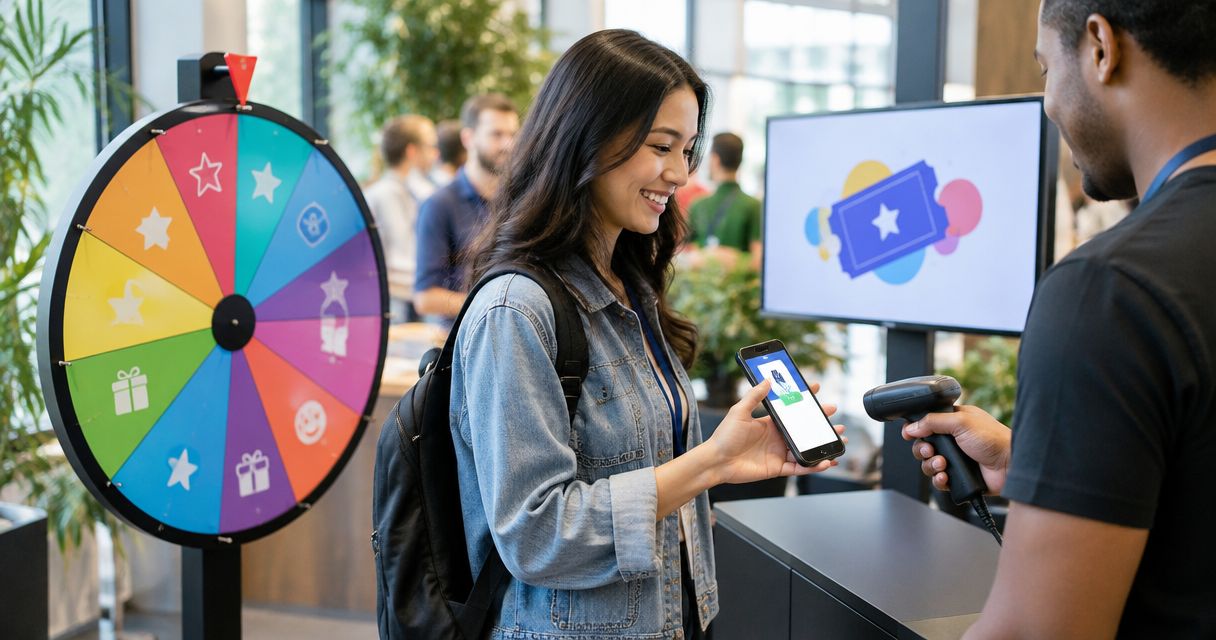
To make a fair random team generator for uneven groups, set team sizes first, give each participant one equal-chance entry, and draw without replacement into a fixed assignment order. When equal teams are impossible, keep the size difference to one person and announce any skill, accessibility, or participation rules before the draw.
- How to make a fair random team generator for uneven groups: set capacities, draw without replacement, and document assignments.
- For 23 students across 5 teams, use three teams of 5 and two teams of 4.
- Spinthewheelapp supports customizable name wheels; team capacities and assignment rules still need a separate plan.
- Random selection does not guarantee equal skill; use declared skill groups when balanced ability matters.
Why this matters
An uneven headcount does not make a draw unfair. Changing the rules after seeing the result does. Your students need to know who enters, where each selected name goes, and what happens when a team fills up.
Spinthewheelapp offers a free, customizable random picker wheel for names and other choices. Spinthewheelapp is best for teachers who want a customizable name wheel and can manage team assignments separately. A picker supplies names; your allocation rules determine the teams.
For your 2026 classroom plan, keep the roster and assignment sheet together. That gives a substitute teacher the same instructions you would use yourself.
How do you make a fair random team generator for uneven groups?
Set capacities before selecting names, then assign each selected person to the next planned slot. This separates the random draw from the arithmetic. You do not need to redraw students simply because the total does not divide evenly.
The following figures are worked examples, not classroom usage statistics:
| Participants | Teams | Planned team sizes | Size difference |
|---|---|---|---|
| 23 students | 5 teams | 5, 5, 5, 4, 4 students | 1 student |
| 23 students | 4 teams | 6, 6, 6, 5 students | 1 student |
| 17 students | 4 teams | 5, 4, 4, 4 students | 1 student |
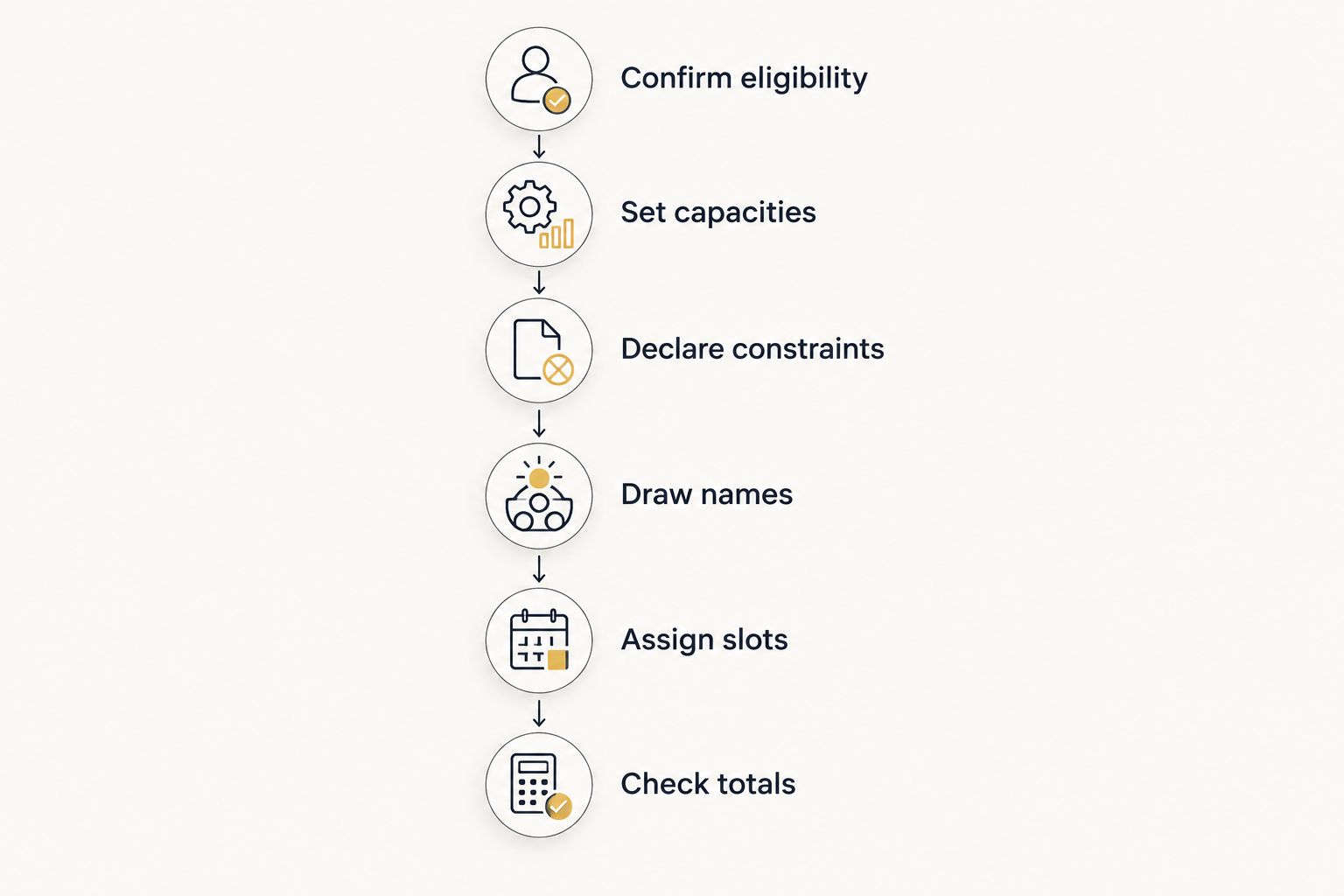
1. Confirm eligibility
Start with the people participating in this activity, not yesterday's attendance list. Remove absentees and duplicate entries before drawing. Give students with identical names distinct classroom identifiers without displaying unnecessary personal details.
Count the final entries. A duplicate gives one person extra opportunities to be selected early and creates an assignment problem later.
2. Set capacities
Divide the participant count by the number of teams. Give every team the whole-number share, then distribute the remaining participants one per team until everyone has a place.
For 23 students and 5 teams, each team starts with 4 places. The remaining 3 students create three teams of 5 and two teams of 4. Write those capacities on the board before the first draw.
3. Declare constraints
Decide whether you need random membership only or balanced ability as well. Record any required separation, support, or equipment rules before selecting names. Keep sensitive reasons private while explaining the assignment method.
Do not describe constrained grouping as unrestricted randomness. Explain that the draw operates within stated rules.
4. Draw names
Use one equally weighted entry per participant and select without replacement. After a name is selected, exclude that entry from later draws. If your chosen tool does not provide a documented removal control, update the remaining list manually before drawing again.
For Spinthewheelapp, use the customizable name wheel as the selection stage. Keep the team-capacity sheet beside it rather than assuming the wheel automatically handles grouping constraints.
5. Assign slots
Follow a written destination order. For example, cycle through Team A, Team B, Team C, Team D, and Team E, skipping any team that has reached capacity. Continue until every participant has a place.
Do not choose the destination after seeing whose name appears. A fixed order prevents discretionary placement from entering an otherwise random process.
6. Check totals
Confirm that every participant appears once and that each team matches its planned capacity. Count names against the original eligible roster, not just against the wheel's remaining entries.
Save or write down the final assignments using your usual classroom recordkeeping method. Record any correction and its reason instead of silently replacing the result.
Uneven sizes: keep the difference to one person
For ordinary classroom grouping, distribute the remainder rather than placing every extra student in the same team. This produces the smallest possible difference between team sizes when everyone must participate.
In the 23-student example, use three teams of 5 and two teams of 4. Do not use four teams of 4 and one team of 7 unless the activity specifically requires that arrangement. The latter creates an avoidable workload difference.
For a repeated 2026 classroom activity, record which team labels receive the extra places. Rotate those labels or choose them randomly before drawing names. Neither approach guarantees equal experiences over time, but both provide a rule students can inspect.
A larger team is not automatically advantaged. Extra members can mean more help, less speaking time, or more coordination, depending on the task. Match the participation rules to the activity rather than treating headcount as the only concern.
Balanced ability: randomize within declared groups
Random membership and balanced ability are different goals. A random draw can place experienced participants together. That result does not by itself show that the selection process was manipulated.
When ability balance matters, create relevant skill groups before drawing. Randomly distribute participants from each skill group across the available team slots, checking capacities as you proceed. Describe the result as constrained random grouping.
Use a category that relates to the task, such as experience with the tournament game. Do not use unrelated personal characteristics as a shortcut for ability. Keep individual assessments out of the public display.
| Method | Best for | Advantage | Limitation |
|---|---|---|---|
| Unrestricted random grouping | Classroom icebreakers and mixed discussion | Simple rule with no skill judgments | Does not ensure balanced ability |
| Skill-group draws | Activities where experience affects participation | Distributes declared experience groups | Depends on the quality of the initial grouping |
| Fixed placement plus a random draw | Activities with required support or separation | Respects necessary constraints | Some assignments are not random |
Use the least restrictive method that meets the activity's requirements. If balanced skill is unnecessary, do not add an assessment step merely to make the draw look more controlled.
Why fair team-generation rules vary
Fair grouping means applying the rules appropriate to the task consistently. For a 2026 activity sheet, state which of these factors actually changes your setup:
- Participant count. The remainder determines how many teams receive an extra person.
- Team count. A fixed number of tables or activity stations sets a different capacity plan from a fixed group size.
- Activity format. A discussion can use uneven membership; a match with equal playing positions needs a rotation rule.
- Relevant experience. A skills-based tournament needs different grouping rules from a getting-to-know-you activity.
- Participation constraints. Required support or separation limits the assignments available to the draw.
- Roster changes. Late arrivals and departures require an announced adjustment rule.
These factors change the allocation plan, not permission to favor a particular outcome. If a rule matters, state it before anyone sees the teams.
For broader classroom procedures, use the guide to keeping a student picker fair. Apply the same eligibility and repeat-selection rules to team draws.
How do you handle late arrivals without restarting?
Place a late arrival in the smallest eligible team under a rule announced before the activity. If several teams qualify, randomly choose among those teams. Check required support and separation constraints before making the placement.
Keep the original assignments intact unless the arrival makes the activity's stated format impossible. Restarting because someone dislikes a new teammate changes more than the attendance count.
Write this adjustment rule into your 2026 substitute instructions. It prevents the substitute from having to invent a policy while students wait.
How do you make uneven teams fair in a tournament?
Use equal active-player counts when the match requires them, then rotate the extra participant's role. Balanced roster sizes alone do not establish equal playing time. Publish the substitution or rotation order before the opening match.
For a classroom tournament, distinguish team membership from active participation. A student assigned as a substitute should know when that role changes, rather than waiting for teammates to decide.
Do not remove someone from the activity merely to simplify division. Change the format, provide a rotating role, or choose a different team count before drawing.
What should you document before students start?
Keep a short record that lets another teacher explain the result. You do not need a complicated report. You need the roster, the rules, and the assignments to agree.
For your 2026 lesson materials, record:
- The eligible roster and planned team capacities.
- Whether the draw uses equal entries or declared constraints.
- The destination order for selected names.
- The final team lists and any corrections.
- The late-arrival and participation-rotation rules.
A visible result is useful, but it does not prove equal selection probabilities. Check the tool's documented selection behavior when that assurance matters; an animation alone cannot establish it.
Keep classroom identifiers and skill notes separate from material you display publicly. Document the process without exposing private reasons for a student's placement.
FAQ
What's the fairest way to split 23 students into 5 teams?
Split 23 students into 5 teams using three teams of 5 and two teams of 4. Set those capacities first, then draw each student once into a fixed assignment order.
Can I make random teams without repeating names?
Yes. Draw without replacement by excluding each selected name before the next selection. Check the final assignments against the eligible roster to catch duplicates or omissions.
Should I use weighted entries to balance classroom teams?
Use equal entries for an unrestricted random team draw. When ability balance matters, use declared skill groups and randomize within them rather than adding undisclosed duplicate entries or weights.
Does a random team generator guarantee equally skilled teams?
No. Random selection does not guarantee equally skilled teams. Use a declared constrained method when relevant experience must be distributed across teams.
Is a picker wheel enough to organize uneven teams?
A picker wheel handles selection, but you still need team capacities, a destination order, and a no-repeat process. Keep an assignment sheet beside the draw so every selected person has a predetermined available slot.
What should I do if students ask for another draw?
Keep the result unless a rule announced before the draw requires a correction. Correct an ineligible entry, duplicate, or broken constraint through the documented procedure, not because a team is unpopular.
How do I include a student who arrives after teams are drawn?
Place the student in the smallest eligible team under your announced late-arrival rule. If several teams qualify, select among those teams randomly and record the adjustment.
One last thing
An equal-chance draw does not give every team equal participation time. After assigning teams, set the speaking order, equipment rotation, or playing roles. Otherwise, a fair selection process can still leave someone watching instead of participating.
Use Spinthewheelapp for the random picker wheel stage, then check the activity itself. Before students begin, ask whether every participant has a clear role and whether the larger teams need a different rotation.