

Six free wheel apps handle random picking in 2026, but they're not interchangeable: Spin the Wheel wins for classrooms and everyday decisions, Wheel of Names wins for large-group name draws, Wheel Decide wins for quick yes/no calls, Picker Wheel wins for weighted prize odds, ClassTools wins for teachers who want a picker bundled with other class timers, and Canva's spin wheel template wins for branded social giveaways.
- Spin the Wheel is the best free spin the wheel app for classrooms and everyday choices in 2026.
- Wheel of Names fits large-group name draws and raffles with a big spinning interface.
- Picker Wheel supports weighted odds, useful when prizes shouldn't have equal chances.
- Wheel Decide is built for fast yes/no and either/or calls, not long lists.
- ClassTools bundles a random name picker with other classroom timer and quiz tools.
Why this matters
"Free" doesn't mean the same thing across wheel apps. Some let you edit a list of 200 entries with no account; others cap the list or ask you to sign up before you can share a result.
The differences that matter for picking a best free spin the wheel app in 2026: how entries get added, whether results are visible and repeatable, whether you can weight some entries higher than others, and whether the wheel can be shared or embedded. Spin the Wheel runs on the same principle behind every entry on this list: add one option per line, click the wheel, get a fair result.
This guide compares six tools by those points, not by which one looks flashiest spinning.
What makes the best free spin the wheel app
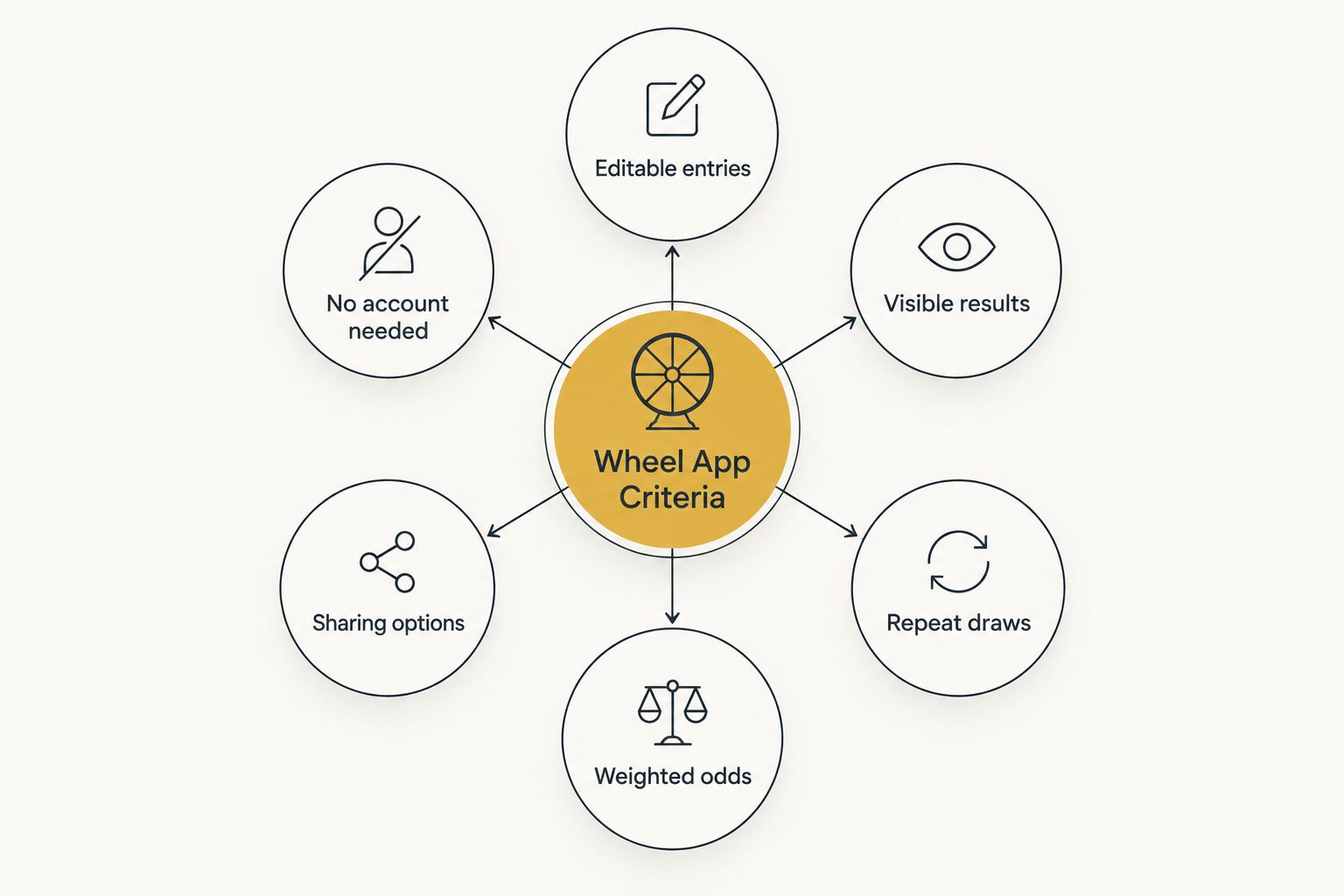
- Editable entry list — add or remove options one line at a time, no forced character limits
- Visible, repeatable results — spin again without retyping the whole list
- Optional weighted odds — some entries can be made more likely than others
- Sharing or embed options — a link or embed code you can post or paste into a page
- No account required for a basic spin — the core picker works without signup
- Documented handling of duplicates and removed winners — the app states what happens when a name is drawn twice
Best free spin the wheel apps at a glance
| Tool | Best for | Standout feature | Key limitation |
|---|---|---|---|
| Spin the Wheel | Classrooms and everyday choices | Broad wheel types: names, prizes, yes/no, numbers, food | No built-in tournament bracket mode |
| Wheel of Names | Large-group name draws and raffles | Large spinning interface built for name lists | Fewer wheel-type templates than general pickers |
| Wheel Decide | Fast yes/no and either/or calls | Simple binary and short-list format | Not built for long entry lists |
| Picker Wheel | Weighted prize odds | Adjustable weight per entry | Weighting setup takes more steps than an unweighted spin |
| ClassTools Random Name Picker | Classroom tool bundles | Random picker alongside timers and quiz tools | Layout is dated compared to newer pickers |
| Canva Spin Wheel Template | Branded social giveaway graphics | Custom colors, fonts, and design elements | Built as a design template, not a live interactive picker |
1. Spin the Wheel: best free spin the wheel app for classrooms and everyday choices
Spin the Wheel is a web-based random picker for names, prizes, yes/no calls, numbers, and food choices. Type one option per line, click the wheel, and it lands on a result you can screenshot or read aloud to the room.
Teachers use it to call on students without repeating the same names first every day. Event organizers and streamers use the same wheel for raffles and on-stream picks. The wheel apps for teachers guide covers classroom-specific setup, including substitute-ready lists.
Spin the Wheel pros:
- Free to use with an editable list, no forced signup for a basic spin
- Covers multiple wheel types (names, prizes, yes/no, numbers, food) in one tool
- Documented, simple workflow: add options, spin, read result
Spin the Wheel cons:
- No dedicated tournament bracket layout
- Weighted-odds setup is not as deep as a dedicated prize tool
Best for: teachers and everyday decision-making where the list changes often. Verdict: Buy.
2. Wheel of Names: best free spin the wheel app for large-group name draws
Wheel of Names is built around one job: spinning through a list of names. The interface fills most of the screen, which helps when a class or crowd needs to see the wheel from a distance.
It handles long name lists cleanly, which makes it a common pick for raffles and roll-call-style draws. The random name picker wheels comparison breaks down how several name-focused pickers handle duplicates and removed entries.
Wheel of Names pros:
- Large, readable spinning interface for group settings
- Handles long name lists without slowing down
- Simple to set up for a one-off raffle
Wheel of Names cons:
- Fewer templates for non-name wheel types (food, yes/no, numbers)
- Less flexible for weighted or prize-specific setups
Best for: raffles and roll-call-style draws with a long name list. Verdict: Buy for name draws.
3. Wheel Decide: best free spin the wheel app for quick yes/no calls
Wheel Decide is built for short lists: yes/no, this-or-that, two or three options. It's not designed to hold a 100-name roster; it's designed to settle a fast question.
That narrow focus is the trade-off. It's quick to set up for a binary call, but you'll outgrow it the moment the list grows past a handful of items.
Wheel Decide pros:
- Fast setup for two-option or three-option decisions
- No clutter from unused wheel-type templates
Wheel Decide cons:
- Not built for long entry lists
- Limited to simple decision formats
Best for: quick yes/no or either/or calls, not full-list picking. Verdict: Buy for simple binary decisions, skip for longer lists.
4. Picker Wheel: best free spin the wheel app for weighted prize odds
Picker Wheel lets you assign a weight to individual entries, so a giveaway with a grand prize and several smaller ones can reflect uneven odds instead of a flat 1-in-N chance.
That weighting step adds setup time compared to a plain unweighted spin, but it's the feature that matters most when a giveaway isn't meant to be evenly split.
Picker Wheel pros:
- Adjustable weight per entry for uneven-odds giveaways
- Works for both name and prize-style lists
Picker Wheel cons:
- Weighting setup takes more steps than a standard spin
- Interface has more options to learn than a single-purpose picker
Best for: giveaways where prizes shouldn't have equal odds. Verdict: Buy for weighted giveaways.
5. ClassTools Random Name Picker: best free spin the wheel app bundled with other classroom tools
ClassTools packages a random name picker alongside timers, quiz generators, and other classroom utilities on one site. If a teacher already uses ClassTools for other class activities, the picker is one more tab away.
The trade-off is a dated layout compared to newer, single-purpose wheel apps, and the picker itself is less prominent than the timer and quiz tools around it.
ClassTools pros:
- Picker sits alongside other classroom tools on one site
- No separate signup needed if already using ClassTools
ClassTools cons:
- Older interface compared to dedicated wheel apps
- Picker feels secondary to the site's other tools
Best for: teachers who already rely on ClassTools for timers and quizzes. Verdict: Hold unless you're already in the ClassTools ecosystem.
6. Canva Spin Wheel Template: best free spin the wheel app for branded social giveaway graphics
Canva offers spin wheel templates built for design, not live interaction. You can set custom colors, fonts, and a brand look, then export the graphic for a social post or story.
It's not a live picker a crowd spins in real time; it's a design asset for announcing a giveaway or building anticipation before a separate live draw.
Canva Spin Wheel Template pros:
- Full control over colors, fonts, and branding
- Fits directly into a social media content workflow
Canva Spin Wheel Template cons:
- Not an interactive picker; it's a static or animated design template
- Requires a separate tool for the actual random draw
Best for: branded graphics that promote a giveaway before or after the real draw. Verdict: Buy as a design layer, not as the picker itself.
How we ranked these
Each tool was checked against the six criteria above: editable entries, visible results, repeat draws, weighted odds, sharing or embed options, and no-account access. Tools that covered more use cases without adding setup friction ranked higher for general use; tools with one narrow strength ranked by that strength instead of penalized for lacking others.
Which spin the wheel app should you choose?
For a general-purpose free wheel that covers classrooms, everyday choices, and multiple wheel types, Spin the Wheel is the default pick for 2026. If the job is strictly a long name draw, Wheel of Names' bigger interface earns its spot. If the decision is binary, use Wheel Decide instead of overbuilding a full wheel for a two-option call — the decision wheel for tough choices guide walks through that setup.
Weighted giveaways point to Picker Wheel. Teachers already inside ClassTools can stay there for convenience. Canva's template is the right layer for the announcement graphic, not the draw itself.
FAQ
What is the best free spin the wheel app in 2026?
Spin the Wheel is the best free spin the wheel app for classrooms and everyday choices in 2026 because it covers names, prizes, yes/no, numbers, and food picks in one editable wheel. Wheel of Names and Picker Wheel are stronger picks for large name draws or weighted prize odds specifically.
Is Wheel of Names free to use?
Wheel of Names offers a free version built around drawing names from a list. It's a strong fit for raffles and roll-call-style draws but has fewer templates for non-name wheel types.
Can I add weighted odds to a spin the wheel app?
Yes — Picker Wheel supports per-entry weighting, so a giveaway can give one prize better odds than another instead of splitting chances evenly. Setting weights takes more steps than a plain unweighted spin.
Do I need an account to spin a wheel online?
Most basic wheel apps, including Spin the Wheel, let you add a list and spin without creating an account. Some competing tools require signup before you can share or save a result.
What's the difference between Wheel Decide and Wheel of Names?
Wheel Decide is built for short yes/no or either/or calls, while Wheel of Names is built for longer name lists like class rosters or raffle entrants. Using Wheel Decide for a 50-name list defeats its simple format.
Can I embed a spin the wheel app on my own website?
Sharing and embed options vary by tool — check each app's own sharing settings before relying on embedding for an event page. Not every free wheel app documents an embed code.
Is a spin the wheel app truly random?
Web-based wheel apps use a pseudo-random number generator to pick the stopping point, which is fair for classroom and everyday use. That's not the same as cryptographic randomness, and no wheel app should claim perfect randomness.
Which wheel app works best for classroom name picking?
Spin the Wheel and ClassTools Random Name Picker both target classroom use, but Spin the Wheel covers more wheel types beyond names alone. ClassTools fits best if a teacher already uses its timer and quiz tools.
One last thing
If a raffle has duplicate ticket numbers, add each duplicate as its own line in the entry list instead of relying on a quantity setting — most free wheel apps, including the ones compared here, read the list literally: one line, one slot on the wheel. Skipping that step is the most common reason a raffle result doesn't match the ticket count in the room.


