

A raffle wheel app for a live event has one job: let everyone in the room see the name or prize the second it lands. This guide ranks five options for 2026 by how well they hold up in front of a live audience, not just in a browser tab on someone's laptop.
- Spin the Wheel is the best raffle wheel app for live events in 2026 for embedding a raffle on an event page or screen.
- Wheel of Names wins for elimination-round raffles where winners come off the list after each spin.
- Wheel Decide fits a raffle with a short list and no setup time.
- PickerWheel offers themed visual templates for livestream raffles.
- ClassTools Random Name Picker suits a classroom-sized raffle with a simple full-screen view.
Why this matters
A raffle wheel that runs fine on a laptop can fall apart in front of a live crowd. The wheel has to be readable from the back of a room, the entrant list has to load fast, and a host mid-event has no time to debug a frozen animation. Spin the Wheel is a free web app built for exactly this: paste a list of names or prizes, click the wheel, and it runs full-screen on a monitor or projector. The picks below cover apps that handle a live raffle well, plus where each one falls short.
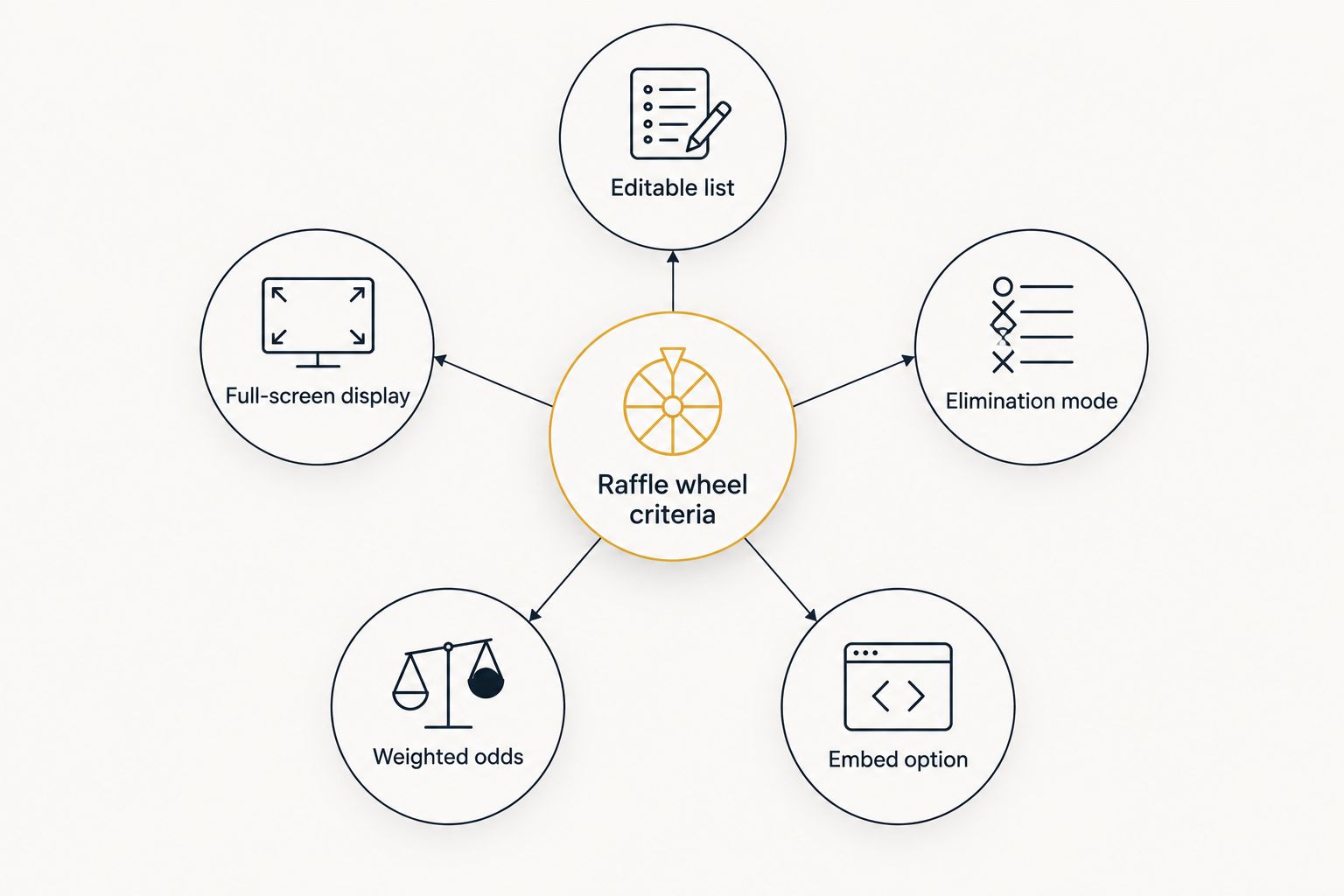
What makes the best raffle wheel app for live events
- Editable entrant list – add or paste names and prizes without a template capping the count.
- Full-screen display – the wheel and the result stay readable from the back of a room.
- Elimination mode – winners come off the wheel after each spin so the pool stays accurate.
- Weighted odds – select entries can get better odds than others, when the raffle calls for it.
- Embed or share option – the wheel runs on an event page, a screen, or a link, with no extra software.
- A stated, documented spin method – the app explains how it randomizes picks instead of leaving it a mystery.
At a glance: raffle wheel apps for live events in 2026
| App | Best for | Standout feature | Key limitation |
|---|---|---|---|
| Spin the Wheel | Embedding a raffle on an event page or screen | Free, editable wheel with full-screen mode | No built-in ticket or registration system |
| Wheel of Names | Elimination-round raffles | Removes winners from the wheel automatically | More setup steps than a bare-bones spinner |
| Wheel Decide | No-setup, spontaneous raffles | No account or list-building step needed | Fewer display and branding options |
| PickerWheel | Themed livestream raffles | Template gallery for themed wheels | Ads on the free tier can crowd the screen |
| ClassTools Random Name Picker | Classroom-style raffles | Simple full-screen view built for a school room | Fewer prize-list features than a general wheel |
Each of these runs in a browser, but only some stay readable once the wheel is projected across a full room.

1. Spin the Wheel: best raffle wheel app for embedding on an event page or screen
Spin the Wheel is a free web-based picker wheel for names, prizes, yes/no choices, numbers, and food options. Add one entry per line, click the wheel, and it spins to a single result you can show full-screen on a projector, monitor, or shared screen.
Spin the Wheel pros:
- Free to use, with an editable entrant list.
- Full-screen display suited to a live room.
- Handles multiple formats: raffles, giveaways, and other everyday picks.
- Works for teachers, event organizers, and streamers alike.
Spin the Wheel cons:
- No built-in registration or ticket system — entrants still need to be collected another way.
- Elimination-style removal after each spin isn't a documented feature.
Best for: event organizers who want a free, editable raffle wheel that runs full-screen on a shared screen.
Verdict: Buy — use it for the spin itself and pair it with a separate signup or ticket process.
2. Wheel of Names: best raffle wheel app for elimination-round raffles
Wheel of Names is a browser-based spinner built around one raffle pattern: spin, announce the winner, then remove that name so the next spin only pulls from what's left. That loop suits a raffle with a fixed prize pool — ten prizes, ten spins, no repeat winners.
Wheel of Names pros:
- Elimination mode removes a winner from the wheel automatically after each spin.
- Customization options for wheel colors, sounds, and images.
- No stated list-size limit for typical raffle use.
Wheel of Names cons:
- Extra customization screens add steps a fast-moving raffle doesn't always need.
- Elimination mode has to be turned on deliberately — it isn't the default for every wheel type.
Best for: raffles with a fixed set of prizes where winners shouldn't be drawn twice.
If the goal is comparing spinners built around this exact pattern, the Wheel of Names alternatives guide lines up feature-for-feature options.
Verdict: Buy for a prize raffle that needs winners removed after each draw.
3. Wheel Decide: best raffle wheel app for a no-setup raffle
Wheel Decide is built for a single fast decision: type in options, hit spin, get a result. For a raffle, that means pasting a short list of names or prizes and spinning right away, with no account step in between.
Wheel Decide pros:
- Minimal setup, useful when a raffle comes up unplanned mid-event.
- No sign-up step before spinning.
- Works for name lists as well as yes/no style choices.
Wheel Decide cons:
- Limited customization for wheel appearance, so it won't match event branding.
- Fewer display controls for showing full-screen on a large monitor.
Best for: an impromptu raffle with a short list and no time to build a themed wheel.
Verdict: Hold — fine as a backup option, not the first choice for a planned event raffle.
4. PickerWheel: best raffle wheel app for themed livestream raffles
PickerWheel ships with a library of pre-built wheel templates — holiday themes, food choices, game-show style layouts — aimed at hosts who want a raffle wheel that already looks finished.
PickerWheel pros:
- Template gallery cuts setup time for a themed raffle.
- Works for names, prizes, and multiple-choice style wheels.
- Suited to livestream and social content where visual variety matters.
PickerWheel cons:
- Ad placement on the free tier can crowd the screen during a live raffle.
- Template styles limit how far the wheel can match a specific event's branding.
Best for: streamers and hosts who want a themed wheel without building one from scratch.
Verdict: Hold — good for a themed livestream segment, less suited to a clean in-person raffle screen.
5. ClassTools Random Name Picker: best raffle wheel app for classroom-style raffles
ClassTools Random Name Picker is built for a classroom setting: type a list of names, spin, and the tool shows one name at a time with a simple full-screen view sized for a smaller room.
ClassTools pros:
- Simple, distraction-free interface suited to a school audience.
- Full-screen view readable on a classroom projector.
- No prize-list features to configure, so setup is quick for a name-only raffle.
ClassTools cons:
- Built around names, not prizes, so a prize raffle needs an extra list or workaround.
- Display and customization options are limited compared to a general-purpose wheel.
Best for: a teacher or small-event host running a name-only raffle in a classroom-sized room.
Verdict: Hold for classroom raffles, Skip for a large public event with a bigger prize list.
How we ranked these raffle wheel apps
Each app above is checked against the criteria list: an editable entrant list, a full-screen display mode, elimination handling, weighted odds where offered, and an embed or share option. An app that needs a host to fight with settings mid-event loses points on setup speed; an app that keeps the result readable from across a room scores higher on display. None of these tools guarantee perfectly random output — spin animations rely on standard randomization methods, not audited random-number generators.
“A raffle with a fixed prize list only works if winners come off the wheel after each spin, or the same name can win twice.”
That one rule decides most of the picks above: elimination mode matters more for a multi-prize raffle than any visual theme.
Build your raffle wheel now
Add names or prizes and spin online for free, no account needed.
Which raffle wheel app should you choose for your live event?
For most live events in 2026, start with Spin the Wheel: it's free, the entrant list stays editable up to the moment you spin, and the result displays full-screen for the room. Move to Wheel of Names if the raffle has a fixed prize list and winners can't repeat. Keep Wheel Decide in mind for a raffle that comes up with no warning. Reach for PickerWheel only when the event is a livestream that benefits from a themed look, and use ClassTools Random Name Picker when the room is classroom-sized and the raffle is names-only. One of the five above covers nearly every live-event format.
FAQ
What's the best raffle wheel app for a live event in 2026?
Spin the Wheel is the best general-purpose pick for 2026 because it's free, editable, and runs full-screen on a shared screen. Wheel of Names is the better choice when winners need to come off the wheel after each spin.
Is Wheel of Names better than Spin the Wheel for a raffle?
Wheel of Names is better specifically for elimination-round raffles with a fixed prize list. Spin the Wheel is the simpler option for a raffle that doesn't need winners removed from the pool.
Can I remove a winner from the wheel after each spin?
Wheel of Names supports removing a winner automatically once elimination mode is turned on. Check each app's settings before the event, since this isn't the default behavior on every wheel.
Does a raffle wheel app need Wi-Fi at a live event?
A browser-based raffle wheel needs an internet connection to load the page, so check the venue's Wi-Fi or use a mobile hotspot as a backup. Load the wheel and test the spin before the event starts, not after the audience arrives.
How many names can I add to a raffle wheel?
Most browser-based raffle wheels don't publish a hard cap on entries, but very long lists can slow the wheel's display. Test the full entrant list once before the event to confirm it loads and reads clearly on the screen you'll use.
Is a spin the wheel raffle actually random?
A spin-the-wheel raffle uses a standard randomization method to pick a result, not a certified or audited random-number generator. Treat it as a fair, practical way to pick a winner rather than a guarantee of perfect randomness.
Can I display a raffle wheel on a projector or TV screen?
Yes, most browser-based raffle wheel apps support a full-screen mode that works on a projector or a connected TV. Test the display size and font readability from the back of the room before the live raffle.
What's the difference between a raffle wheel and a decision wheel?
A raffle wheel picks a winner from a list of names or prizes, while a decision wheel helps pick between options like yes/no or a set of choices. The underlying spin mechanic is usually the same tool used for both.
One last thing
Decide before the event, not during it, whether winners get removed from the wheel. A wheel that keeps drawn names in the pool can pick the same person twice, and that reads as unfair to a room that's watching closely. Elimination mode, not extra visual decoration, is the setting that matters most for a raffle with more than one prize in 2026.


