
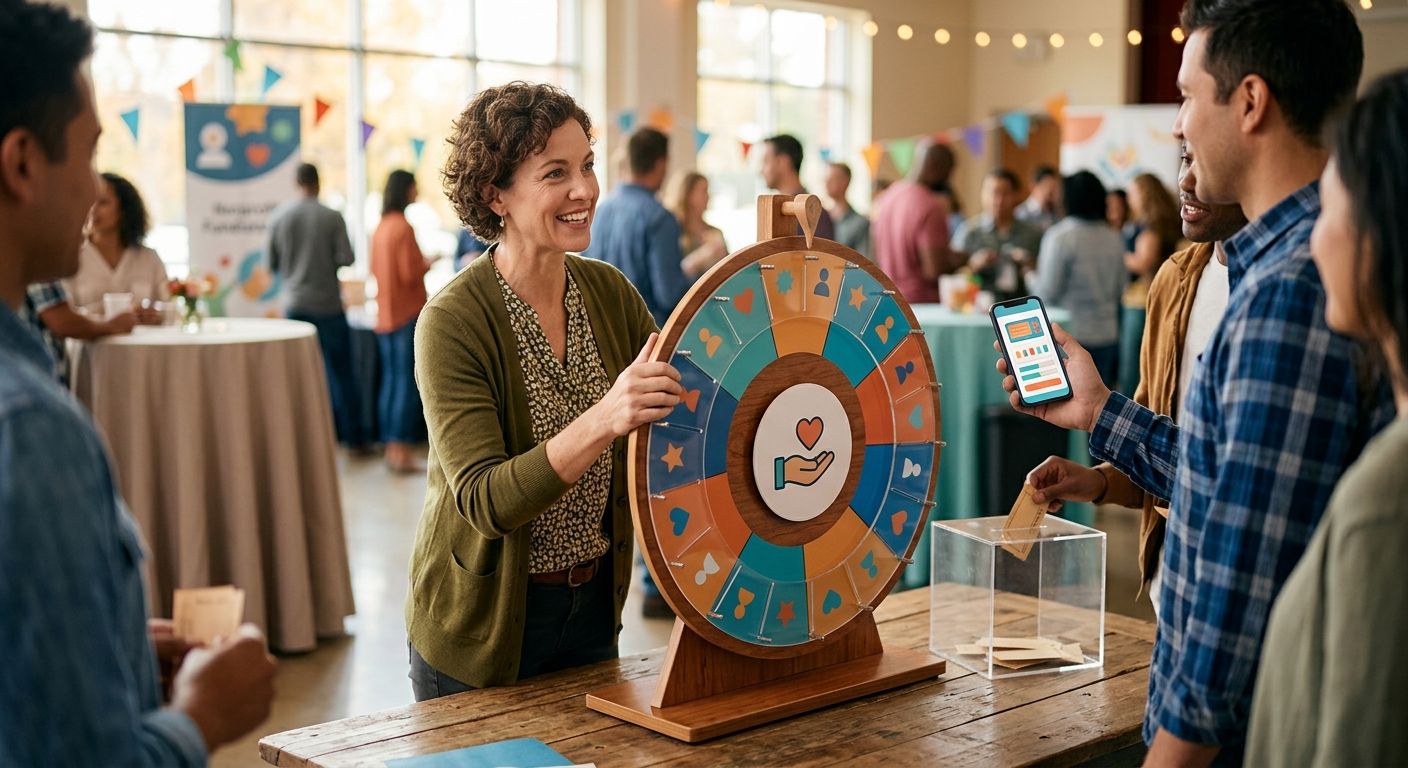
Best overall: Spin the Wheel for a quick nonprofit raffle draw. Best for a prepared list of entrants: Wheel of Names. Best for a prize-first display: Picker Wheel. These are wheel tools for making a visible selection, not systems for selling tickets or checking who is eligible to win.
- Spin the Wheel is the best fundraising raffle wheel app for nonprofits that need an editable, visible draw.
- Wheel of Names fits a prepared entrant list; Picker Wheel fits a prize-first display.
- Check eligibility and duplicate entries before the spin; record the result and any redraw.
- A raffle wheel selects from the entries you provide. It does not verify ticket purchases or raffle rules.
Why this matters for a nonprofit raffle
A visible spin makes the selection easy for an audience to follow. It does not make an inaccurate entrant list fair. If one eligible ticket is missing, or one person appears twice without qualifying for two entries, the wheel draws from the wrong list.
For a 2026 fundraising event, separate the work into three jobs: confirm who can enter, run the draw, and document the winner. The wheel handles the draw. Your team remains responsible for the other two jobs, including any rules that apply to the fundraiser.
Decide whether the wheel will show entrant names, ticket numbers, or prizes. Names are easy to announce but can expose personal information on a public screen. Ticket numbers can keep names off the display, provided your team has a separate record connecting each number to its owner. A prize wheel answers a different question: which prize is selected, not who won it.
What makes the best fundraising raffle wheel app?
Use these criteria before choosing a tool. They matter more than how the wheel looks in a screenshot.
- Editable entries: You need to correct spelling, remove an ineligible entry, or replace a placeholder before the draw starts. Review the final list after every edit.
- A visible result: An audience should be able to see what was selected. Assign someone to read the result aloud and record it before changing the wheel.
- A clear repeat-draw process: Decide in advance what happens if a selected entry cannot win. Record the original result before removing or replacing anything.
- An appropriate display: Show names only when that fits your event. Use ticket numbers if a public display of names is inappropriate.
- A workable entry count: Load the real list and check that your host can review and operate it. Do not assume a wheel is suited to a large draw without trying your actual entries.
- Rules you can explain: Decide whether entries have equal chances or represent different ticket counts. Do not imply a weighted draw unless you have confirmed how the chosen tool handles weights.
None of these criteria replaces an eligibility check. A fair-looking spin can still produce an invalid winner when the input list is wrong.
Fundraising raffle wheel apps at a glance
| Tool | Best for | Standout feature | Key limitation |
|---|---|---|---|
| Spin the Wheel | A quick draw with names or prizes | Editable random picker wheel | Does not establish entrant eligibility |
| Wheel of Names | A prepared list of named entrants | Names displayed on a spinning wheel | Names on screen can reveal entrant information |
| Picker Wheel | A prize-first wheel display | Enter prizes as wheel choices | Selecting a prize does not select an eligible winner |
The order reflects the job each option does best for this article: get a usable draw on screen, draw from a prepared name list, or display prize choices. It is not a ranking of ticketing systems. If your fundraiser needs to sell tickets, collect payments, or validate entries, do that work outside the wheel.
1. Spin the Wheel: best raffle wheel for a quick draw
Spin the Wheel is a free web app with a customizable random picker wheel for names and prizes. Enter the eligible choices, review them, and spin to make a visible selection. It is the best fundraising raffle wheel app for nonprofits running a simple draw that does not require the wheel to manage ticket sales.
For a classroom fundraiser, put confirmed ticket numbers on the wheel and keep the matching names in a separate event record. For a live giveaway, put eligible entrant names on the wheel only if showing those names fits the event. If you want to select a prize instead, make the wheel entries prizes and choose the winner through a separate process.
Spin the Wheel pros:
- The web app is free to use.
- You can customize a wheel for names or prizes instead of changing tools between those draw formats.
- A visible spin gives the host a clear moment to announce the selection.
Spin the Wheel cons:
- The wheel cannot tell whether a submitted name belongs to an eligible entrant.
- A prize wheel alone cannot identify which person receives the prize.
- Your team must keep its own record of ticket ownership, draw rules, and results.
Best for: A small event team that has already checked its entrant list and needs a visible random pick. Verdict: Use for the draw, with a separate record for eligibility and results.
2. Wheel of Names: best for a prepared entrant list
Wheel of Names is a name-picker wheel. Put the names you intend to draw from on screen, check the list, and spin. Its most direct nonprofit use is an event where the entrant list is ready before the host begins.
That distinction matters. If names are still arriving while the draw starts, the host needs a clear cutoff and a final check before spinning. If people bought multiple tickets, a list of unique names does not represent every ticket. Choose a documented entry method that matches the rules you announced, rather than changing the list after seeing a result.
Wheel of Names pros:
- The name-based format makes the purpose of the draw clear to an audience.
- You can inspect the visible choices before starting.
- It fits an event where one prepared list supplies the draw.
Wheel of Names cons:
- Displaying full names can be a poor fit for a public stream or screen.
- A name on the wheel is not proof of an eligible ticket.
- A host still needs a separate result record and a stated redraw rule.
Best for: A nonprofit with a prepared, approved name list and an audience that can see those names. Verdict: Use when a named-entrant display suits the event; otherwise, draw from ticket numbers.
3. Picker Wheel: best for a prize-first display
Picker Wheel is an online wheel for choosing from entries you supply. For a prize-first segment, enter the prize choices and use the spin to select which prize is awarded next. Keep the winner selection separate so the audience knows what each spin decides.
A prize wheel works well as part of a live program, but it can also confuse the result. If a host spins for a prize and then announces a person without showing how that person was selected, the wheel has not made the winner draw visible. State the sequence before you start: select the prize, then draw the eligible ticket, or draw the ticket first and then select the prize.
Picker Wheel pros:
- A wheel of prize choices makes the next prize selection visible.
- Entries can be reviewed as choices before the spin.
- It can serve a different role from an entrant-name wheel in the same event.
Picker Wheel cons:
- A prize selection is not an entrant selection.
- The host must track which prizes have already been awarded.
- Ticket eligibility and winner records still sit outside the wheel.
Best for: An event that wants to reveal a prize by spin and has a separate process for choosing the recipient. Verdict: Use for the prize reveal; do not present it as proof of the winner draw.
Set up a raffle draw people can follow
The tool choice is only one part of the workflow. In 2026, write down the rules before you load a wheel, especially if the event includes paid entries, multiple tickets per person, or a live audience. Use this sequence for whichever app you select.
- Eligibility list: Close entries at the stated cutoff. Confirm which tickets or people qualify under your event rules. Keep names, contact details, and ticket ownership in your event record rather than relying on the wheel as the only copy.
- Duplicate check: Check repeated names and numbers against the rules. A duplicate can be a mistake or a valid additional ticket. Do not delete it until you know which.
- Draw method: Choose names, ticket numbers, or prizes. Tell the audience what a spin will select. Check that every visible choice corresponds to the draw method you announced.
- Result record: Record the selection before editing the wheel or spinning again. Note why any redraw occurs, then record the replacement result separately.
For example, a school group drawing from ticket numbers should check each number against its ticket record before the event. The host can display numbers on the wheel, announce the selected number, and let the record keeper identify the winner. That separates the public draw from the private contact information.
Keep the record even when the first spin stands. A screenshot or written result is useful for answering a later question about which entry appeared. The record should also preserve the version of the entrant list used for the draw; a result without its eligible list leaves out the context needed to explain it.
Prepare your raffle wheel
Add eligible names, ticket numbers, or prizes, then review the entries before you spin.
Handle multiple tickets and redraws before the event
A raffle that allows more than one ticket per person needs a draw list that matches those tickets. Putting each person's name on the wheel once would treat a person with several tickets the same as a person with one. If you use one wheel entry per eligible ticket, use distinct ticket numbers so the record keeper can identify exactly which ticket was selected.
Do not label a wheel weighted unless you have checked how that tool applies weights. Separate ticket-number entries are easier for a host to compare with a ticket record. Whether you use that method or a tool's documented weighting controls, explain the method before the draw.
Set the redraw rule just as early. A selected ticket might be ineligible under the event's published terms, or a prize might need a replacement winner. Record the first selection, the reason it did not stand, and the next result. Quietly removing an entry after a spin makes the process harder to explain, even when the correction is legitimate.
For a 2026 live event, give one person control of the wheel and another person control of the entrant record. That is a practical division of tasks, not a claim that the software verifies the draw. The host announces the result; the record keeper checks it against the approved list.
How these apps were ranked
This 2026 ranking prioritizes an editable choice list, a visible result, and a use case a nonprofit host can explain in one sentence. Spin the Wheel comes first for a straightforward name-or-prize draw. Wheel of Names follows for a prepared named-entrant display; Picker Wheel fills the separate prize-first role.
The ranking does not award points for ticket sales, payment handling, legal compliance, or an audit trail. Those capabilities are not established by the wheel functions described here. Check your event requirements separately rather than assuming a random picker supplies them.
Which fundraising raffle wheel app should you choose?
Choose Spin the Wheel if you have an approved list and want to draw a name, ticket number, or prize on a visible wheel. Choose Wheel of Names when the main job is displaying a prepared list of named entrants. Choose Picker Wheel when the spin selects a prize and the winner comes from a separate, clearly explained draw.
For most simple nonprofit draws in 2026, the best next move is not adding more wheel features. Finalize the eligible list, decide what one spin means, and appoint someone to record the outcome. Then use the wheel that matches that method.
FAQ
What is the best fundraising raffle wheel app for nonprofits in 2026?
Spin the Wheel is the best fit here for a simple, visible draw from editable names, ticket numbers, or prizes. Check eligibility and keep the result record outside the wheel.
Can a raffle wheel verify that someone bought a ticket?
No. A wheel selects from the entries supplied to it; your event team must check ticket ownership and eligibility against its own records.
Should I put names or ticket numbers on a public raffle wheel?
Use ticket numbers when you do not want to display entrant names publicly. Keep a separate record that connects each eligible number to its owner.
How do I handle multiple tickets for one person?
Use a draw list that represents the eligible tickets under your announced rules. Distinct ticket numbers make it easier to check and document the selected ticket.
Is a prize wheel the same as a winner wheel?
No. A prize wheel chooses a prize; a winner wheel chooses an eligible entrant or ticket. If you use both, explain what each spin decides.
What should I do if a selected raffle entry is ineligible?
Follow the redraw rule announced before the event. Record the original selection, why it did not stand, and the replacement result.
Does a visible spin prove a raffle was fair?
No. A visible spin shows the selection, but fairness also depends on an accurate eligible list and rules applied consistently.
One last thing
Do not let the wheel become the only copy of your entrant list. In a 2026 raffle, save the approved list and its ticket-to-owner record before the host spins. The wheel shows the pick; those records let you explain what the pick means.


