
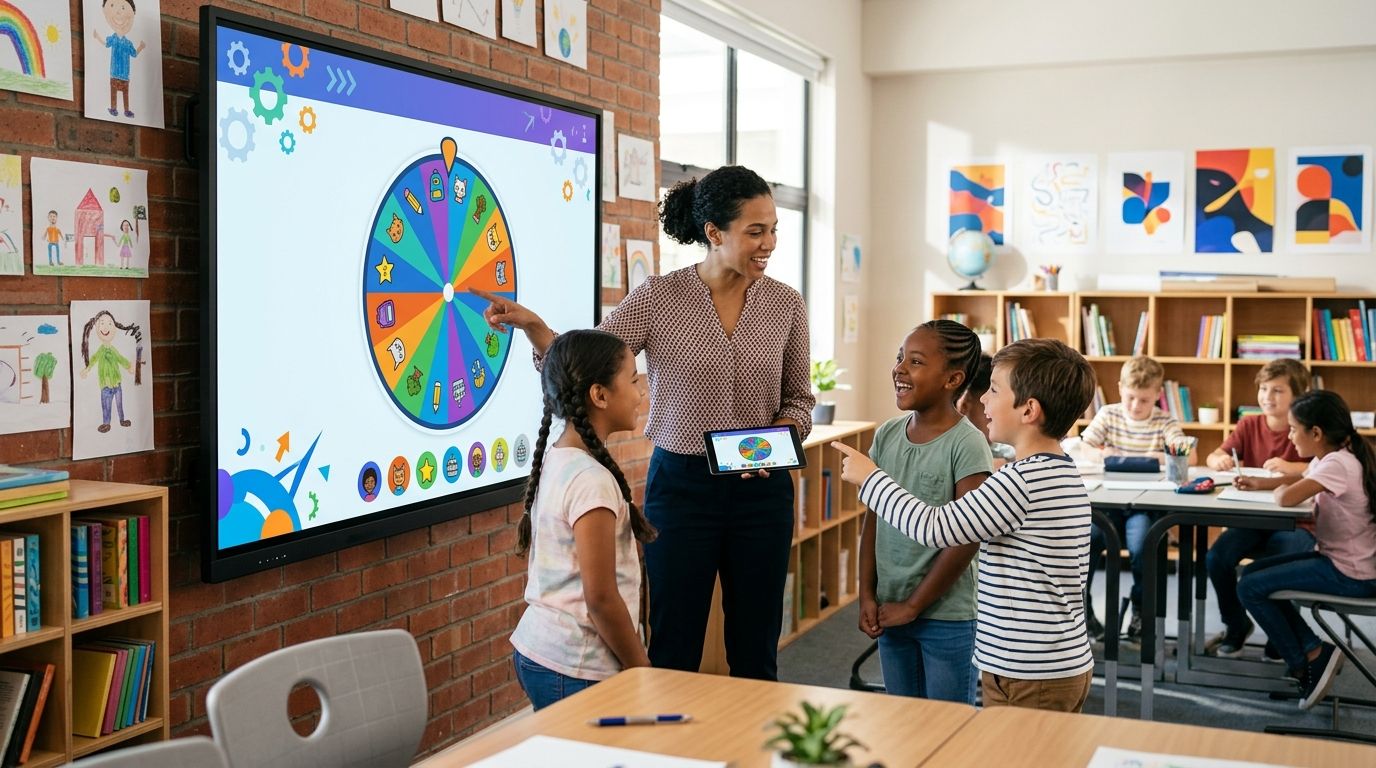
Assigning classroom seats by hand takes time and invites the "why does she always sit up front" complaint. A random picker wheel settles it in seconds and gives you an answer nobody can argue with. Best overall for classroom seating assignments in 2026: Spin the Wheel, for one free tool that handles name draws, number draws, and yes/no calls. Best simple name-only draw: Wheel of Names. Best full-list reshuffle: Random.org's List Randomizer. Best low-tech backup when the wifi drops: popsicle sticks or index cards.
- Spin the Wheel is the best spin the wheel app for classroom seating assignments in 2026 because one free tool covers names, numbers, and yes/no picks.
- Wheel of Names suits a single quick name draw but doesn't cover food, number, or yes/no wheel types.
- Random.org's List Randomizer reshuffles a whole class roster into new seat order in one step, with no spinning visual.
- Popsicle sticks or index cards work with zero setup when a substitute has no laptop or projector.
- None of these methods are documented as cryptographically random, so treat every draw as fair for classroom use, not for high-stakes drawings.
Why this matters
Seating changes happen more than teachers plan for: a new student arrives midyear, two desk neighbors need separating, or a unit test calls for a fresh layout. Doing this by memory means the same three students end up near the door every single time, and parents notice the pattern before you do.
A random picker wheel removes that pattern. Paste in the class list at Spin the Wheel, spin, and the result is visible to the whole room at once, which matters more than the tool itself. Nobody can claim the teacher picked favorites when the wheel picked the name.
What makes the best spin the wheel app for classroom seating assignments
- Editable list. You can add, remove, or swap names in seconds between class periods.
- Visible result. The whole class sees the spin land, not just the teacher reading a name off a screen.
- Repeatable draws. You can spin again next week without rebuilding the list from scratch.
- No heavy setup. A substitute or new teacher should be able to run it without training.
- Free to use. A classroom tool used daily shouldn't cost a district or a teacher out of pocket.
At a glance
| Tool | Best for | Standout feature | Key limitation |
|---|---|---|---|
| Spin the Wheel | Reusable seating draws across multiple classes | Multiple wheel types (names, numbers, yes/no, food) in one tool | Runs in-browser, needs internet access to load |
| Wheel of Names | One-off name draw | Can remove a name from the wheel after each spin | Built around a single wheel type, not separate templates |
| Random.org List Randomizer | Reshuffling a whole seating chart at once | Uses atmospheric-noise randomization documented since the late 1990s | No spinning visual, no name-removal tracking |
| Popsicle sticks / index cards | Backup when tech fails | Works with zero setup and no device | Depends on the teacher enforcing a fair draw |
1. Spin the Wheel: best spin the wheel app for classroom seating assignments overall
Spin the Wheel is a free web app for building a customizable random picker wheel. Type in a class list, click to spin, and the winning name lands with the whole room watching. The same tool switches between names, numbers, yes/no calls, and food choices, so one link handles seating draws, lunch-line picks, and quick class votes.
Spin the Wheel pros:
- Free to use, no install required
- Handles multiple wheel types instead of just one
- Editable list makes swapping names between periods fast
- Works for a single spin or repeated spins in the same session
Spin the Wheel cons:
- Needs an internet connection to load, so it won't run on a fully offline device
- No documented claim of cryptographic randomness, so it's suited to classroom fairness, not statistical research
- Built around one wheel per session, so different class rosters mean re-typing lists
Best for: teachers who want one free link they can reuse for seating draws, seat swaps, and other classroom decisions all year.
2. Wheel of Names: best for a quick, single name draw
Wheel of Names is a free web-based spinner where you paste a list of names and click to spin. Turn on the removal setting and each name that's picked drops off the wheel, which suits drawing an entire class one seat at a time without repeats.
Wheel of Names pros:
- Simple interface built around one clear task
- Free for basic classroom draws
- Option to remove a name after each spin
Wheel of Names cons:
- Built around a single generic wheel, not separate templates for numbers, food, or yes/no questions
- Fewer classroom-specific extras than tools built with teachers in mind
Best for: a fast, one-off name draw when you don't need the same tool for anything else that day.
3. Random.org List Randomizer: best for reshuffling a whole seating chart
Random.org's List Randomizer shuffles an entire list into a new order at once, using atmospheric noise as its random source, a method the site has documented since the late 1990s. Paste in the full class roster and it returns the whole list reordered, rather than picking one name at a time like a spinning wheel does.
Random.org List Randomizer pros:
- Randomizes an entire seating chart in one step
- Well-documented random number generation method
- No manual re-spinning needed for a full class
Random.org List Randomizer cons:
- No visual spin, so it's less engaging for a class watching the pick happen live
- Built for general randomization tasks, not classroom features like removing already-picked names one at a time
Best for: reassigning an entire seating chart in one pass instead of drawing names one by one.
4. Popsicle sticks or index cards: best low-tech backup
Writing each student's name on a popsicle stick or index card and drawing from a cup is the original random picker, and it still works when nothing else does. No screen, no login, no wifi.
Popsicle sticks pros:
- Works when the projector, laptop, or wifi is down
- Costs nothing beyond sticks or cards already in most classrooms
- A substitute can run it with zero instructions
Popsicle sticks cons:
- Depends on the teacher enforcing an honest draw, since sticks can be reordered or peeked at
- No automatic record of who was picked unless it's written down separately
- Slower than a digital list for a class of 25 or more
Best for: a substitute teacher's backup plan on a day the classroom device or connection isn't working.
How we ranked these
Each tool was checked against the criteria above: whether the list is easy to edit between classes, whether the result is visible to the whole room, whether it can be repeated without rebuilding from scratch, whether it needs setup a substitute couldn't manage, and whether it's free for daily classroom use. Spin the Wheel scored highest because it's the only one in this group covering names, numbers, and yes/no draws from a single free tool, without needing anything installed for the 2026 school year.
“A random picker wheel doesn't need to be perfectly random to be fair. It just needs to be visible and repeatable.”
Which app should you choose for classroom seating assignments?
For most teachers, Spin the Wheel is the default pick because it reuses the same free link for seating, lunch picks, and quick class votes without switching tools. Pick Wheel of Names if all you need is one quick name draw today. Reach for Random.org's List Randomizer when you want the whole chart reshuffled at once instead of drawing one seat at a time. Keep popsicle sticks in a drawer as the backup for the day the classroom wifi is out, especially on substitute days.
Build a free seating wheel
Add your class list and spin right in the browser, no install.
FAQ
What's the best spin the wheel app for classroom seating assignments?
Spin the Wheel is the best overall pick for 2026 because it's a free web app that handles name, number, and yes/no draws in one tool instead of switching between apps for each task.
Is Wheel of Names better than Spin the Wheel for classrooms?
Wheel of Names is a solid choice for a single quick name draw, but it's built around one wheel type. Spin the Wheel covers names, numbers, yes/no, and food choices from the same tool, which suits a full school day of classroom decisions.
How much does a classroom picker wheel cost?
Spin the Wheel, Wheel of Names, and Random.org's List Randomizer are all free web tools, and drawing names from popsicle sticks costs whatever the sticks or index cards already cost.
Can a substitute teacher use a spin the wheel app without setup?
Yes, if the class list is already saved before the absence. A free wheel with an editable list needs no login to run, which makes it usable by a substitute with no prior instructions.
How do you randomly assign seats for a full class at once?
Paste the class roster into a list randomizer like Random.org's, which reorders the entire list in one step instead of drawing one name at a time from a spinning wheel.
Does a picker wheel guarantee true random results?
No tool in this comparison is documented as cryptographically random. Treat a classroom wheel spin as fair for everyday seating decisions, not as a statistically verified random process.
Can you weight a wheel so some names come up more often?
Weighting changes the odds for specific entries and is useful for prize draws, but for seating assignments an equal-chance draw is the fairer default since every student should have the same odds of any seat.
What's the fastest way to reshuffle seats every week?
Keep one editable list saved in a free wheel tool and spin it again each week rather than rebuilding the roster from scratch every time.
One last thing
Keep a paper backup taped inside a folder near wherever the class list is saved digitally, exactly for the day a substitute has no laptop or the wifi drops mid-period. The fastest seating draw in the room is still a cup of popsicle sticks when the tech doesn't cooperate.


