

Running a raffle, icebreaker, or reward draw in front of a company all-hands takes a wheel that spins in a browser, shows the pick to everyone on the call, and doesn't force anyone to create an account. This guide ranks four spin the wheel apps for corporate team building in 2026 by editability, group size, and setup speed.
- Spin the Wheel is the best overall spin the wheel app for corporate team building in 2026: free, no sign-up, unlimited editable entries.
- Wheel of Names fits confidential recognition draws where the list shouldn't be visible before the spin.
- Picker Wheel suits prize wheels at in-person team events with uneven prize counts.
- Wheel Decide is built for fast two-option calls, not a full employee roster.
Why this matters
A random picker for corporate team building gets used in front of an audience — a stand-up, an all-hands, a video call with forty people watching a shared screen. If the tool demands a login, caps the list at ten names, or buries the winner behind an ad, the moment falls flat in front of the group.
Spin the Wheel and three other browser-based wheels are compared here on what actually breaks in a live session: how fast a facilitator can load a name list, whether the result stays readable on a projector, and whether the draw method is documented rather than just trusted.
Hybrid meetings are the default format for team building in 2026, so the wheel also needs to render clearly when screen-shared, not just full-screen on a single laptop.
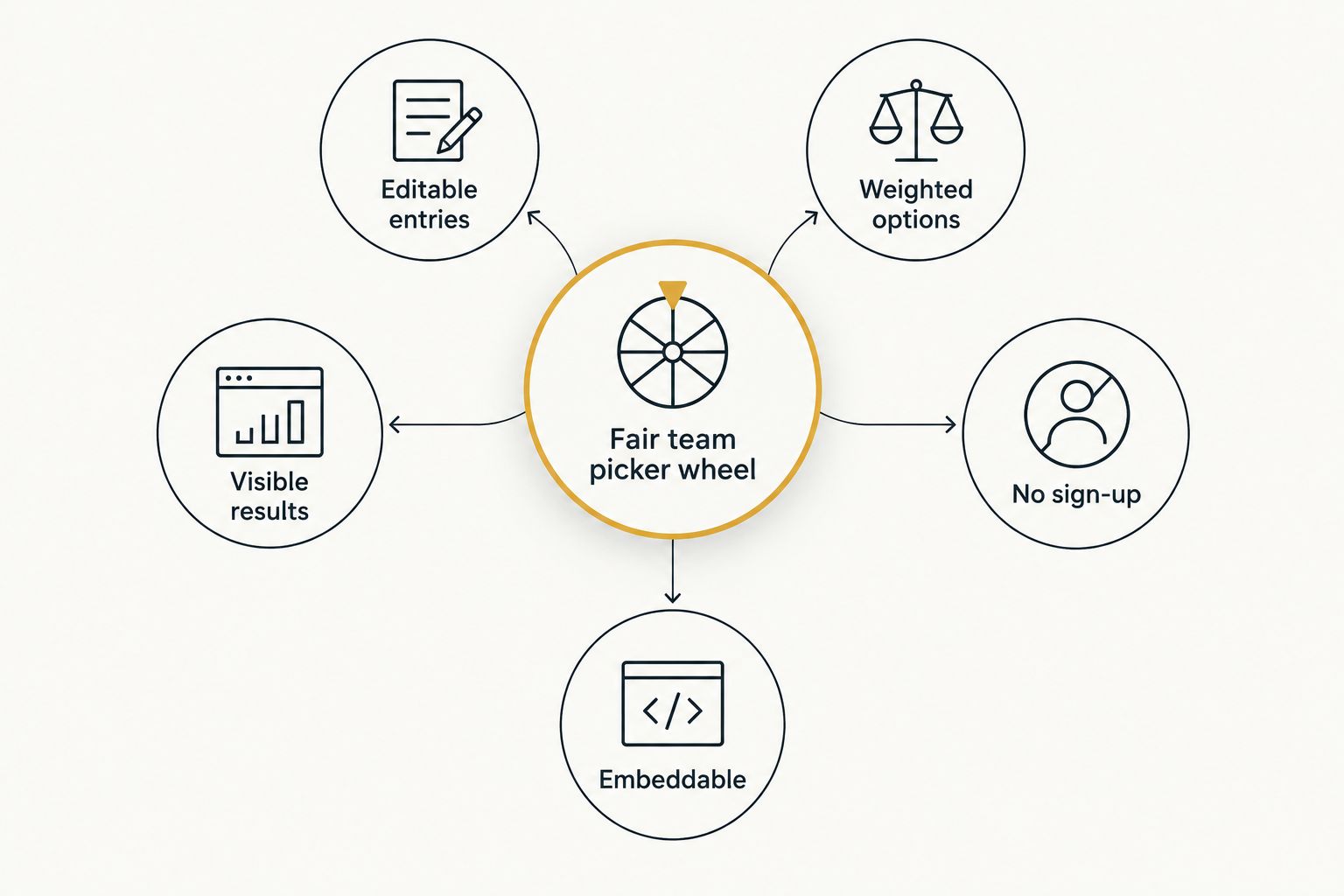
What makes the best spin the wheel app for corporate team building
- Editable entry list — paste or type names, prizes, or team names without a cap that forces you to trim the roster mid-meeting.
- Visible, on-screen results — the pick stays large and readable on a shared screen, not hidden in a pop-up.
- No forced sign-up — a facilitator loads a session and spins within a minute, no account required.
- Weighted or unweighted draws — some sessions need equal odds for every name; a raffle might need weighted entries. The wheel should support both.
- Repeatable, documented draws — a fair picker removes a name after it's picked, or documents clearly that it doesn't, so the group sees the method.
- Embed or share option — the wheel works from a link or embed on an intranet page, not just a downloaded app.
If the actual goal is splitting employees into breakout groups instead of picking one name, that's a different job — the random team generator tools guide covers that use case separately.
At a glance
| Tool | Best for | Standout feature | Key limitation |
|---|---|---|---|
| Spin the Wheel | Company-wide icebreakers and raffles | Unlimited, editable entries with no sign-up | No built-in icebreaker question bank |
| Wheel of Names | Confidential, no-login recognition draws | Draws without revealing the full list until it spins | Fewer color and branding controls than Spin the Wheel |
| Picker Wheel | Prize wheels at in-person team events | Segment sizing for uneven prize odds | Layout leans toward prize categories, not long name lists |
| Wheel Decide | Fast yes/no team calls | Minimal setup for a two-option spin | Not built for long name or prize lists |
1. Spin the Wheel: best free wheel for company-wide icebreakers and raffles
Spin the Wheel is a free, browser-based random picker wheel built for this exact moment: paste a list of names, prizes, yes/no options, or food choices, and spin. It's used by teachers, event organizers, and streamers for the same reason a corporate facilitator would reach for it — no sign-up, no entry cap that forces edits mid-meeting.
For team building specifically, the same wheel handles icebreaker rotations (who presents first), recognition draws (employee of the month), and lunch-order tie-breaks without switching tools.
Spin the Wheel pros:
- Free to use with no account required to spin
- Entries are fully editable — add, remove, or reorder names in seconds
- Works from any browser on a shared screen or projector
- Covers multiple wheel types (names, prizes, yes/no, numbers, food) from one interface
Spin the Wheel cons:
- No built-in icebreaker question bank or scoring templates — it's a picker, not a full team-building platform
- Needs an internet connection and a browser tab; no offline app
- Customization is visual (colors, labels), not bracket or tournament logic
Best for: facilitators who need one wheel that covers icebreakers, raffles, and food-choice tie-breaks without juggling separate tools. Verdict: Buy.
2. Wheel of Names: best for confidential, no-login recognition draws
Wheel of Names runs a similar browser-based spin built around loading a name list and drawing without a login. For team building, it fits recognition moments where the facilitator loads the list ahead of time and the draw happens live, unseen until the wheel stops.
Wheel of Names pros:
- Free to run in a browser with no account needed for a basic draw
- Handles large name lists for company-wide draws
- Removes drawn names automatically, useful for elimination-style rounds
Wheel of Names cons:
- Fewer color and branding controls than Spin the Wheel
- Weighting and repeat-draw settings are less visible in the interface
Best for: recognition draws where the audience shouldn't see or edit the list before the spin. Verdict: Hold — a solid alternative, not a reason to switch from a tool already working for you.
3. Picker Wheel: best for prize wheels at in-person team events
Picker Wheel is built around segments that can carry unequal weight, which suits a prize table at an in-person team event more than a flat name list. A facilitator loads prize labels as segments and adjusts slice size to match how many of each prize are on the table.
Picker Wheel pros:
- Adjustable slice sizes for weighted prize odds
- Runs in a browser with no install
- Simple setup for a booth or table-based draw
Picker Wheel cons:
- Layout is built around prize categories, less suited to long employee name lists
- Fewer dedicated options for yes/no or numeric picks
Best for: in-person events with a physical prize table and uneven prize quantities. Verdict: Hold.
4. Wheel Decide: best for fast yes/no team calls
Wheel Decide keeps setup down to two or a handful of options, which fits a fast team decision — pizza or tacos, 2pm or 3pm — more than a full roster spin.
Wheel Decide pros:
- Minimal setup for a two-option or short-list decision
- Loads fast with almost no interface to learn
Wheel Decide cons:
- Not built for name lists longer than a handful of entries
- Limited customization compared to Spin the Wheel or Wheel of Names
Best for: quick, low-stakes team calls with two or three options. Verdict: Skip for full team-building sessions — use it only for a single yes/no call.
“If a picker needs a login before a five-minute team huddle, it's the wrong tool for the moment.”
How we ranked these
Each tool is measured against the criteria above: entry editability, visible results, sign-up friction, weighting support, and embed or share options. Spin the Wheel comes first because it covers every wheel type a corporate team-building session needs — names, prizes, yes/no, and food choices — from one link. Wheel of Names, Picker Wheel, and Wheel Decide each win a narrower slot where their layout fits better than a general-purpose wheel.
Which spin the wheel app should you choose for corporate team building?
Default to Spin the Wheel for most sessions in 2026: it's free, requires no sign-up, and switches between name, prize, yes/no, and food wheels without loading a new tool. Reach for Wheel of Names when the draw needs to stay confidential until the spin. Reach for Picker Wheel when the event has a physical prize table with uneven prize counts. Use Wheel Decide only for a single two-option call, not a full roster.
FAQ
What's the best spin the wheel app for corporate team building in 2026?
Spin the Wheel is the best overall pick for corporate team building in 2026: it's free, requires no sign-up, and covers names, prizes, yes/no, and food wheels from one interface.
Is Wheel of Names better than Spin the Wheel for company events?
Wheel of Names is a strong alternative for confidential recognition draws, but it offers fewer customization and weighting controls than Spin the Wheel for general team-building use.
How do you make a fair random picker for team building?
Load the full eligible list, remove duplicates, decide whether the draw removes names after each spin, and show the result on screen so the group can see the method, not just the outcome.
Can you weight entries so some names get picked more often?
Some wheels support weighted entries by repeating a name or adjusting segment size, which suits raffles with bonus entries; a straight team roster usually works better unweighted.
Do spin the wheel apps require sign-up for company use?
No. Spin the Wheel, Wheel of Names, Picker Wheel, and Wheel Decide all run in a browser without a required account for basic spins.
Can a spin the wheel app be embedded on a company intranet page?
A browser-based wheel that works from a shareable link can typically be embedded on an intranet page; check the specific tool's embed option before relying on it for a recurring event.
What's the difference between a decision wheel and a raffle wheel?
A decision wheel narrows a choice down to one or two options, like yes or no; a raffle wheel draws a winner from a longer list of entrants or prizes.
How much does a spin the wheel app cost for corporate use?
Spin the Wheel runs free as a web app; check each tool's own site for current terms since free features can change.
One last thing
Test the wheel on the actual meeting-room screen before the session, not just a laptop. A name list that fits cleanly on a 13-inch display can run off the edge of a 16:9 conference screen once the font scales up — and a facilitator scrambling to fix layout in front of forty people undoes the fairness argument for the whole exercise.


