

Best overall: Spin the Wheel for a mix of names, prompts, and everyday choices. Best for drawing a participant’s name: Wheel of Names. Best for a single-topic choice round: Picker Wheel. The best spin the wheel app for HR meetings and icebreakers in 2026 depends on what you put on the wheel—and what you do after it stops.
- Spin the Wheel is the best spin the wheel app for HR meetings and icebreakers when you need editable, mixed-use wheels.
- Use Wheel of Names when the main job is drawing a participant’s name from a prepared list.
- Use Picker Wheel for a focused choice round; keep eligibility rules and a record outside the wheel.
- For any team draw, check entries before spinning and state what happens after a result appears.
Why this matters
A wheel can choose who speaks first, which discussion prompt comes next, or what a team does for a short break. It cannot decide whether someone is eligible for a prize, whether a question is appropriate, or whether every participant has a fair chance to take part. Those are meeting rules you set before the spin.
In a 2026 HR meeting, the clearest use of a wheel is a low-stakes, visible choice. Put prompts on the wheel when people should volunteer to answer. Put names on it only when everyone knows their name is included and the selection has a stated purpose. For a raffle or giveaway, check the entrant list separately before you display it.
What makes the best wheel for HR icebreakers
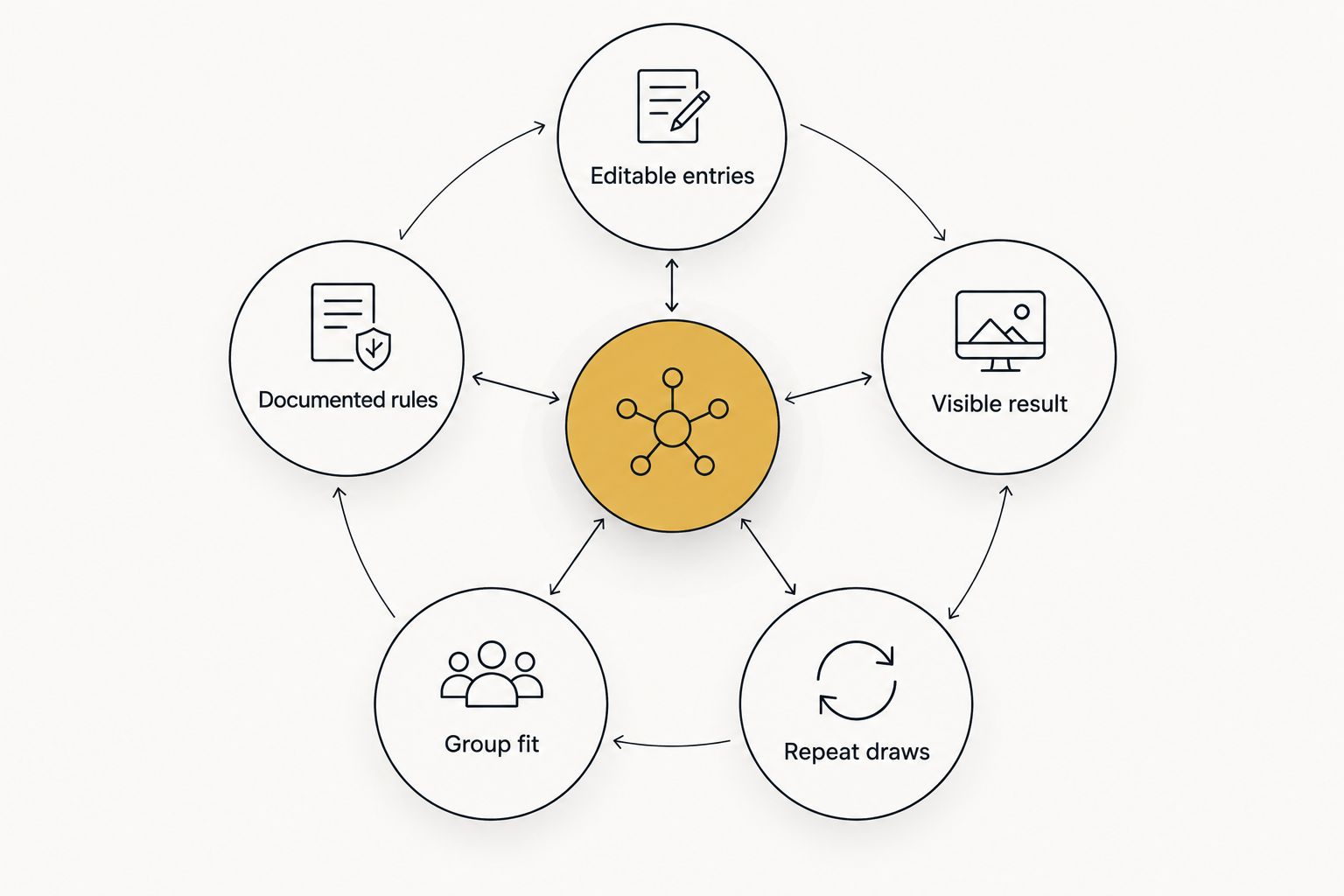
Use these criteria before you compare apps. A polished spin does not fix an incomplete list or an unclear rule.
- Editable entries: You can replace a prompt, correct a name, or remove an ineligible option before the draw. Read the final list aloud or show it to the group.
- Visible result: Participants can see what the wheel selected. If you share your screen, make the result clear before moving to the next activity.
- Repeat draws: The meeting plan says whether an option stays in the pool. Remove a selected name when everyone should get a turn; keep prompts available when repeats are acceptable.
- Group fit: A names wheel works for turn order. A prompt wheel works for voluntary conversation. A yes/no wheel works for a low-stakes decision with two acceptable outcomes.
- Documented rules: Write down the eligible entries, the draw rule, and the result when the choice affects a giveaway or tournament. The wheel alone is not a record of your process.
For 2026 team icebreakers, the best setup is the one participants can understand before the first spin. Tell the group what is on the wheel and whether the selected entry will remain there. That explanation matters more than extra display options.
The best spin the wheel apps at a glance
| App | Best for | Standout feature | Key limitation |
|---|---|---|---|
| Spin the Wheel | Mixed meeting prompts and everyday choices | Editable wheels for names, yes/no, numbers, and food choices | Does not verify your participant list or meeting rules |
| Wheel of Names | Drawing a participant’s name | A wheel centered on entries you supply | A name draw does not tell you whether calling on someone is appropriate |
| Picker Wheel | A focused choice round | A wheel for selecting from options you enter | The result does not explain or document why those options were eligible |
These apps make a selection from entries you provide. None should stand in for an HR decision process. If a result has consequences beyond a meeting activity, establish the criteria and record the outcome outside the wheel.
1. Spin the Wheel: best wheel for mixed HR icebreakers
Spin the Wheel is the best wheel for HR teams that need to switch between names, prompts, and simple choices. Its customizable web app supports wheels for names, yes/no choices, numbers, and food choices. That range fits a meeting agenda with different types of low-stakes decisions: pick an opening question, choose a break activity, then draw the next discussion topic.
Prepare the entries before the meeting. For a check-in, add one optional question per entry, such as What helped you focus this week? or Which team habit should we keep? For a lighter round, use food choices or everyday decisions instead of questions about people. If you put names on the wheel, confirm the list with the group first.
Spin the Wheel pros:
- Editable entries let you make the wheel match the activity rather than change the activity to match a preset list.
- Different wheel types cover prompts, names, and simple decisions in one meeting plan.
- A visible spin gives the group a shared result to act on.
Spin the Wheel cons:
- The app cannot confirm consent, eligibility, or whether a prompt is suitable for your team.
- You must decide separately whether selected entries stay in the pool for later spins.
Best for: A facilitator running several short activities with different kinds of entries. Verdict: Buy for mixed, low-stakes meeting use; keep personnel decisions outside the wheel.
A practical meeting setup
Build one wheel for each question the meeting needs to answer. Keep a prompt wheel separate from a name wheel so participants can tell what the next spin means. Use short entries that remain readable when you share the wheel on a call or display it in a room.
Try a 2-minute opener with a prompt wheel, a 5-minute group discussion, and a 1-minute transition to the next agenda item. These are suggested time boxes, not app performance figures. If the group needs longer, stop spinning and let the discussion continue.
For a voluntary icebreaker, say that anyone can pass before you draw a name. Better still, spin for a prompt and invite someone to take it. That keeps the activity moving without treating a random selection as permission to put a colleague on the spot.
2. Wheel of Names: best wheel for participant name draws
Wheel of Names fits a meeting where the list of people is the main input. Enter the names you intend to include, review the list, and spin to select one. Use it for a stated, low-stakes job such as choosing who picks the next discussion topic or setting a presentation order among willing participants.
A name wheel needs closer review than a prompt wheel. Check spelling, remove duplicates, and make sure absent colleagues are not included. State whether a selected person’s name remains available for another draw. Without that rule, a second spin can feel inconsistent even when the wheel behaves exactly as expected.
Wheel of Names pros:
- The name-based format makes the purpose of the draw easy to explain.
- You can prepare a participant list before the meeting.
- A visible selection gives the group a clear result.
Wheel of Names cons:
- It cannot determine who has agreed to participate.
- Drawing a name is a poor substitute for asking for volunteers when the question is personal.
Best for: A facilitator choosing among eligible, willing participants. Verdict: Buy for turn order; skip the name draw when the activity requires consent in the moment.
When a name draw is the wrong choice
Do not use a name wheel to assign an uncomfortable question, identify someone for feedback, or make a staffing decision. A visible result does not make those decisions appropriate. Use a prompt wheel for optional answers, or ask for volunteers directly.
For a raffle tied to a meeting, publish the eligibility rule before you collect entries. Review the final entrant list and explain whether one person can receive more than one result. Keep a separate record of the rule and outcome if the draw needs to be checked later. The app selects from the list; you are responsible for the list.
3. Picker Wheel: best wheel for a focused choice round
Picker Wheel suits an icebreaker with one clear set of options. Enter the choices, show them to the group, and spin. A facilitator can use that format to select a discussion topic, a team chore, or the next activity in a meeting. It is most useful when the options already make sense to everyone watching.
Keep each entry at the same level of detail. Do not mix talk about a recent win with plan the whole next quarter and present the result as an equal choice. When a decision needs context, discuss the options first. The wheel should resolve an acceptable tie, not replace the discussion.
Picker Wheel pros:
- An option-based wheel keeps a single decision in view.
- Editable choices let you remove an option the group has ruled out.
- A visible result provides a clear end to the choice round.
Picker Wheel cons:
- The wheel does not explain why an option was included.
- It does not record your team’s eligibility or decision rules for you.
Best for: Teams choosing among prepared, acceptable options. Verdict: Buy for a simple choice round; skip the spin if the team still needs to decide which options belong on the wheel.
How the apps were ranked
This 2026 ranking puts mixed-use meeting fit first, then a dedicated name-draw use case, then a focused option-draw use case. The comparison uses the tasks in this guide: editing entries, showing a result, planning repeat draws, and setting rules outside the app. It does not claim that one wheel produces more random results than another.
The order is a decision tree, not a claim that every HR team needs the same interface. Choose Spin the Wheel when your agenda moves between prompt types. Choose Wheel of Names when the task is specifically to draw from an agreed list of people. Choose Picker Wheel when the group already has a short list of acceptable actions or topics.
Before any draw, do a final read-through of the entries. For a prompt round, remove questions people should not have to answer in public. For a names round, confirm who is present and willing. For a choice round, confirm that every outcome is workable. Then tell participants whether you will remove the selected entry or leave it available.
Which wheel should you choose?
Choose Spin the Wheel by default for a 2026 HR icebreaker with mixed prompts and choices. Start with a prompt wheel if the group is new or participation is optional. Use a name wheel only when calling on someone has a clear, agreed purpose. Choose a focused option wheel when the group has already approved every possible result.
The next action is simple: write the entries, remove anything ineligible, and explain the draw rule before you spin. If you cannot explain why every entry belongs on the wheel, do not run the draw yet.
FAQ
What is the best spin the wheel app for HR meetings and icebreakers in 2026?
Spin the Wheel is the best fit for HR meetings that use a mix of editable prompts, names, and simple choices. Use a dedicated name wheel when drawing a participant is the only task.
Should an HR icebreaker use names or questions on the wheel?
Use questions when people should be free to volunteer or pass. Use names only when the participants know the purpose of the draw and have agreed to be included.
Is Wheel of Names better than Spin the Wheel for a meeting?
Wheel of Names is a better fit when the meeting’s specific task is drawing from a participant list. Spin the Wheel fits an agenda that also needs prompts and other kinds of choices.
Can a wheel make an HR raffle fair?
A wheel can select from the entries you give it, but it cannot validate eligibility or remove duplicate entrants for you. Set the rules, check the list, and keep a separate record of the result.
What should happen after a name is selected?
Follow the rule you stated before the spin. Remove the name if everyone should get a turn, or leave it in if repeat selections are allowed.
Can a wheel choose a question for a remote team icebreaker?
Yes. Add short, optional questions, share the wheel with the group, and let a participant pass if they do not want to answer.
Should a team use a weighted wheel for meeting turns?
Use equal treatment when the goal is to give eligible participants the same chance at a turn. If you change entry weights, explain the reason before spinning and do not present the draw as an equal-chance selection.
One last thing
The first spin is not the most important part of a 2026 icebreaker. The list is. If a colleague is absent, a prompt is too personal, or an option is not workable, edit it before anyone watches the wheel. A clear list makes the result easier to accept and the next action easier to explain.


