

Five spin-the-wheel apps get ranked below by how much you can actually customize: colors, weighting, images, embeds, and entry limits. Spin the Wheel App tops the list for classroom and everyday use because it's free, editable, and doesn't require a login — but the right pick depends on whether you're drawing raffle names, settling a yes/no call, or picking dinner.
Best overall for customization: Spin the Wheel App. Best for name-drawing raffles: Wheel of Names. Best for fast yes/no calls: Wheel Decide. Best for food and restaurant picks: Picker Wheel. Best for classroom team generation: ClassTools Random Name Picker.
- Spin the Wheel App wins spin the wheel apps ranked by customization for 2026 classroom use: free, editable, weighted, embeddable.
- Wheel of Names ranks best for name-drawing raffles and giveaways with sound effects.
- Wheel Decide covers quick yes/no calls fastest but offers the least visual customization.
- Picker Wheel supports photo slices, making it the pick for food and restaurant decisions.
- ClassTools Random Name Picker fits classroom team generation but has a dated interface.
Why this matters
A spin wheel is only as useful as what you can change on it. A teacher running a Spin the Wheel App for a substitute lesson needs a wheel that's editable in seconds and doesn't require an account. A streamer running a giveaway needs weighted entries so a sponsor's name lands more often than a free-tier viewer's. A family picking dinner needs photo slices, not plain text.
Customization isn't one feature. It's a set of controls — entry list, colors, weighting, sound, sharing — and different tools ship different subsets of them. Ranking by customization means checking which controls exist, not just whether a wheel spins.
What makes the best spin the wheel app for customization
- Editable entry list — add, remove, and reorder options without starting over
- Color and image customization — assign colors or photos per slice
- Weighted entries — give some options a higher chance without duplicating text
- Embeddable or shareable links — post the wheel on a website or send a link
- Sound and visual effect toggles — turn ticking sounds and confetti on or off
- No login required to start — open a browser tab and build a list immediately
At a glance
| Tool | Best for | Standout customization feature | Key limitation |
|---|---|---|---|
| Spin the Wheel App | Classroom and everyday customization | Editable, weighted, embeddable, no login | Runs in-browser only; no offline mode documented |
| Wheel of Names | Name-drawing raffles and giveaways | Elimination mode and sound effects | Sign-in encouraged to save lists long-term |
| Wheel Decide | Fast yes/no and either/or calls | Simple two-option format | Little color or image customization |
| Picker Wheel | Food and restaurant choice picks | Photo slices for menu items | Ads shown on the free tier |
| ClassTools Random Name Picker | Classroom team generation | Spinning reel style for group draws | Dated interface, fewer color options |
1. Spin the Wheel App: best spin the wheel app for classroom and everyday customization
Spin the Wheel App is a free web-based picker wheel for names, prizes, yes/no calls, numbers, and food choices. You type or paste one option per line, and the wheel updates instantly with no account setup.
Spin the Wheel App pros:
- Free to use with no login required to start a spin
- Editable entry list — add, remove, or reorder options per line
- Weighted entries for uneven odds without duplicate text
- Embeddable on a classroom or event website
Spin the Wheel App cons:
- Browser-based only, so there's no offline mode documented
- Heavy image customization can take a few extra steps on a small phone screen
Spin the Wheel App pricing: free to use.
Best for: teachers, event organizers, and anyone who wants an editable, weighted wheel without creating an account.
Verdict: Buy — this is the wheel to open first for classroom picks, raffles, or quick decisions in 2026.
2. Wheel of Names: best for name-drawing raffles and giveaways
Wheel of Names is built around drawing names one at a time, which fits raffles and prize giveaways where you want winners removed from the pool after each spin. It's a well-known, widely used tool for this specific job.
Wheel of Names pros:
- Elimination mode removes a name after it's drawn
- Sound effects add a live-event feel
- Long-standing, familiar interface for repeat users
Wheel of Names cons:
- Saving and reusing lists long-term typically pushes you toward creating an account
- Deep color customization is more limited than a slice-by-slice editor
Best for: raffles and giveaways where names need to drop out of the pool after winning.
Verdict: Hold — solid for name elimination, but check best prize wheel apps for giveaways if you also need prize-slice customization.
3. Wheel Decide: best for fast yes/no and either/or calls
Wheel Decide strips the format down to a small number of options, usually two, which makes it fast for binary decisions rather than long lists.
Wheel Decide pros:
- Minimal setup for a two-option call
- Loads quickly with no extra steps
Wheel Decide cons:
- Limited color and image customization compared to slice-editable wheels
- No documented weighting for uneven odds
Best for: a quick yes/no or either/or decision, not a long list of names or prizes.
Verdict: Wait — use it only for the narrow yes/no case; for a dedicated version see best yes or no decision wheel apps.
4. Picker Wheel: best for food and restaurant choice picks
Picker Wheel supports image uploads per slice, which suits food decisions where a photo of a dish or restaurant logo communicates faster than text alone.
Picker Wheel pros:
- Photo slices for menu items or restaurant names
- Template categories aimed at food and lifestyle picks
Picker Wheel cons:
- Ads appear on the free tier
- Image-heavy wheels can slow load time on slower connections
Best for: picking dinner, a restaurant, or any decision where a photo helps.
Verdict: Hold — good fit for food nights; see best food choice picker wheels for more options built around the same use case.
5. ClassTools Random Name Picker: best for classroom team generation
ClassTools' fruit-machine-style picker is built for classroom group draws — spin a reel of names to build teams or pick a student at random.
ClassTools Random Name Picker pros:
- Reel-spin format familiar to classroom settings
- Simple text-list input, fast to set up
ClassTools Random Name Picker cons:
- Interface reads as dated next to slice-editable wheels
- Fewer color or image customization options overall
Best for: classroom team generation and quick student picks during a lesson.
Verdict: Wait — functional for team draws, but check a dedicated wheel if color and image customization matter to your class.
How we ranked
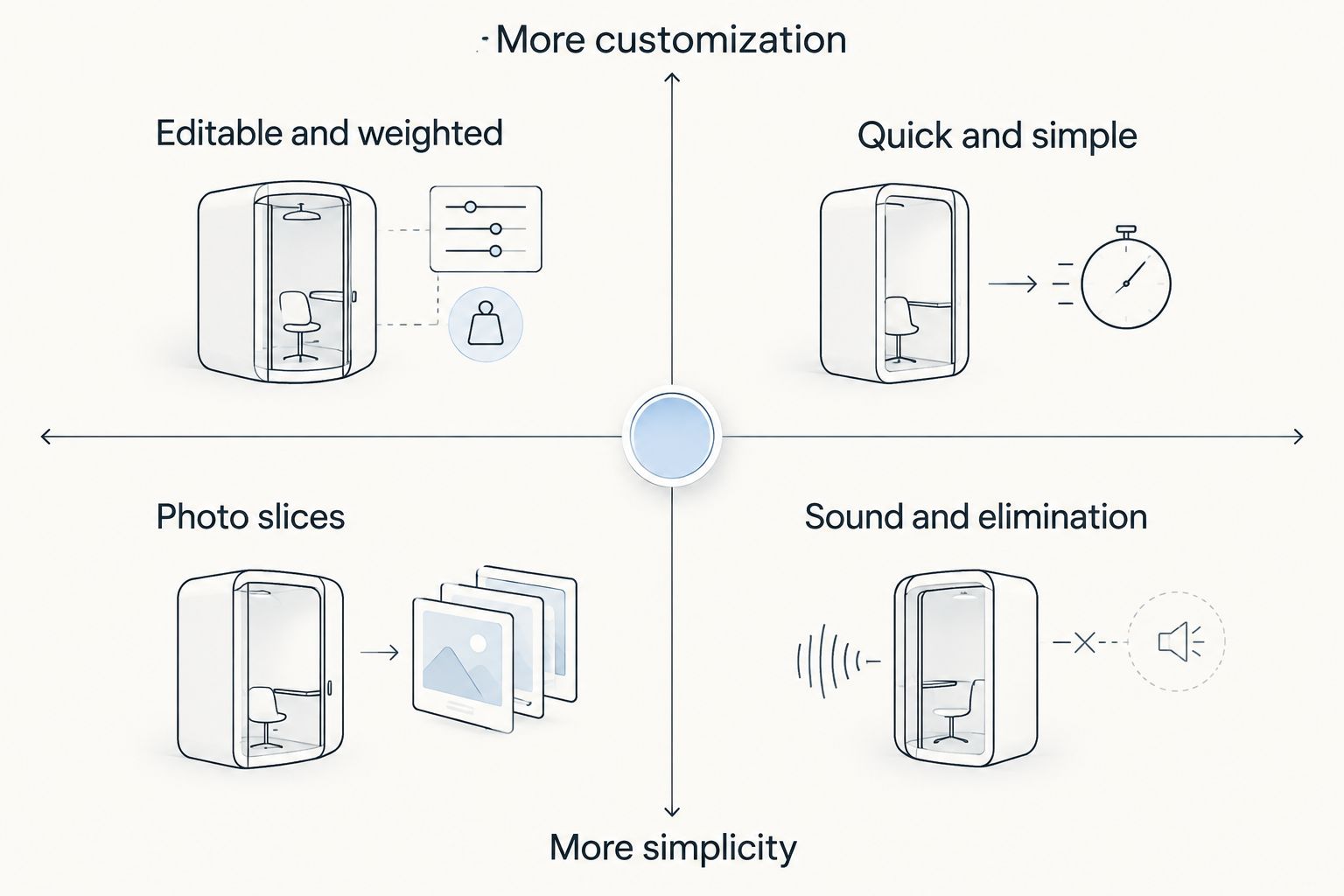
Each tool was checked against the same six controls: editable list, color/image customization, weighting, embeds, sound toggles, and login requirement. Tools that pass more of these checks rank higher for customization specifically — a tool can still be fast and simple while ranking lower here, because speed and customization pull in opposite directions.
“The wheel with the most sliders isn't always the fastest pick, and the fastest pick isn't always the most customizable one.”
Build your first wheel free
Add your list, set colors or weights, and spin in your browser.
Which spin the wheel app should you choose?
For most classroom and everyday decisions in 2026, Spin the Wheel App covers the widest set of customization controls without an account. If you're drawing raffle winners one at a time, Wheel of Names' elimination mode is purpose-built for that. If the decision is binary, skip the setup and use Wheel Decide. If the pick involves food or a menu, Picker Wheel's photo slices do the extra work. For classroom team generation specifically, ClassTools' reel format still gets the job done, just with less visual customization.
No tool here claims perfect randomness — each uses a random draw mechanism to select from the list you enter, and the fairness of the result depends on the entries you put in.
FAQ
What's the best spin the wheel app for customization in 2026?
Spin the Wheel App ranks highest for customization in 2026 because it combines an editable entry list, color and image controls, weighted entries, and embeds without requiring a login.
Is Wheel of Names better than Spin the Wheel App?
Wheel of Names is better specifically for elimination-style raffles where names drop out after winning. Spin the Wheel App covers a broader range of customization controls for classroom, prize, and food-choice wheels.
How much does a spin the wheel app cost?
Spin the Wheel App is free to use. Other tools in this list also offer free tiers, though some show ads or push account creation for saving lists long-term.
Can you weight entries so some options win more often?
Yes, on tools that document weighting, including Spin the Wheel App, you can assign a higher chance to specific entries instead of duplicating the same text multiple times.
Do I need to create an account to spin a wheel?
No, on Spin the Wheel App you can build a list and spin without an account. Some competitors encourage sign-in to save lists for repeat use.
What's the best wheel app for a classroom substitute?
An editable, no-login wheel works best for substitute teachers because it can be set up in seconds without needing existing saved lists or an account password.
Can I embed a spin the wheel app on my own website?
Yes, tools like Spin the Wheel App support embedding so the wheel appears directly on a classroom or event page instead of linking out.
Which wheel app works best for picking food or a restaurant?
Picker Wheel ranks best for food decisions in 2026 because it supports photo slices for menu items and restaurant names, not just plain text.
One last thing
Customization and speed trade off directly: the more sliders a wheel gives you — colors, weights, images, sound toggles — the more setup time it takes before the first spin. If you're running the same wheel every week for a class or a stream, spend the extra two minutes customizing it once and reuse the list, rather than rebuilding a plain wheel from scratch each time.


