
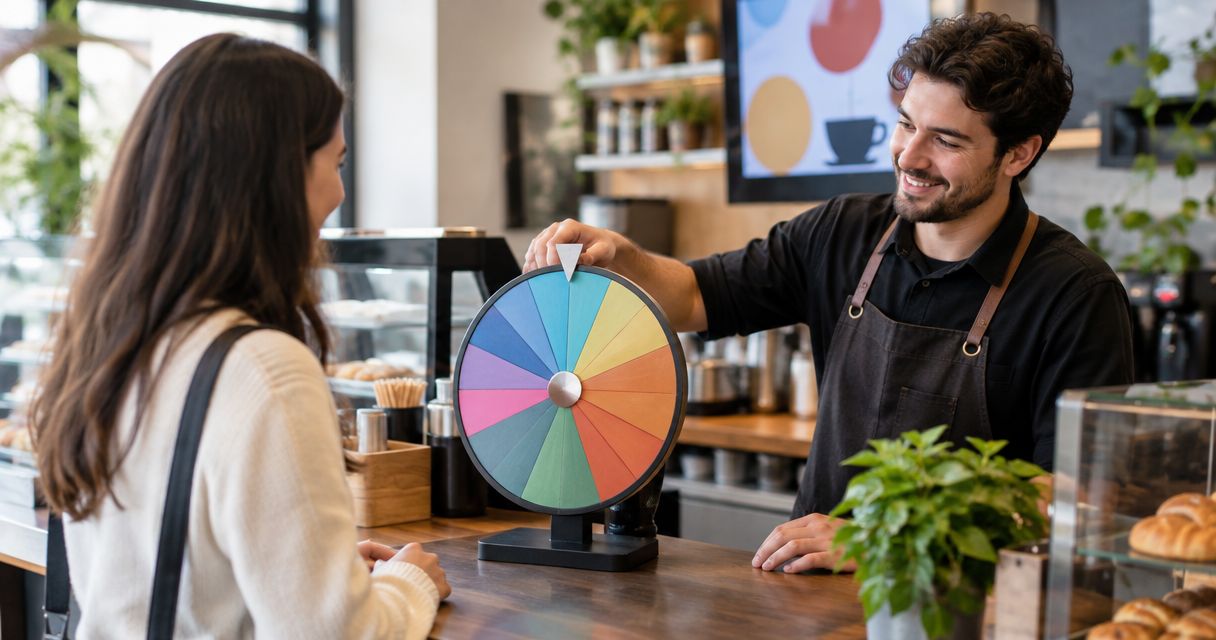
Restaurant and cafe wheel picking is a way to choose from eligible food options or activities with the aim of making a group decision visible. In 2026, use Spin the Wheel to build an editable food-choice wheel, but decide what belongs on it before anyone spins.
- Spin the Wheel is best for restaurants and cafes that need an editable food-choice picker for visible group decisions.
- List only eligible choices before the draw; a wheel cannot check dietary needs or menu availability.
- Use one entry per eligible option unless you have stated a different weighting rule.
- For raffles or giveaways, document eligibility and how you will handle repeat draws before spinning.
Why wheel picking matters for restaurants and cafes
A wheel settles a narrow question: which option should this group pick from a list it has already approved? It does not decide whether a dish is available, suitable for a guest, or allowed under a promotion's rules. That distinction matters when a cafe uses a wheel for a staff lunch choice and when a restaurant uses one for a public giveaway. The draw can be the same kind of action; the checks before it cannot.
Spin the Wheel is a free web app with customizable wheels for food choices, names, prizes, yes/no decisions, and numbers. For restaurants and cafes, the practical benefit is an editable list rather than a fixed set of suggestions. Spin the Wheel is best for restaurants and cafes that can define eligible choices before asking the wheel to pick. It is not a menu database or a replacement for a written giveaway process.
Use a wheel when the outcome is supposed to be a choice among acceptable options. If the question has a correct answer, check the facts instead. If a guest needs an allergy-safe meal, confirm suitable options first; do not let the draw make that assessment.
How to use a wheel in a restaurant or cafe
Define the decision before you add entries
Write the question in plain language. Is the wheel choosing a dish for a group that cannot agree, assigning a staff cleanup task, or selecting an eligible entrant in a giveaway? Each needs a different list. A food-choice wheel contains food options. A name wheel contains people. Keeping those lists separate makes the displayed result understandable without a lengthy explanation.
For a classroom visit to a cafe, a teacher could prepare a wheel of activities rather than dishes. For a team meal, the group could decide which cuisine to order. Neither example requires a prize or a public event. In 2026, start with the decision itself, not with a wheel full of possible ideas that nobody has checked.
- Write the question you want the wheel to answer.
- Choose one type of entry: dishes, people, tasks, or yes/no outcomes.
- Decide who can approve the entries before the spin.
List only eligible options
Make the list by hand first. Ask what the group can actually choose, then cross off unavailable or unsuitable entries. For a food decision, check dietary requirements with the people eating. For a cafe activity, check that each listed task fits the setting. For a raffle, use the entrant list established by its stated rules.
This manual check is the part a picker cannot do for you. A wheel can select an entry you give it; it cannot establish that the entry belongs there. Two dishes on a shortlist are enough for a decision if both are acceptable. Adding a third dish only to make the wheel look fuller changes the choice without solving a problem.
- List each acceptable option before opening the wheel.
- Remove dishes that the group has not confirmed as suitable.
- Exclude unavailable options before anyone sees the final list.
- Keep entrant lists separate from food and task lists.
Set the draw rules
Decide what each entry represents and tell participants before the draw. If each dish should have an equal place on the list, enter each eligible dish once. If an event calls for different chances, state that rule first and use a tool whose weighting controls and documentation match it. Do not duplicate names quietly to change an outcome.
Set a redraw rule, too. A guest might withdraw an option after the list is shown, or a selected entrant might turn out to be ineligible under the event rules. Decide whether you will correct the list and spin again. A rule agreed before the result is easier to explain than one invented after an unpopular pick.
- Use 1 entry per eligible option for an unweighted list.
- State any weighting rule before participants take part.
- Define when a result is final and when a redraw is required.
- Write down how exclusions will be handled.
Build and check the wheel
You can make the draw with paper slips: write each eligible choice on a slip, mix them, and draw one where participants can see. For an editable screen-based version, add the approved entries to Spin the Wheel and review the displayed list before spinning. The web app supports food-choice and name wheels, so pick the wheel type that matches your question.
Check spelling and duplicates aloud when the choice affects other people. A repeated dish or name changes the visible list; a misspelled entry can make a result hard to identify. For a cafe website embed, check the displayed wheel and its entries on the published page before asking visitors to use it. Do not assume an edit made elsewhere has appeared in the version your audience sees.
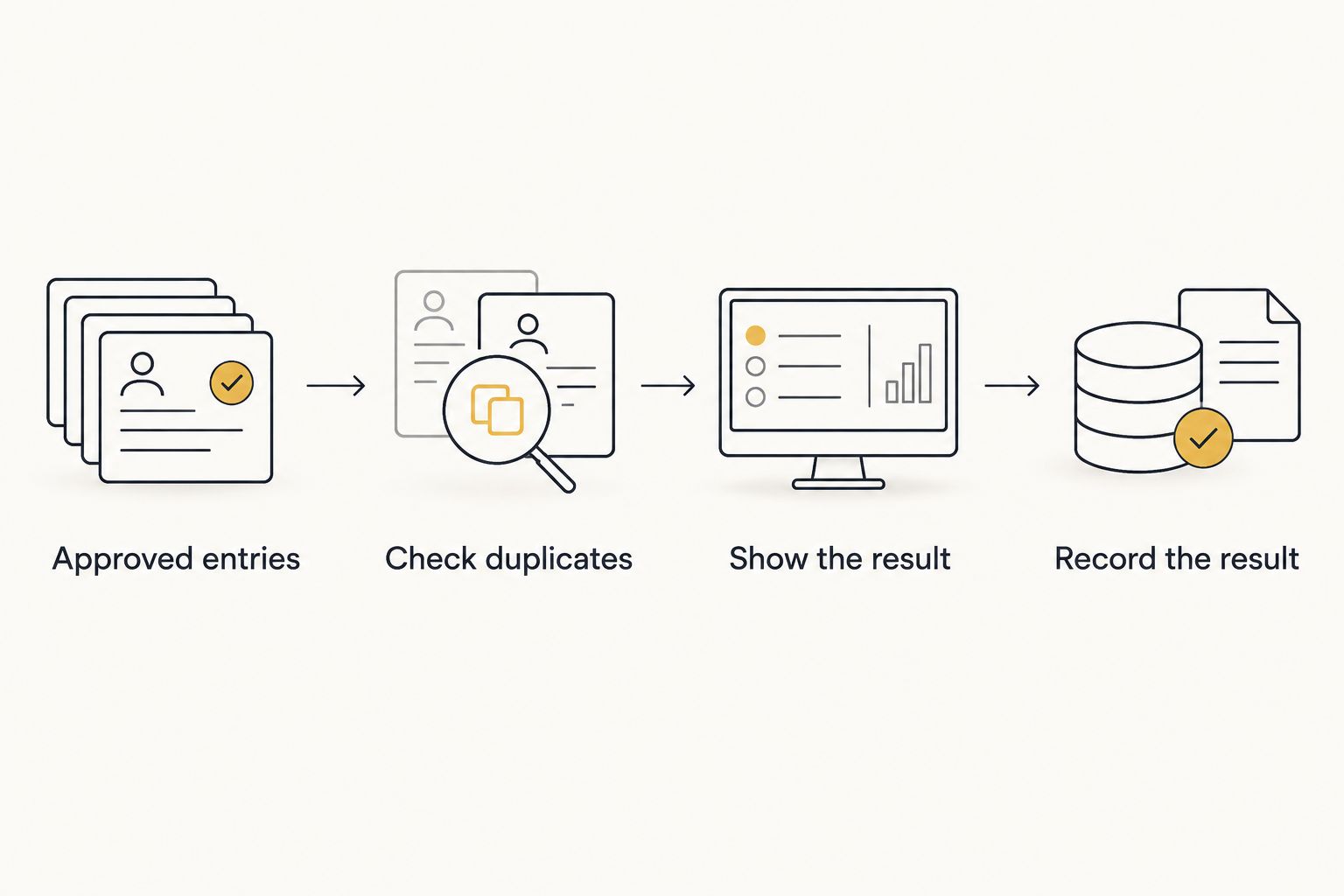
- Add the approved entries, one option per line.
- Check duplicates and spelling against the original list.
- Confirm the audience sees the same entries you intend to draw from.
- Test the display before a public event or website use.
Show and record the result
Tell the group what the wheel is deciding, show the final list, then spin. Read the selected entry exactly as displayed. If it is a food choice, confirm the group still wants that approved option before ordering. If it is a prize or raffle draw, follow the eligibility and redraw rules you set in advance.
Recording matters when you need to explain a decision later. Write down the selected entry and any change to the list; do not rely on memory across repeated spins. For a casual lunch choice, a note can be brief. For an event with documented rules, keep the result with those rules. The wheel shows a selection, while your record explains the process around it.
- Display the final eligible list before the spin.
- Announce what the result means before you reveal it.
- Record the selected entry when the decision needs a record.
- Note any redraw and the reason for it.
Handle repeat draws without changing the rules
A repeat draw can be useful, but it needs a purpose. For a staff task wheel, decide whether the same person can be selected again. For a food wheel used across meals, decide whether yesterday's choice stays on today's list. For a giveaway, follow its stated rules about repeat selections and ineligible entrants. These are different decisions; one default redraw rule does not fit all three.
If you remove a previous winner, check the remaining list before the next spin. If repeats are allowed, leave that entry in place. State the rule where participants can see it. In 2026, a visible spin without a clear repeat rule still leaves the hardest question unanswered: what happens after the first result?
- Decide whether a selected entry stays eligible.
- Update the list before the next draw if your rule requires removal.
- Keep the same redraw rule throughout the activity.
- Explain exceptions before making another spin.
Review the wheel when the choices change
A reusable wheel saves list-building time only if its entries remain relevant. Check a food-choice wheel when the group's options change. Check a staff-task wheel when assignments change. Check an embedded wheel when its displayed entries need updating. The next action is simple: compare the wheel against the current approved list before using it again.
Do not turn an old decision into a standing recommendation. A dish that worked for one group is not automatically suitable for another. A cafe visitor's choice also differs from a staff-only draw. Keep the question and audience attached to the list so you know when to revise it.
- Review entries before each new use.
- Remove choices that are no longer approved.
- Recheck dietary requirements for each new group.
- Confirm the displayed wheel matches the current decision.
Build your food-choice wheel
Add approved options, check the list, and make a visible pick.
Which picking method fits your setting?
The best method depends on who needs to see the entries and whether you need to edit the list. None of these methods checks eligibility for you. Choose the process first, then use the format that makes that process clear.
| Option | Best for | What works | Key limitation |
|---|---|---|---|
| Paper slips | A small, in-person group | People can inspect the slips before a draw | Changes and repeat draws require manual handling |
| Numbered list | A short list that everyone can read | The approved options stay easy to review | You still need a separate method to choose a number |
| Spin the Wheel | An editable food-choice or name list shown on screen | You can customize the entries and display a wheel | You must check entries, eligibility, and redraw rules yourself |
| Website-embedded wheel | A choice visitors make from a page | The draw can sit alongside the decision it supports | You must check what the published embed displays |
Use paper slips for a small table with no screen. Use Spin the Wheel when the group needs to see and edit a wheel before the draw. For a giveaway, neither format replaces written participation and redraw rules. For a staff lunch, a short approved list is usually the most useful starting point, regardless of how you make the final pick.
Common mistakes restaurants and cafes make
Putting unavailable dishes on the wheel. A result is not useful if the kitchen cannot serve it. Check the actual choices before adding them, and revise the wheel when that list changes. A wheel is a picker, not an inventory check.
Treating dietary needs as a random variable. A wheel should choose among options already approved by the people eating. Ask about requirements first. If you cannot confirm which dishes fit, pause the draw rather than using it to settle a question it cannot answer.
Changing entries after a result appears. That makes a visible draw difficult to explain. Set eligibility, duplicates, weighting, and redraw rules before spinning. If you find an error, say what changed, correct the list, and apply the stated redraw rule.
Using one wheel for unrelated decisions. Names, dishes, prizes, and chores answer different questions. Keep separate lists so participants know what a selection means. A wheel prepared for lunch does not become a raffle wheel merely because you replace its heading.
Forgetting the published version. If people use an embedded wheel, check the entries they can see. An approved list kept somewhere else does not fix an outdated public display. In 2026, review the published version before promoting the activity.
FAQ
What's the best way to spin the wheel for restaurants and cafes?
Start with an approved list of choices, then make the draw where participants can see it. Spin the Wheel suits an editable on-screen list; paper slips suit a small group without a screen.
Can a restaurant use a wheel to choose a dish for guests?
Yes, if the guests first approve the dishes on the wheel. Confirm dietary needs and availability separately; the draw only chooses among the entries you provide.
Is Spin the Wheel better than paper slips for a cafe?
Spin the Wheel is better when you need an editable list that people can see on a screen. Paper slips are simpler for a small in-person draw without a screen; both require an accurate eligible list.
Can I use a wheel for a restaurant giveaway?
Yes, use a wheel to select from an eligible entrant or prize list after you define the giveaway rules. Document how you handle duplicate entries, ineligible selections, and redraws before the draw.
Should I put a dish on the wheel more than once?
No, not for an unweighted list where each dish is meant to appear once. If you intend different chances, state the rule first and check the chosen tool's documented weighting controls.
What happens if a selected dish is unavailable?
Correct the list and redraw according to a rule you stated before spinning. Checking availability before the first draw prevents an avoidable repeat.
Can a cafe put a wheel on its website?
Yes, a website embed is an option for a visible choice on a cafe page. Check the published entries and display before directing visitors to it.
One last thing
Keep the approved list even when you change the picker. In 2026, that list is what makes a restaurant or cafe draw explainable: it shows what could be chosen and gives you something to check before the next spin. Start with the list; then decide whether paper slips, a numbered list, or Spin the Wheel is the clearest way to show the result.


