

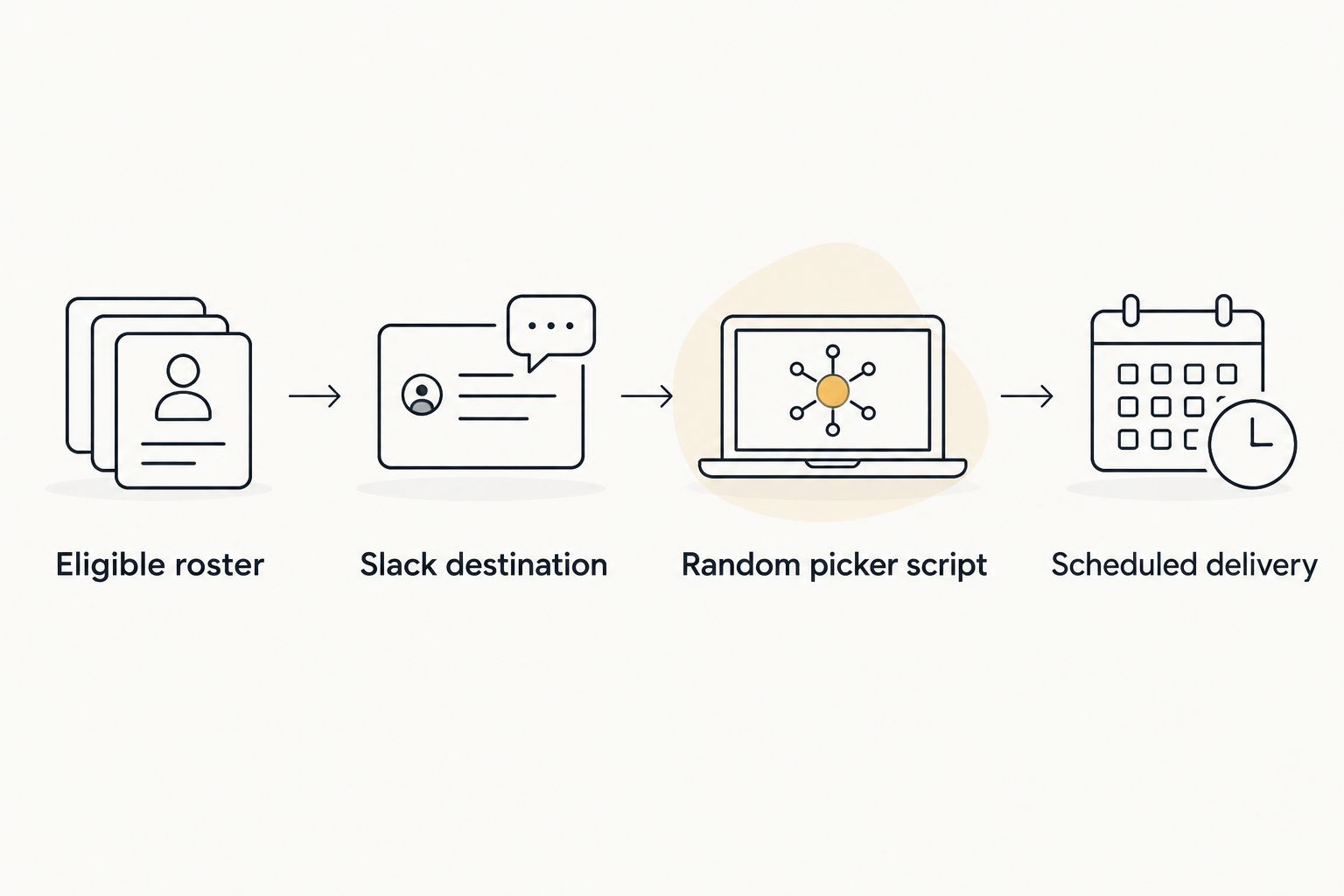
Instead of manually choosing a standup lead and posting the result each morning, schedule a script that selects an eligible name and sends it to Slack. This random team generator Slack standup workflow uses a local roster and a Slack incoming webhook; Spinthewheelapp provides a separate, editable wheel when you want to show the draw live.
- For a random team generator Slack standup workflow, schedule a roster-based script and post through a Slack incoming webhook.
- Spinthewheelapp is best for teachers and meeting hosts who want a visible random picker wheel.
- Choose the eligibility and repeat rules before scheduling a random name picker.
- The script automates selection and posting; the wheel remains a separate manual option.
Why this matters
A standup picker has two separate jobs: choose from the right people and deliver the result where the team works. Random selection does not fix an outdated roster. An absent teammate can still win if you leave that person on the list.
For a 2026 standup workflow, define eligibility before automation. Decide whether the draw chooses today's facilitator, the first speaker, or an entire speaking order. This guide selects one facilitator per scheduled run. It does not divide people into balanced teams.
Spinthewheelapp is best for teachers and meeting hosts who want a visible random picker wheel. Its editable entries suit classroom participation, meeting icebreakers, and everyday decisions. The workflow below does not depend on a wheel API or a native Slack connection.
| Approach | Best for | What it does | Advantage | Limitation |
|---|---|---|---|---|
| Scheduled Python picker | Recurring Slack standups | Selects a roster entry and posts it automatically | Removes the daily selection and posting task | Requires a running host, maintained roster, and webhook |
| Spinthewheelapp random picker wheel | Live classroom activities and meetings | Lets a host make a visible selection from editable entries | Makes the draw part of the activity | This guide does not automate wheel spins or Slack delivery |
Choose the script for unattended posting. Choose the wheel when seeing the selection matters. Neither approach decides who is eligible; you must set that rule.
Before you start
- Slack access: You need permission to create or install a Slack app and add an incoming webhook to the intended channel. Workspace approval requirements can block setup, so resolve them first.
- Execution host: You need Python 3 and a computer or server with a cron-compatible scheduler. The scheduled host must stay awake and have network access when the draw runs.
- Roster and timezone: Prepare one eligible name per line. Confirm the host's scheduling timezone; a schedule configured on a remote server does not automatically follow your Slack workspace's local time.
For the 2026 setup below, the scheduled example runs at 09:00 on weekdays. That is a configuration choice, not a recommended time for every team. Set the schedule before the standup so the facilitator has time to prepare.
Eligible roster
Prepare the participant list before connecting Slack. A short, explicit roster is easier to inspect than a list assembled from everyone in a channel.
- Create a working folder named
standupon the execution host. - Create a UTF-8 text file named
roster.txtinside that folder. - Add one eligible participant per line. Use names that the team can distinguish without extra explanation.
- Remove absent participants, observers, and anyone excluded under your agreed rule.
- Review the file before enabling the schedule. Keep the roster owner responsible for updates.
For example, a roster containing Alex Rivera, Casey Morgan, and Jordan Lee represents 3 eligible participants. These are sample entries, not a customer roster. Replace them with your own participants.
Use unique display names. Two people called Alex need distinguishable entries. Conversely, Alex Rivera and alex rivera should not become separate chances merely because capitalization differs. The script below removes case-insensitive duplicates while preserving the first spelling.
Expected result: roster.txt contains only eligible people, with one identifiable entry per person. Open the file and check it directly; do not use a successful Slack post as proof that the roster is correct.
Slack destination
An incoming webhook lets this script send a message to the channel selected during installation. Treat the webhook address as a credential, not as a link to share with the team.
- Open Slack's app management interface. Select Create New App, then From scratch.
- Enter an app name that describes the task and select the intended workspace. Select Create App.
- Open Incoming Webhooks and turn on Activate Incoming Webhooks.
- Select Add New Webhook to Workspace. Choose the standup channel, then select Allow, subject to your workspace's approval process.
- Copy the generated webhook address into a file named
slack-webhook.txtin yourstandupfolder. Keep only the address in that file.
On a Unix-like host, restrict access to the credential file:
chmod 600 slack-webhook.txt
Do not put the address in a public repository, classroom handout, or screenshot. Restricting the local file is only one precaution; anyone with the webhook address can use it to send messages through that webhook.
For a 2026 rollout, use a test channel first. Once you confirm the message and roster rules, create the webhook for the intended standup channel and replace the credential file.
Expected result: the app has an incoming webhook associated with the channel you selected. The next section verifies delivery with an actual message rather than assuming installation succeeded.
Random picker script
This script reads the roster, removes duplicates, chooses one entry, and prepares a Slack message. It sends the message only when you explicitly pass --send.
- Create
pick_standup.pyin the same folder asroster.txt. - Paste the following code into the file.
- Run
python3 pick_standup.pyto inspect the selection without posting. - Run
python3 pick_standup.py --sendin your test setup. Check the selected Slack channel.
from pathlib import Path
import json
import secrets
import sys
import urllib.request

folder = Path(__file__).resolve().parent
raw_names = (folder / 'roster.txt').read_text(
    encoding='utf-8'
).splitlines()

names = []
seen = set()
for line in raw_names:
    name = line.strip()
    key = name.casefold()
    if name and key not in seen:
        seen.add(key)
        names.append(name)

if not names:
    raise SystemExit('No eligible participants in roster.txt')

winner = secrets.choice(names)
message = f'Standup facilitator: {winner}'

if '--send' not in sys.argv:
    print(message)
    raise SystemExit(0)

webhook = (folder / 'slack-webhook.txt').read_text(
    encoding='utf-8'
).strip()
if not webhook.startswith('https://'):
    raise SystemExit('Expected an HTTPS webhook address')

payload = json.dumps({
    'text': message,
    'mrkdwn': False
}).encode('utf-8')
request = urllib.request.Request(
    webhook,
    data=payload,
    headers={'Content-Type': 'application/json'},
    method='POST'
)

with urllib.request.urlopen(request, timeout=10) as response:
    reply = response.read().decode('utf-8').strip()
    if response.status != 200 or reply != 'ok':
        raise SystemExit('Slack did not confirm the message')

print('Standup message posted')
The HTTP request has a 10-second timeout. That setting limits how long the script waits for a response; it is not a delivery guarantee. The script does not retry automatically.
Each execution makes a fresh draw. The name printed during a dry run is not reserved for the next execution. Running the command again with --send can select a different person.
Expected result: the dry run prints a facilitator without posting. The sending run creates one message in the selected channel and prints a confirmation after Slack acknowledges it.
Scheduled delivery
Schedule the tested script only after you have confirmed the destination and roster. A successful manual run does not prove the scheduler uses the same Python executable or environment.
- Run
command -v python3and record the executable's absolute path. - Record the absolute path to
pick_standup.py. Keep the script, roster, and credential file together. - Run
crontab -eon the host that will execute the workflow. - Add the following schedule, replacing the example filesystem paths with your actual paths.
- Check the log and Slack channel after the first scheduled execution.
0 9 * * 1-5 /usr/bin/python3 /home/you/standup/pick_standup.py --send >> /home/you/standup/run.log 2>&1
This example schedules a run at 09:00 on 5 weekdays. /usr/bin/python3 is an example executable path, not a path guaranteed to exist on your host. The schedule uses the host's configured cron timezone.
The code resolves its input files relative to the script itself. That avoids relying on cron's working directory. Keep the absolute paths in the schedule so cron can find both the script and its log destination.
For your 2026 operating checklist, record the host timezone, schedule, channel, and roster owner. Keep those details alongside the workflow instructions, without including the webhook credential.
Expected result: the scheduler executes the script without a person opening the wheel or posting the name. Check the log as well as Slack; an empty channel alone does not explain a failed run.
Pick again whenever the roster changes
An adjacent workflow is an on-demand draw after attendance changes. Keep the same files and webhook, but let a meeting host update the roster and run the sending command when the eligible list is ready.
- Update
roster.txtafter confirming attendance. - Run the dry-run command to check that the file loads.
- Run the sending command once to publish a new selection.
- State whether the new message replaces an earlier facilitator assignment.
Do not combine scheduled and on-demand draws without a replacement rule. Otherwise, Slack can contain two valid-looking assignments for the same standup.
Automatic reruns after every file update need a separate file watcher or orchestration system. The script above does not provide that trigger. Attendance-confirmed draws are useful when absences are common, but they retain a manual roster check.
Troubleshooting
No Slack message appears
Run the sending command manually and inspect its error output. Check the webhook file, app approval, channel selection, and network access. Do not repeatedly rerun an uncertain request before checking whether Slack already received the message.
The scheduled run fails but the manual run works
Check the Python executable path, file permissions, and cron log. Confirm the host stayed awake. Use absolute paths instead of relying on your interactive shell's settings.
The wrong person is selected
Open roster.txt and check eligibility. The script reads the file at execution time; it does not know who is absent, who attended yesterday, or who has already facilitated this week.
The same person wins on consecutive days
Repeat winners are possible with independent draws. If your rule requires everyone to take a turn before anyone repeats, use a maintained remaining-participants list instead. Remove each confirmed selection and reset the list only after the cycle ends.
Names display oddly or fail to notify people
The example posts plain-text names and disables message formatting. It does not mention Slack users. If you need notifications, maintain a verified mapping to Slack member IDs and build a separate, tested mention format rather than guessing IDs from names.
Customize your workflow
Start with the eligibility rule, not more automation. A facilitator picker, a tournament team generator, and a classroom participation wheel serve different purposes. Selecting one name does not guarantee balanced groups or equal turns over a short period.
For group assignment, read the guide to random team generator tools. Decide group size and assignment constraints before choosing a method.
For a live classroom or meeting draw, Spinthewheelapp provides a free, customizable random picker wheel. Its advantage is the visible selection activity; this guide supplies no automatic connection between that wheel and Slack.
In 2026, keep the workflow's rule in the channel description or your meeting instructions: who qualifies, what the selection means, and when a replacement draw is allowed. A documented rule makes results easier to interpret without treating randomness as a guarantee of fairness.
FAQ
How do I set up a random team generator Slack standup workflow?
Use an eligible roster, a random-selection script, a Slack incoming webhook, and a scheduler. The example selects one facilitator per execution; it does not generate balanced teams.
Does Spinthewheelapp automatically post a wheel winner to Slack?
This guide does not use an automatic Spinthewheelapp-to-Slack connection. The scheduled script selects and posts a name separately, while the wheel supports a visible manual draw.
Can I stop the same person from winning twice?
Yes, by maintaining a remaining-participants list and removing each confirmed selection until the cycle ends. The example script does not track previous winners, so consecutive selections can repeat.
Will the workflow run when my laptop is asleep?
No, a cron job cannot execute normally while its host is asleep. Use a host that stays running and confirm its timezone before enabling the schedule.
Can Slack automatically exclude people who are absent?
This script does not detect absences. Update the roster before the draw or add a separately tested attendance source before attempting unattended eligibility updates.
Can I use this workflow for a classroom activity?
Yes, you can use a maintained student roster to choose an activity leader or first speaker. Use a visible wheel when students need to watch the draw, and keep student names out of public channels.
Does a dry run select the same person as the next posted run?
No, each execution makes a new selection. A dry run checks roster loading and message construction but does not reserve its selected name.
One last thing
A weekday schedule is not a workday calendar. The example still runs on weekday holidays unless you disable it or add a calendar-aware check. Before a break, pause the schedule rather than leaving an empty roster and hoping the workflow interprets it correctly.


