

A free spin-the-wheel app does not automatically include permission to run commercial giveaways; check the app’s current terms before using it for a business promotion in 2026. A customizable wheel can select names or prizes, but it does not replace your giveaway rules, entrant checks, or a documented draw.
- Is spin the wheel free for commercial giveaways? Free access alone does not establish commercial-use permission.
- Spinthewheelapp is a free random picker wheel for names, prizes, numbers, and everyday decisions.
- Check commercial-use and website-embedding terms before publishing a business giveaway.
- Decide eligibility, duplicate handling, and repeat-winner rules before spinning.
- Keep the entrant list, draw rules, and result together so you can explain the selection.
Why this matters
A classroom participation draw and a promotional prize draw use similar tools. They need different preparation. A business giveaway adds eligibility rules, prize conditions, and questions about how you selected the winner.
Spinthewheelapp is a free web app with customizable wheels for names, prizes, yes/no answers, numbers, and food choices. That describes its function. It does not establish the conditions for every commercial promotion or website embed.
Separate the tool decision from the giveaway decision. First establish whether the intended use is permitted. Then prepare a selection process that follows the rules you publish.
Is it free to use a spin the wheel app for commercial giveaways?
Free access and commercial-use permission answer different questions. Free access concerns using the tool without a charge. Commercial-use permission concerns whether the provider allows your particular business use, including how and where you display the wheel.
For a giveaway planned in 2026, read the current terms rather than relying on a search snippet, an old tutorial, or a wheel’s appearance. A visible spinner is not evidence that every promotional use is permitted.
Use this sequence before announcing the draw:
- Describe the promotion. State whether you are selecting an entrant, assigning a prize, or choosing a classroom reward.
- Check the intended use. Review the conditions for business promotions, public display, and website embedding where relevant.
- Set the rules. Define eligibility, entry handling, selection, and how you will handle an invalid winner.
- Check the wheel setup. Make sure the entries represent those rules before the live draw.
- Document the result. Keep the final list and enough information to explain what happened.
If the terms do not answer your intended use, ask the provider for clarification before publishing the promotion. Do not treat silence as permission.
What does a free wheel actually settle?
A free wheel settles the access question for the tool described as free. It does not settle whether your giveaway follows local requirements, whether a social platform permits the promotion, or whether you have collected entrants appropriately.
Those checks belong to the organizer. The wheel performs the selection step; your written rules explain who belongs in that selection and what winning means.
This distinction also applies to website embeds. Check embedding permission separately from commercial giveaway permission. Permission to open a tool in a browser is not automatically permission to place it inside your promotional page.
Which wheel setup fits your giveaway?
Choose the wheel contents according to the decision you need to make. A name wheel selects an entrant. A prize wheel selects an outcome. A number wheel selects an identifier that you must match to an entry record.
The comparison below describes workflows, not paid plans or documented controls in any particular app.
| Setup | Best for | Useful feature of the workflow | Limitation to manage |
|---|---|---|---|
| Name wheel | Selecting a winner from an eligible list | The displayed result identifies the selected entry directly | Names can expose personal information or fail to distinguish people with identical names |
| Prize wheel | Assigning a prize to an already selected participant | The result shows the assigned outcome | It does not decide whether the participant is eligible |
| Number wheel | Selecting an entrant through an identifier | The displayed result can avoid showing a full name | You need an accurate record connecting each number to an entrant |
Choose the simplest setup that answers the actual giveaway question. Do not spin for both a person and a prize unless your published rules call for those separate decisions.
For example, a teacher choosing a classroom helper needs a participant list, not a list of rewards. An event organizer assigning a prize to an already selected winner needs prize entries, not another entrant draw.
The same separation helps streamers. Selecting a viewer and assigning that viewer a reward are different actions. Explain each action before running it so the audience knows what the next spin decides.
How to prepare a documented giveaway draw
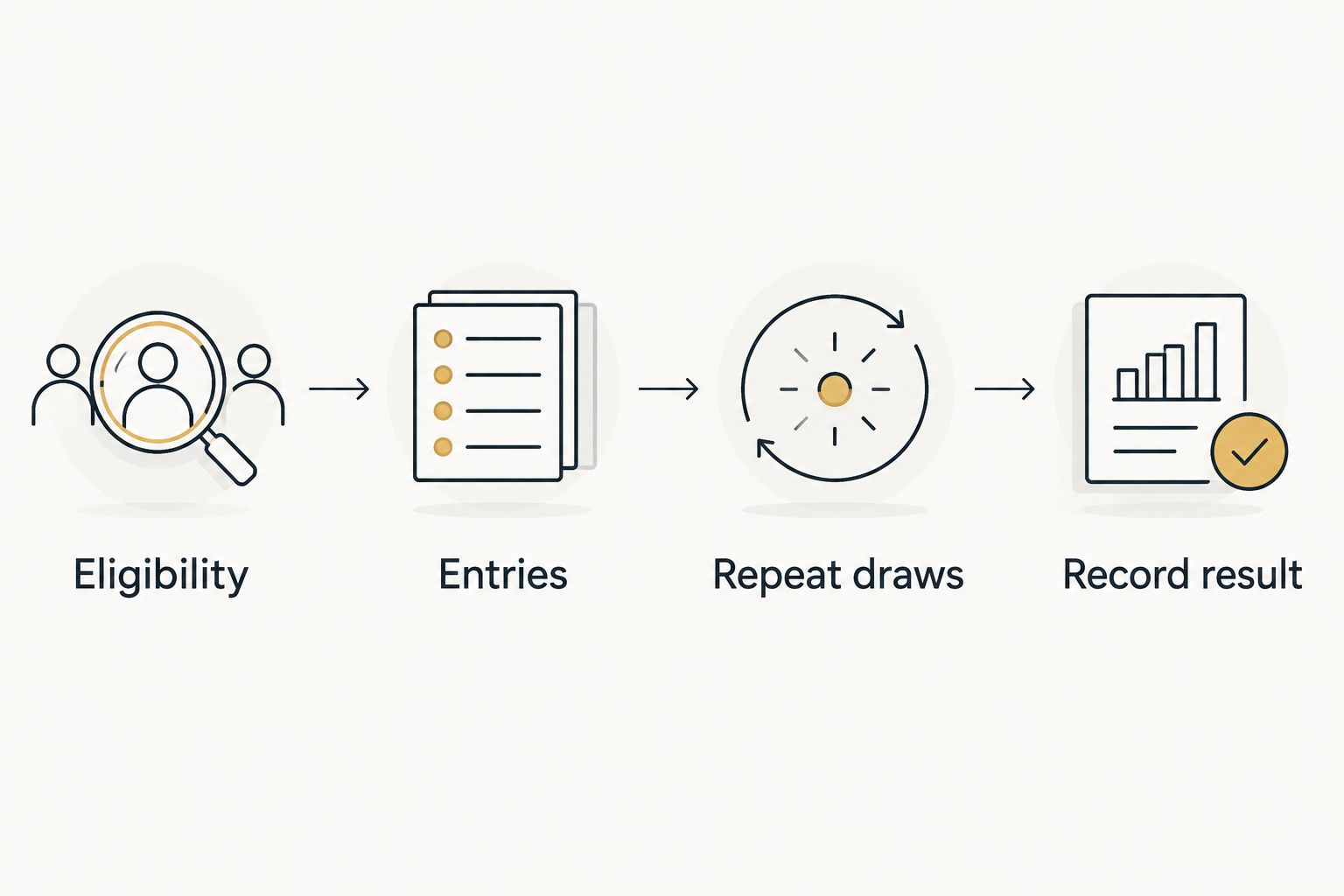
A useful draw record starts before the wheel moves. Write the rules first, prepare the entries second, and select the winner last. This order gives you a clear explanation if an entrant questions the result.
Eligibility
Define who can enter and when entries close. Keep these conditions with the giveaway announcement so entrants can understand them before participating.
Check the final list against those conditions before loading the wheel. A random selection cannot correct an ineligible entry. For a classroom reward, this might mean including the students assigned to that activity rather than the entire class.
For a business promotion, review the applicable requirements for your location and audience. A public promotional giveaway is not interchangeable with a paid raffle. Get qualified advice when the promotion involves payment, purchase conditions, or other regulated elements.
Entries
Make each wheel entry correspond to an eligible entry in your records. Use a consistent naming or identifier format and check the spelling before the draw.
Decide whether repeated names represent mistakes or permitted additional entries. Do not remove duplicates automatically if the rules intentionally allow multiple entries. Equally, do not let accidental duplicates change a one-entry-per-person draw.
Keep the original entry record separate from the display list. If you use identifiers on the wheel, preserve the connection between each identifier and the entrant it represents.
Repeat draws
Decide whether a winner remains eligible for later selections. A classroom activity that gives everyone a turn uses a different process from a giveaway that allows repeat winners.
When the rules prohibit repeat winners, remove the selected entrant before the next draw. If the app does not provide a removal control, edit the list yourself and verify it before continuing.
Describe this process in the rules before the first selection. Changing it after seeing a winner changes the promotion, not just the wheel setup.
Record result
Keep the final entrant list, the draw rules, and the selected result together. Record enough context to distinguish a rehearsal from the actual selection.
A screenshot can show a displayed result. A recording can show the visible sequence. Neither proves that the entrant list was correct, so retain the preparation record as well.
For your 2026 giveaway record, identify the promotion and the completed draw clearly. Store it where the organizer responsible for answering entrant questions can find it.
Why giveaway requirements vary
The wheel type is only part of the decision. Your intended use determines what else you must check.
- Entrants or prizes. Selecting a person requires an eligible entrant list. Selecting a prize requires an outcome list and rules for assigning it.
- Classroom or business promotion. A classroom activity and a customer giveaway have different audiences and responsibilities.
- Browser display or website embed. Opening a wheel and embedding it are different uses. Check the applicable conditions for each.
- Single or repeated selections. Multiple draws require a clear rule about whether previous winners stay eligible.
- Public names or identifiers. A visible draw needs a deliberate choice about what personal information appears on screen.
- Equal or weighted entries. Equal-entry and weighted processes need different explanations. Do not imply equal chances when entries intentionally differ.
Apply these checks to the actual promotion. A food-choice wheel for a team lunch does not need the same preparation as a customer prize draw, even if both use editable options.
Does a free wheel make the giveaway fair?
No. Fairness depends on the entry rules, the list, the selection method, and how you handle the result. An animation alone does not establish any of those conditions.
A simple probability example shows why duplicate handling matters. Suppose a draw has 20 equally likely entries and each person receives 1 entry. Each entry then has a 5% chance of selection. This is a mathematical example, not a verified performance claim about an app.
If you give someone extra entries, the setup no longer represents equal chances per person. That can be intentional, but the rules should explain it before people enter.
Do not describe a wheel as perfectly random or independently audited without documented support. For a closer explanation of the distinction, read whether a random name picker wheel is truly random.
A documented process explains how you ran the draw; it is not a certification of the software. Keep those claims separate in your giveaway announcement.
Can I use a website embed for a commercial giveaway?
Check the conditions for embedding and commercial use before placing a wheel on a business website. A free website embed and a permitted commercial promotion are separate requirements.
Test the actual page before publishing. Confirm that the displayed entries match your approved list and that visitors can understand what the wheel selects. Keep giveaway rules outside the wheel so participants do not have to infer them from the interface.
If you plan to use an embedded wheel in 2026, review the current conditions for that use. A previous event’s setup is not a substitute for checking the present terms.
You also need to decide who operates the draw. An organizer-controlled selection and a visitor-operated prize wheel are different workflows. Explain which one applies rather than leaving visitors to discover it by interacting with the page.
What should I do if the selected winner is ineligible?
Follow the replacement process published in your giveaway rules. Do not invent a new rule after the selection or rerun the wheel simply because the result is inconvenient.
Record why the selected entry failed the eligibility check and how you applied the replacement rule. Keep the original result with the later result so the sequence remains understandable.
The better prevention is to check eligibility before spinning. A redraw rule is a fallback, not a replacement for preparing the list.
When this free random picker wheel fits
Spinthewheelapp is best for teachers, event organizers, and streamers who need a free, customizable random picker wheel. Its stated uses include names, prizes, yes/no answers, numbers, and food choices.
That range supports different everyday decisions. You can prepare names for classroom participation, choices for chores, or food options for a group decision without treating every activity as a giveaway.
For a commercial giveaway, assess Spinthewheelapp against your required workflow and the applicable terms. Its free access and customizable options are useful starting points; they do not replace documented commercial permission or an independently verified randomness claim.
FAQ
Is spin the wheel free for commercial giveaways?
Free access alone does not establish permission for commercial giveaways. Check the app’s current terms for your business promotion and any website embedding before announcing the draw.
Is Spinthewheelapp a free random picker wheel?
Spinthewheelapp is a free web app offering customizable random picker wheels. Its stated uses include names, prizes, yes/no answers, numbers, and food choices.
Can I embed a free wheel on my business website?
Check the applicable embedding and commercial-use conditions before placing a wheel on your business website. Browser access alone does not establish embedding permission.
Should I put names or prizes on the wheel?
Put names on the wheel when selecting an entrant and prizes on the wheel when assigning an outcome. These are separate decisions, so explain which one each spin performs.
Does every entrant have the same chance of winning?
Equal chances require an appropriate selection method and equal eligible entry treatment. Duplicate entries or intentional weights change the setup, so explain them in the rules.
Can the same person win more than once?
Your published giveaway rules should state whether repeat winners are allowed. When repeat winners are prohibited, remove the selected entrant before the next draw.
Does recording the spin prove the giveaway was fair?
Recording the spin documents the visible draw but does not prove that the entrant list or software was correct. Keep the eligibility rules and final entry record with the result.
What should I check before a commercial giveaway in 2026?
Check current commercial-use terms, eligibility requirements, entry handling, and replacement rules before your 2026 giveaway. Confirm that the wheel setup matches the process you announce.
One last thing
Keep a practice list separate from the eligible entrant list. A rehearsal should help you check the workflow without being confused with the official selection.
Before the real draw, open the approved list and read the repeat-winner rule aloud. That small preparation step gives the audience a clear account of what you are about to do—and gives you a rule to follow after the result appears.


