

Spin the wheel for insurance agents is a random-selection activity with the aim of choosing training prompts, meeting roles, or approved event entries without debating each choice. Use editable names, numbers, prizes, or yes/no options for routine activities—not for coverage recommendations, underwriting, or claim decisions.
- Use spin the wheel for insurance agents for training prompts and meeting roles, not insurance advice.
- Spinthewheelapp offers a free, customizable random picker wheel; keep client information out of entries.
- Prepare eligible entries, decide whether repeats count, and document the result before another draw.
- Use prize wheels only after your agency approves the activity and its rules.
Why random selection matters for insurance agents
Insurance agents need different rules for a training exercise and a customer-facing activity. Choosing the next practice question is an administrative task. Choosing a policy recommendation requires an assessment of the customer's circumstances; a spinner cannot provide that assessment.
A wheel makes the selection visible. It does not establish that the entries are appropriate, that a promotion is permitted, or that every participant has equal odds. Those responsibilities stay with the organizer.
For your 2026 team meetings, start with activities that do not affect customer outcomes. Rotate discussion prompts, assign a meeting facilitator, or choose which fictional scenario to practice. The corporate team-building wheel guide covers another setting for this kind of selection.
Randomize the activity, not the professional judgment. This distinction keeps the wheel useful without making it responsible for decisions it cannot evaluate.
Set up an insurance-team wheel
Define one administrative purpose
Start with a written purpose before opening a tool. A paper list works: describe what the selection decides, who participates, and what happens afterward. Keep that purpose narrow enough for everyone to understand.
For example, use a wheel to select one fictional customer question for a training discussion. The selected question becomes the exercise; it does not determine the answer. Your trainer still checks the response against the relevant policy wording and approved guidance.
Give the activity a clear endpoint. A 10-minute practice round is a proposed meeting format, not a performance benchmark. Set the duration to fit your agenda, and stop when the discussion requires a separate review.
- Write the purpose in one sentence.
- Choose training, meeting roles, or another approved administrative activity.
- State who is eligible to participate.
- Identify who resolves questions about the result.
- Exclude coverage, underwriting, and claim decisions.
Prepare eligible entries without client information
Prepare the list manually in a document or on paper. Check every entry before copying it into a wheel. A random picker selects from what you enter; it does not identify inappropriate topics or correct an incomplete roster.
For training, use fictional situations or general questions. Avoid customer names, policy numbers, claim descriptions, contact details, and other identifying information. Even a short label can reveal something sensitive when coworkers recognize the context.
An example training wheel can contain 6 topics: deductibles, exclusions, renewal questions, documentation, escalation, and communication. Treat these as discussion categories, not as prewritten advice. The agent answering still needs the applicable source material.
Duplicate entries deserve a separate check. If the intention is one entry per topic or participant, an accidental duplicate changes the list. Do not describe the draw as equally weighted unless you have checked the entries and the selection settings.
- Create fictional scenarios rather than copying customer cases.
- Use unique labels for each eligible entry.
- Remove accidental duplicates.
- Exclude absent or ineligible participants before drawing.
- Check abbreviations for unintended identifying details.
Move the checked list into an editable wheel
Paper slips are the manual option. Write the approved entries, mix them, and draw one while the group observes. Use the same eligibility and repeat rules that you would use online.
For a browser-based alternative, Spinthewheelapp provides a free, customizable random picker wheel with names, prizes, yes/no, numbers, and food-choice uses. Choose the type that matches the task, then enter your checked list. Review the displayed entries before starting.
Spinthewheelapp's random picker wheel is best for insurance agents choosing training prompts or meeting roles, not making insurance decisions. Its practical benefit is an editable online selection activity. Its limitation is equally clear: the wheel does not assess whether your inputs or intended use are appropriate.
For a 2026 onboarding session, a topic wheel is a better fit than a yes/no wheel. Topics invite explanation. A yes/no result does not explain a policy provision or establish a correct response.
- Use topic labels for training discussions.
- Use names or internal aliases for meeting roles.
- Use numbers when entries need a separate organizer-held reference list.
- Review the complete list on screen.
- Keep a separate copy of the approved entries.
Set the draw rules before spinning
Write the rules in ordinary language. Tell participants whether an entry stays eligible after selection, whether anyone can pass, and what makes a draw invalid. Resolve these questions before the result appears.
For a training session with 3 rounds, decide whether the same topic can appear again. Repetition can support another attempt at a difficult question. Removing a selected topic supports broader coverage of the prepared list. Neither approach is automatically the right choice.
If you want no repeats, update the eligible list after each selection. Do not assume the tool removes entries automatically. Check the current controls and confirm the list before the next draw.
For customer-facing prizes, get the activity and written rules approved through your agency's review process first. Do not treat an online wheel as approval for a promotion, an incentive, or a use of customer information.
- State whether repeats are allowed.
- Define when a participant can pass.
- Explain how invalid entries are handled.
- Set a redraw rule before the first result.
- Record any intentional weighting in the activity rules.
Run the activity and show the result
A manual draw needs an observer and a readable result. An online draw needs a checked list and a display the intended audience can see. In either case, explain what is being selected before beginning.
For training, read the selected topic aloud and give the agent time to respond. Ask for the source supporting the answer. Separate the random selection from the review of accuracy; a confident answer is not enough.
For meeting roles, confirm that the selected person is present and eligible. Apply the written pass or absence rule rather than inventing an exception. If the roster is wrong, correct it openly before continuing.
Keep customer-facing events separate from internal practice. A training draw can stop for discussion. A prize draw should follow its approved procedure, including how the organizer records and communicates the outcome.
- Explain the purpose and rules aloud.
- Show the eligible entries to the intended audience.
- Read the selected result clearly.
- Apply the stated pass or redraw rule.
- Pause when an answer needs policy or compliance review.
Record the outcome and reset the list
Use a simple document or spreadsheet as your manual activity record. Record the purpose, the eligible list, the result, and any exception. Keep the record in your agency's approved location, not inside a public-facing wheel.
For training, distinguish participation from competence. Being selected records a turn. It does not demonstrate that an agent understands a coverage issue. Capture the correction or follow-up separately when the discussion identifies a gap.
Before reusing a 2026 training wheel, check that its topics still match your current materials. Retire outdated prompts and update the roster. A saved list is a starting point, not evidence that the next session is ready.
Use a short reset sequence so another facilitator can repeat the activity without guessing:
- Review entries.
- State rules.
- Show result.
- Record outcome.
- Reset list.
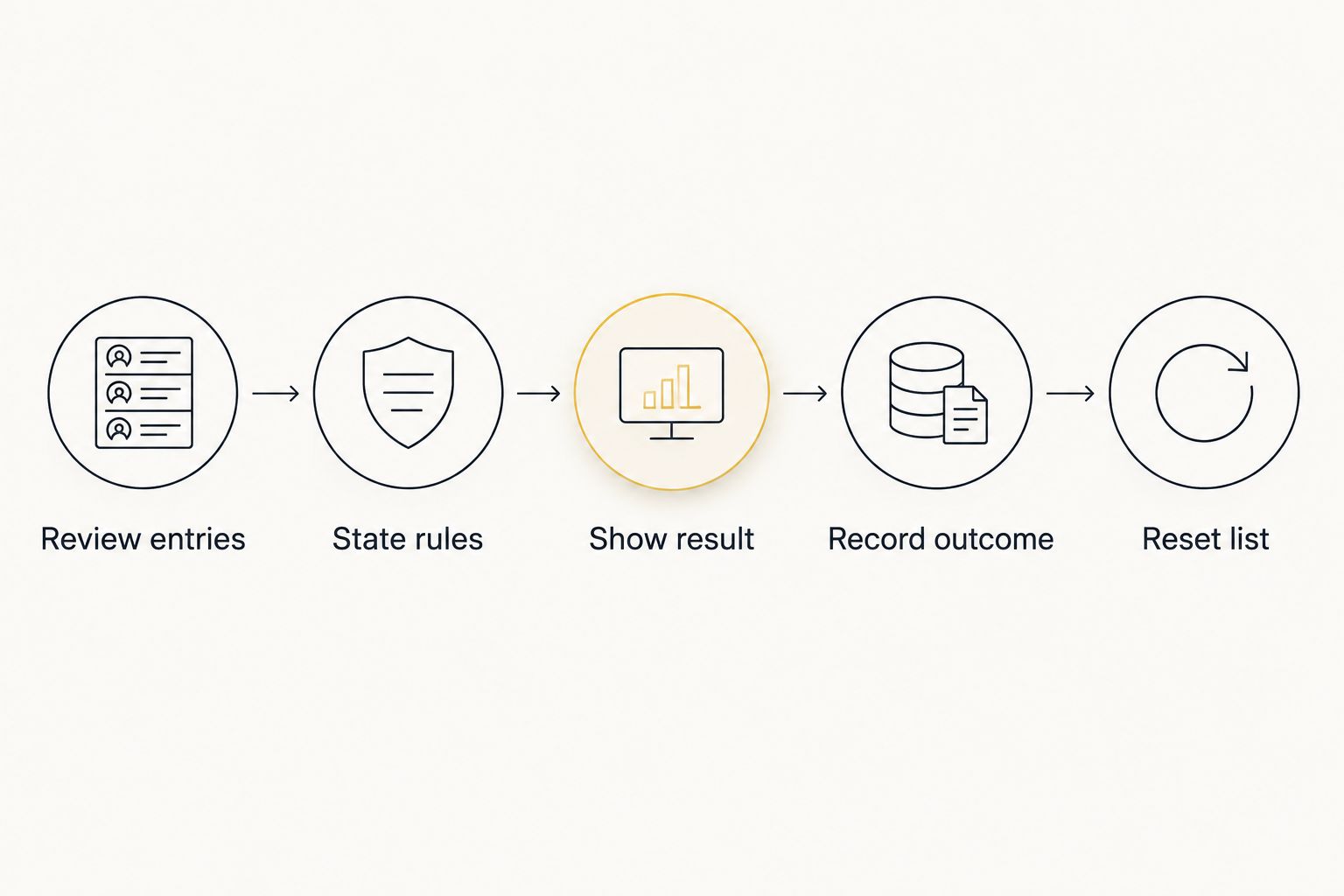
The record supports consistency between facilitators. It does not prove the underlying selection method is perfectly random. Describe what happened, which rules applied, and what changed; avoid claims the record cannot establish.
Compare selection options for insurance teams
Choose the method around the activity, not the animation. An internal training exercise needs clear prompts and discussion time. An approved event draw needs defined eligibility and a documented result.
| Option | Best for | Practical advantage | Key limitation |
|---|---|---|---|
| Spinthewheelapp random picker wheel | Visible training prompts and meeting-role selection | Customizable entries in a free web app | Does not evaluate policy answers, eligibility, or agency approval |
| Paper-slip draw | In-person activities without a browser | Participants can observe the physical draw | Preparing and updating slips takes manual work |
| Spreadsheet random ordering | Preparing an ordered list for an internal activity | Entries and results can sit beside an activity record | The organizer must understand recalculation and preserve the selected result |
| Scheduled rotation | Ensuring everyone receives a planned turn | Participation follows a known order | It is not random and is less suited to an unpredictable draw |
Use scheduled rotation when the requirement is equal participation. A random draw with repeats can select the same person again. Removing selected names changes that process, but a roster is simpler when the goal is to give every agent a turn.
Use Spinthewheelapp's random picker wheel when the selection itself belongs in the group activity. Keep the approved list and outcome record separate. That combination gives you a visible draw without treating the tool as a compliance or training system.
For your 2026 activity plan, choose one method for each purpose. Switching methods after seeing an unwanted result makes the procedure harder to explain. Set the method first and apply it consistently.
Common mistakes insurance agents make
Using yes/no results as coverage answers
A yes/no wheel selects an entered option; it does not interpret policy wording. Keep yes/no draws for harmless administrative choices, such as which practice format to use. Route coverage questions through the appropriate review process.
Turning real customer cases into wheel labels
A shortened claim description can still identify a customer to the people in the room. Replace it with a fictional scenario before entering it into a web app. Keep the original case in your agency's approved systems.
Calling a draw fair without checking the list
An editable wheel does not correct duplicate names, missing participants, or intentional extra entries. Check eligibility and explain any weighting before the draw. Use the word fair to describe a defined procedure, not as a claim of perfect randomness.
Offering prizes before approving the activity
Choosing a winner is only one part of an event. Review the activity, participant rules, and prize process before announcing it. Do not assume that a familiar giveaway format is appropriate for your agency.
Treating a training turn as proof of understanding
A selected agent can participate without answering correctly. Record the learning issue separately from the draw result. Follow up with the relevant materials, a reviewed explanation, or another practice exercise.
FAQ
What's the best use of spin the wheel for insurance agents?
The best use is selecting training prompts or meeting roles from an approved list. Keep professional insurance decisions outside the draw and document the activity rules.
Can an insurance agent use a wheel to recommend coverage?
No, a random wheel is not a method for recommending coverage. Recommendations require an assessment of the customer's circumstances and the applicable policy information.
Is Spinthewheelapp a free random picker wheel?
Yes, Spinthewheelapp is a free web app with a customizable random picker wheel. Prepare your entries first and check the current controls before running an activity.
Should I put customer names on an insurance-team wheel?
Keep customer names and identifying details out of the wheel. Use fictional training scenarios or non-identifying labels, and maintain any necessary reference information in your agency's approved systems.
Is a wheel better than a scheduled rotation for team meetings?
A scheduled rotation is better when every agent needs a planned turn. A wheel is useful when you want an unpredictable selection from eligible entries, with repeat rules defined in advance.
Can insurance agents use a prize wheel at an event?
Use a prize wheel only after your agency approves the activity and its rules. Define eligibility, repeat draws, and outcome recording before announcing the event.
How do I prevent the same topic from appearing twice?
Remove the selected topic from the eligible list before the next draw. Check the list yourself rather than assuming the wheel automatically excludes previous results.
One last thing
A wheel chooses the next topic; your facilitator chooses the next action. If a training answer exposes a misunderstanding, stop the activity and address it. Finishing the prepared list is less useful than correcting an explanation agents will use with customers.
For your next 2026 session, prepare fictional prompts and a short draw rule. Start with internal training rather than a customer promotion. That keeps the first activity focused on learning and gives the facilitator a straightforward process to repeat.


