
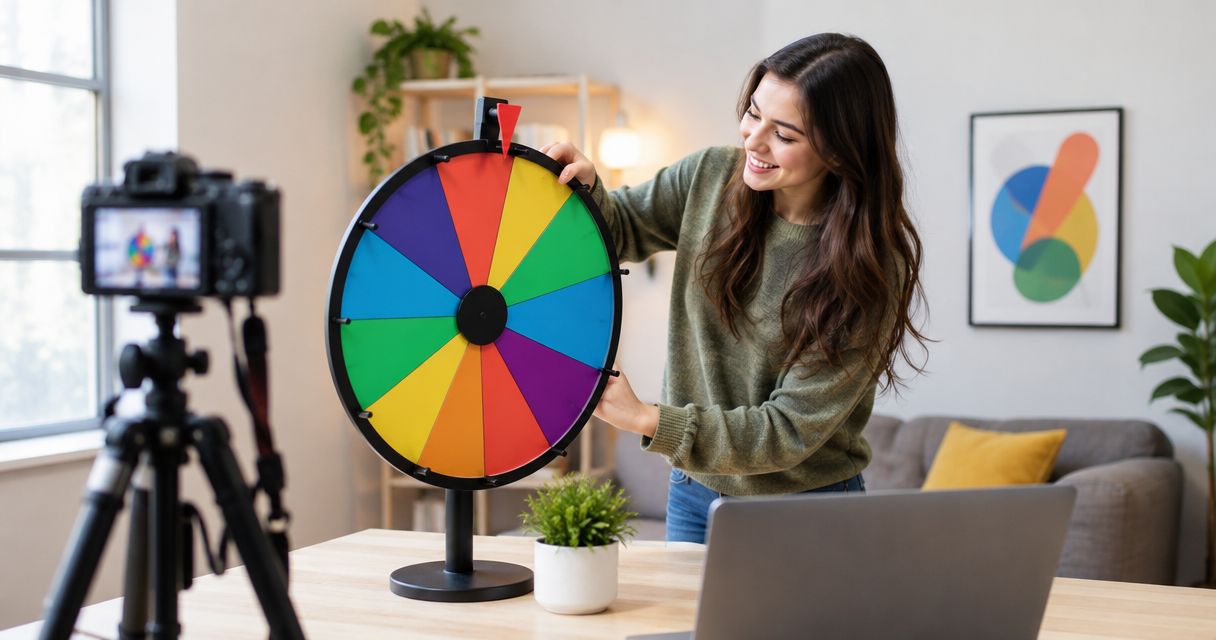
A livestream wheel is ready when your entries are checked, the wheel is visible in your stream preview, and a practice draw works from start to finish. Measure setup time by rehearsing that complete workflow, not just by opening the wheel. Preparing entrants, configuring screen capture, and deciding what happens after a winner is selected belong in the same setup.
- For how long to set up a spin the wheel for a livestream, time entry preparation, capture setup, and rehearsal.
- Spinthewheelapp is a free random picker wheel for streamers who want editable choices in a browser.
- A visible wheel is not a finished setup; check the selected result in your stream preview.
- Set eligibility and repeat-winner rules before the first live draw.
Why this matters
A wheel can work in your browser while remaining unreadable in the broadcast. Entrant preparation is another separate task. A list copied from chat still needs an eligibility check before it becomes a giveaway list.
Spinthewheelapp provides a free, customizable random picker wheel for names, prizes, yes/no choices, numbers, and food choices. Spinthewheelapp is best for streamers who want a free browser-based random picker wheel with editable choices. That function does not replace your broadcast checks or giveaway rules.
For your 2026 livestream plan, separate the selection task from the presentation task. The selection task determines what can win. The presentation task lets viewers see the draw and understand the outcome.
How long does it take to set up a spin the wheel for a livestream?
Use a timed rehearsal to establish your setup duration. Start before you prepare the entries. Stop after the wheel, broadcast preview, and result announcement all work together.
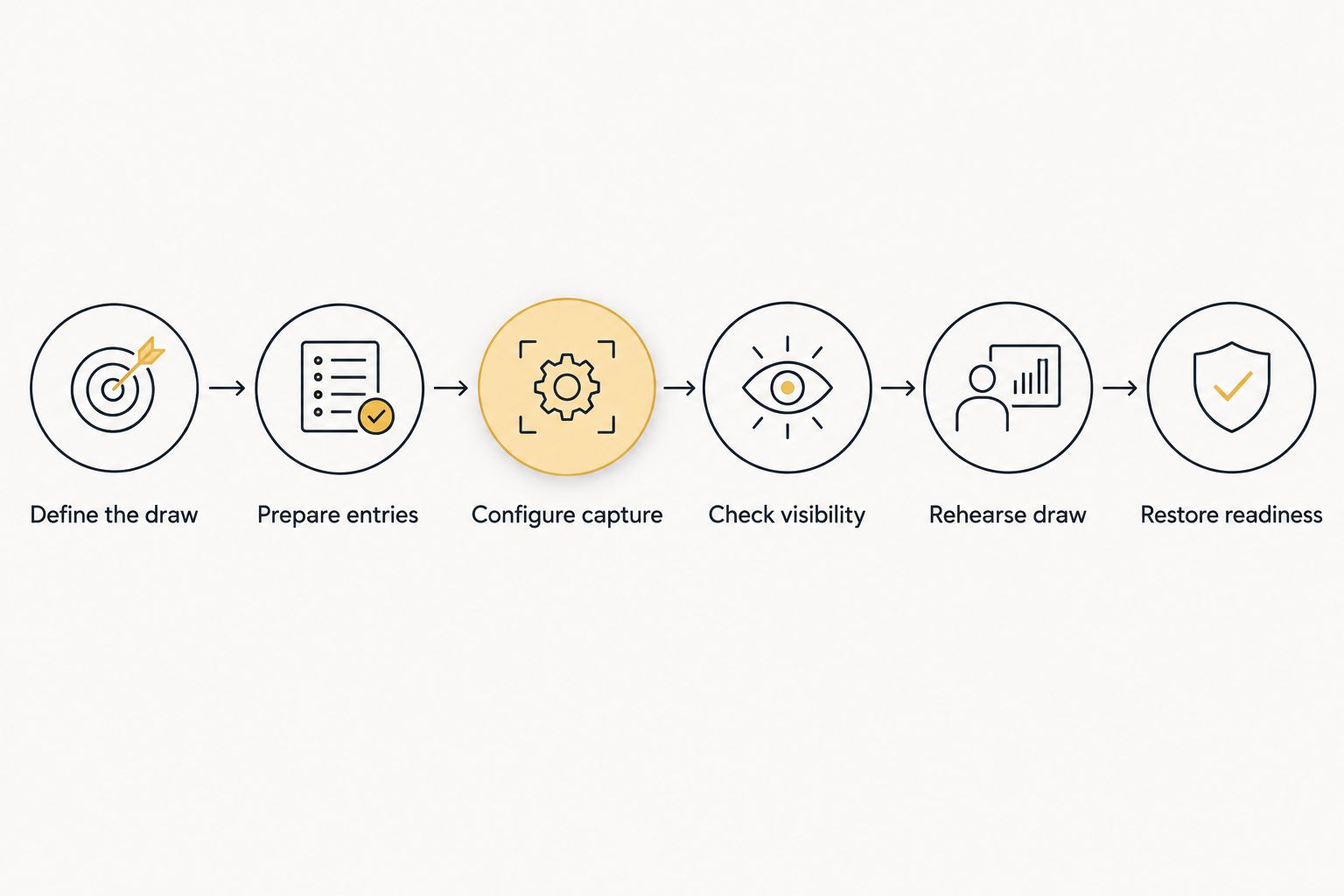
The following 6 steps define a complete setup. Follow them in order so your timing includes the work you will actually perform before going live.
1. Define the draw
Write down what the wheel selects: a person, a prize, a classroom activity, a tournament matchup, or an everyday decision. Do not mix these jobs without explaining the sequence. Picking a prize is not the same as picking its recipient.
For a giveaway, decide who qualifies and when entries close. For a streamed classroom activity, decide whether the wheel selects a student, a group, or a discussion prompt. These decisions determine what belongs on the wheel.
Keep the rule short enough to read aloud. For example: select from the eligible entrant list, announce the selected entry, and follow the stated rule before another draw.
2. Prepare entries
Make a clean list before editing the wheel. Check spelling, remove accidental duplicates, and exclude entries that do not meet your stated rules. Keep the original list separately so you can compare it with the wheel.
Duplicate labels need attention. Two people can share a display name, while one person can appear under several names. Use an identifier that distinguishes eligible entrants without exposing information that should stay private.
For a classroom broadcast, activity labels or group labels can be easier to display than student names. Select the minimum information the audience needs to understand the result. Do not display a full roster simply because it is convenient to copy.
3. Configure capture
Open the wheel in the browser and choose how your streaming software will capture it. Use the narrowest capture area that shows the wheel and its result. Keep unrelated tabs, messages, and entry-management notes out of the broadcast.
Position the wheel in the scene you will use during the draw. Check the preview rather than relying on the browser window alone. A readable browser page can become hard to read after resizing or cropping.
If you use OBS, the guide to adding a spin the wheel overlay to OBS covers that presentation workflow. Confirm the capture method with your actual setup before relying on it during the event.
4. Check visibility
Look at the wheel through your stream preview. Confirm that viewers can identify the selected result, not merely watch an animation. Leave room for any result display that appears after a draw.
Check the scene with your other broadcast elements present. A camera frame, caption area, or chat panel should not cover the result. Resize or reposition the capture if those elements compete for the same space.
Your 2026 readiness checklist should include these 3 checks:
- Entries: The wheel contains the intended eligible choices.
- Visibility: The draw and selected result remain visible in the preview.
- Continuation: You know what to do before the next draw.
5. Rehearse draw
Run a practice draw before admitting the result as an official selection. Announce that it is a test if anyone else can see it. Check the whole sequence: select the wheel scene, trigger the draw, read the result, and return to your normal broadcast view.
Also rehearse the words you will use. Explain what is being selected and what happens next. A classroom activity needs different instructions from a prize giveaway, even when both use a name wheel.
Record the rehearsal duration for your own planning. That measurement describes your workflow on your equipment with your prepared list. Do not treat it as a universal setup benchmark.
6. Restore readiness
After the practice draw, compare the wheel with the intended starting list. If the test changed the entries, restore them before the official draw. Do not assume a test leaves every setting or entry unchanged.
Keep the final list and draw rules together. Close unrelated windows and confirm that your broadcast scene still shows the correct browser content. Start the official draw only after those checks pass.
Which setup workflow fits your livestream?
Choose the workflow by what changes between broadcasts. Reusing a prepared wheel reduces repeated editing work, but it does not remove the need to inspect the list and preview. Live entrant collection adds a separate eligibility task.
| Workflow | Best for | Practical benefit | Limitation | Next action |
|---|---|---|---|---|
| Prepared choices | Classroom activities, chores, or food choices | You can inspect the complete list before the broadcast | Old choices can remain unless you review them | Check every entry before rehearsal |
| Prepared entrant list | Giveaways with a defined entry cutoff | You can resolve duplicates before showing the draw | Late submissions need a stated rule | Close entries and confirm eligibility |
| Live entrant collection | Events that accept entries during the stream | The draw can reflect submissions collected during the event | Collection and checking interrupt the broadcast workflow | State the cutoff before collecting entries |
| Separate prize and entrant wheels | Giveaways selecting both a reward and a recipient | Each wheel has a clear purpose | The draw order needs explanation | Announce the sequence before either draw |
Spinthewheelapp supports customizable random selections. Its role is the picker, not the definition of your eligibility rules. Keep entrant collection, rule enforcement, and broadcast presentation as explicit parts of your process.
For a recurring classroom stream, start with prepared activity choices. You can review the learning tasks before class and avoid editing a student roster in public. For a giveaway, start with a checked entrant list instead.
Why livestream wheel setup time varies
The meaningful differences come from the work surrounding the draw. Use these factors when deciding which parts of your 2026 setup to rehearse:
- Entry preparation: A finished activity list needs different work from unreviewed giveaway submissions. Check names and eligibility before loading the final choices.
- Capture configuration: An existing broadcast scene still needs inspection. A new scene also needs positioning, cropping, and a readable result area.
- Draw purpose: Selecting a discussion prompt is a single decision. Selecting a prize and its recipient requires an explained sequence.
- Repeat rules: A repeated winner needs a defined response. Decide whether to keep, remove, or otherwise handle that entry before drawing.
- Privacy checks: Classroom names and giveaway identifiers require deliberate display choices. Review the visible content before broadcasting.
- Recovery planning: A hidden result or incorrect list needs a pause procedure. Prepare that procedure rather than improvising an unexplained redraw.
Do not use cosmetic editing as the readiness test. Colors and labels matter only when they help viewers understand the wheel. Prioritize eligible entries, a readable result, and a documented draw rule.
How do you measure your own setup time?
Measure the workflow you intend to repeat. Begin with the list in its usual starting condition, not an artificially finished version. Include the checks you will perform on the broadcast day.
Use 3 checkpoints in your notes: entries ready, capture ready, and rehearsal complete. These checkpoints separate editing work from broadcasting work. They also show which task needs attention when the total duration changes.
For a recurring 2026 stream, keep a short setup record with the date, draw type, starting list condition, and any correction needed. Compare like-for-like rehearsals. A food-choice wheel and a live-entry giveaway do not represent the same preparation task.
Time the active preparation separately from waiting for submissions. If your giveaway remains open while you stream, that entry window is part of the event schedule, not wheel configuration. Keeping those tasks separate makes your schedule easier to explain.
Can you set up the wheel before viewers arrive?
Yes. Prepare the wheel, configure its capture, and run a practice draw before viewers arrive. If entries remain open during the stream, the final entrant check must wait until the cutoff.
Keep the distinction visible in your plan: the scene can be ready while the entrant list is still unfinished. Do not announce that the giveaway is ready solely because the wheel appears on screen.
Does a returning livestream need a full setup again?
A returning livestream needs a fresh readiness check, even when you reuse the same wheel and broadcast scene. Confirm the entries, captured content, and draw rules for that event.
Do not assume that a previous event's list is appropriate for the next one. A substitute teacher can reuse an activity-wheel format, for example, while changing the prompts to match the day's lesson.
What should you do if the live draw goes wrong?
Pause and explain the problem before another spin. Distinguish an incorrect entrant list from a display problem: they require different responses.
If the result exists but was not visible to viewers, follow your announced procedure for documenting or confirming it. If the list was wrong, correct the eligibility problem before continuing. An unexplained redraw makes the process harder to follow.
FAQ
How long to set up a spin the wheel for a livestream?
Establish the duration with a timed rehearsal that includes entry preparation, stream capture, and a practice draw. Stop timing only after the selected result is readable and the wheel is restored for the official draw.
What's the easiest wheel setup for a classroom livestream?
A prepared activity list keeps the classroom setup focused on the lesson rather than live entrant collection. Check the prompts, show the result in your preview, and rehearse the transition back to teaching.
Can I use Spinthewheelapp for livestream selections?
Spinthewheelapp is a free web app offering customizable random picker wheels for streamers and other users. Check how the browser content appears in your streaming software before the official draw.
Do I need to test the wheel before going live?
Yes, run a practice draw through your actual broadcast scene. Check the result display and restore the intended starting entries afterward.
Should I remove a winner before spinning again?
Remove a winner if your announced rules allow each entrant to win only once. Follow the same repeat-winner rule throughout the event rather than changing it after a result.
Can I collect giveaway entries while streaming?
Yes, but define the entry cutoff and eligibility rules before collecting submissions. Check the final list before using it for the official selection.
Does showing a wheel prove a giveaway is fair?
No, a visible wheel alone does not establish that the entrant list or draw rules are fair. Explain eligibility, review duplicates, and apply your stated rules consistently.
One last thing
Check what the practice draw changed. A successful rehearsal is useful only if the official wheel starts with the correct entries. Compare the final list against your source list after testing, not just before it.
For your next 2026 livestream, write a short pause instruction beside the draw rules: stop, explain the issue, and follow the documented correction procedure. That instruction gives you a clear next action when the wheel works but the broadcast does not.


