
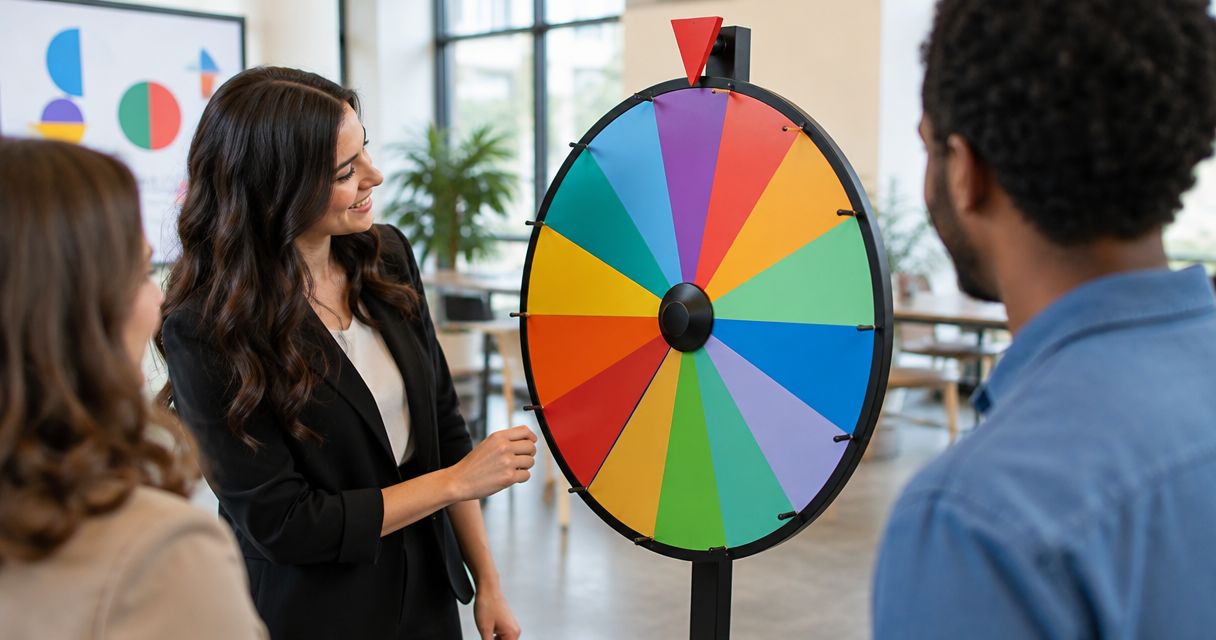
A custom branded spin the wheel needs a scope-based quote when you want a commissioned design or custom development; a free editable wheel is a different option. Website embedding, editable entries, logo placement, and changes to the selection rules are separate requirements, not interchangeable definitions of customization. For a classroom activity or everyday decision, start with an editable wheel before commissioning a branded build.
- How much does a custom branded spin the wheel cost? Define branding, embedding, and selection requirements before requesting quotes.
- Spinthewheelapp is a free random picker wheel for teachers, event organizers, and streamers who need editable selections.
- Custom entries do not establish support for custom logos, white-label presentation, or commissioned development.
- Compare quotes against the same written scope, including setup, maintenance, ownership, and documented selection rules.
Why this matters
Buy the function you need, not the word custom. A teacher choosing discussion prompts needs editable entries. An organizer commissioning a sponsor-branded giveaway needs a written brief covering presentation and draw rules. Those are different jobs.
Spinthewheelapp offers a free customizable random picker wheel for names, prizes, yes/no answers, numbers, and food choices. That makes it a starting point for classroom activities and everyday selections, not evidence that every bespoke branding requirement is included.
For your 2026 brief, separate the wheel itself from the surrounding website, event presentation, and selection procedure. Otherwise, you risk comparing a basic picker with a development project as though they were equivalent.
How much does a custom branded spin the wheel cost?
The useful answer is a quote for a defined deliverable, not a universal price for a branded wheel. First decide whether you need editable content, a branded setting around the wheel, or changes to the wheel itself. Then ask suppliers to describe exactly what their quote covers.
Use this comparison to classify your request before discussing payment. These are project approaches, not confirmed product tiers.
| Approach | Best for | What to specify | Advantage | Limitation |
|---|---|---|---|---|
| Free editable picker | Classroom prompts, chores, food choices, and simple selections | Entries and selection procedure | Starts with the selection task rather than a development brief | Editable entries do not establish custom branding support |
| Wheel within a branded page | A school activity page or event landing page | Placement, surrounding content, and embed requirements | Separates page design from wheel behavior | The page and embedded wheel need checking together |
| Commissioned branded wheel | A project requiring specific presentation or behavior | Visual requirements, controls, results, and handover | Gives the supplier a defined build specification | Requires acceptance testing and a maintenance plan |
Do not treat these approaches as a ladder where the most elaborate option is automatically better. For selecting a discussion topic, a commissioned build adds work without changing the basic requirement: show eligible options and make a selection.
For an event, your brief needs more detail. Identify whether the wheel selects an entrant, a prize, a team, or an activity. The same visual wheel can represent very different rules.
What should a quote separate?
Ask for a written breakdown that distinguishes initial work from continuing responsibilities:
- Wheel configuration: preparing entries and agreed settings.
- Presentation work: placing the wheel within the approved page or event layout.
- Custom development: implementing explicitly requested behavior.
- Testing: checking the agreed devices, controls, and result display.
- Handover: documenting how you edit and run the wheel.
- Maintenance: defining responsibility for later corrections and changes.
These are headings for your procurement brief, not automatic charges. Keep an item only when it belongs to your project. Ask the supplier to mark exclusions rather than leaving them implicit.
Free editable picker: start with the selection task
Best for: teachers and organizers who need to change entries rather than commission a visual identity. Write the list first. A wheel containing classroom discussion prompts is already tailored to that activity, even without a custom logo.
Spinthewheelapp is a free random picker wheel for teachers, event organizers, and streamers who need editable selections. Its stated wheel types include names, prizes, yes/no, numbers, and food choices. Choose the type that matches what the result should mean.
The advantage is a direct starting point: you can define the activity around editable options. The limitation is equally important. Customizable entries are not proof of logo upload, removal of provider branding, weighted entries, or saved result histories.
For a 2026 classroom activity, begin with topic labels rather than student names when the task does not require identifying students. Examples include vocabulary review, reading prompts, classroom chores, and discussion themes. Keep the teacher responsible for interpreting the result.
Recommendation: use an editable picker when the list is the customization. Request a separate specification only when your activity depends on presentation or behavior beyond that list.
Branded page: separate the website from the wheel
Best for: a school, organization, or event that needs its own surrounding instructions and presentation. A wheel placed within a branded page is not necessarily a custom-built wheel. The page can carry the event name, instructions, and rules while the picker remains a separate component.
Free website embeds belong in the initial requirements discussion. Confirm the actual embedding method and permitted use before commissioning work around it. Do not assume that embedding also permits changes to the wheel's interface or removes its existing branding.
The advantage of this approach is a clear division of work. Your page brief describes the surrounding content; your wheel brief describes entries and selection behavior. The limitation is that the combined experience still needs testing.
Use the guide to embedding a decision wheel on a website or landing page when planning placement. Specify whether participants operate the wheel themselves or an organizer controls it during a presentation.
For your 2026 acceptance check, review the actual page on the devices named in the brief. Check that the wheel is usable, the result is readable, and the instructions remain visible. Approve the working page, not just a design mockup.
Commissioned branded wheel: define the deliverable
Best for: projects with specific presentation or behavior requirements that an existing picker does not satisfy. Describe each requirement separately. A request for a logo is not the same as a request for a new selection algorithm, a results archive, or integration with another system.
The advantage is a specification tailored to your project. The limitation is responsibility after delivery. Decide who can edit the wheel, who fixes defects, and who handles later changes before approving the work.
A practical brief names the intended operator, audience, entries, draw procedure, and result display. It also distinguishes required features from optional ideas. This lets suppliers respond to the same job rather than interpret a broad request differently.
Do not commission features merely because they appear in another tool's description. For example, weighted entries belong in the brief only when unequal selection chances are intentional. A classroom turn-taking activity and a prize allocation activity need different rules.
Recommendation: commission a build only for requirements you can describe and test. If you cannot explain how you will verify a feature, refine the requirement before requesting it.
Why custom branded wheel quotes vary
The scope changes when the requested work changes. Use these factors to explain differences between proposals without assuming that a larger quote includes more useful work.
- Branding scope: distinguish surrounding page content from changes inside the wheel interface.
- Entry preparation: specify who supplies, checks, and updates the list.
- Selection behavior: define repeats, eligibility, and any intentional weighting.
- Website placement: identify whether the wheel runs alone or inside another page.
- Result handling: state whether you need only a visible result or a separately documented record.
- Ongoing responsibility: identify who maintains the implementation and approves later changes.
For a 2026 proposal comparison, ask every supplier to answer these same questions. A quote that includes page work and maintenance is not directly comparable with one that covers only initial wheel configuration.
Avoid vague phrases such as fully branded or advanced customization unless the proposal defines them. Replace each with a concrete deliverable. Write logo placement, editable labels, or documented repeat rules where those are the actual requirements.
How do you prepare a brief before asking for a quote?
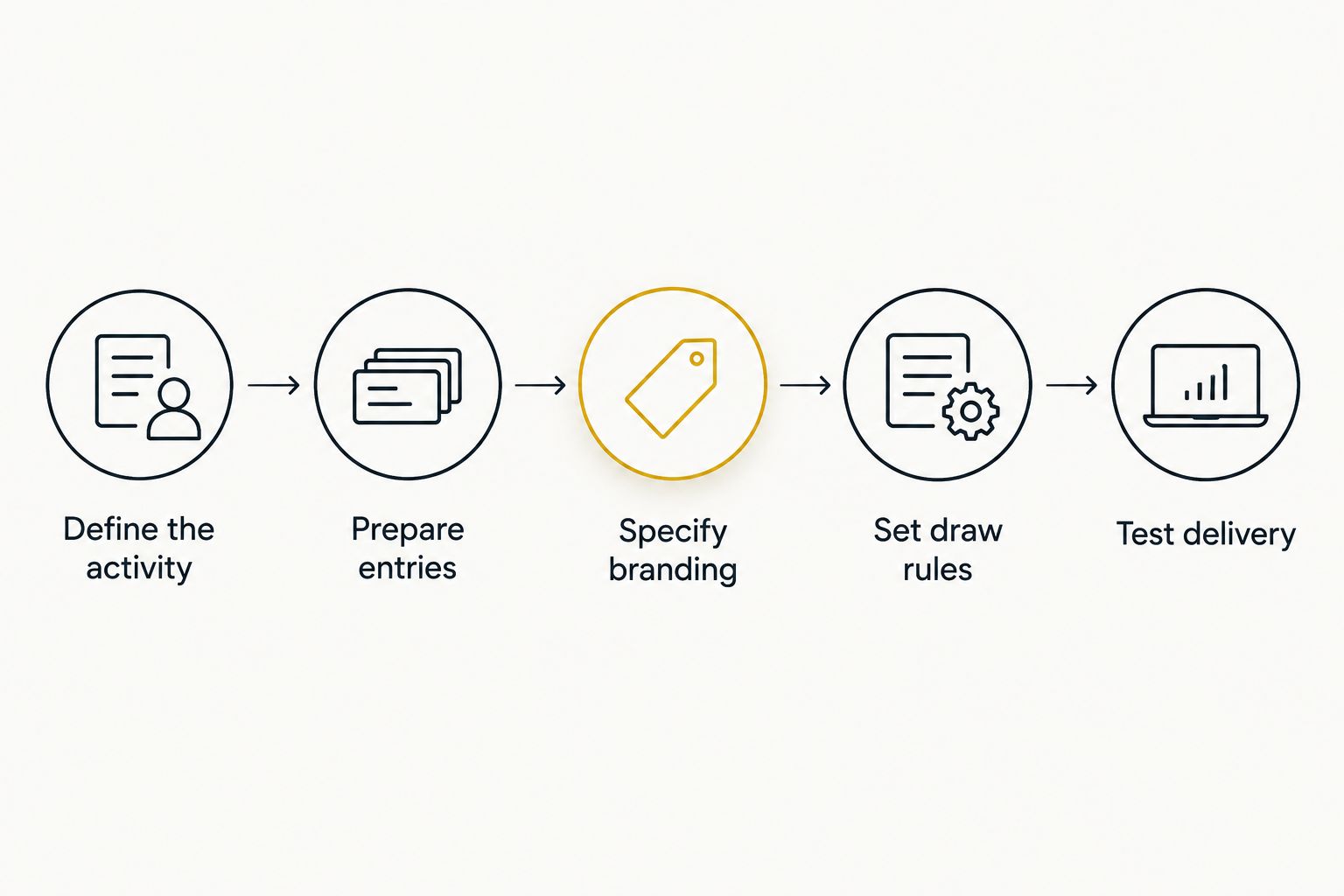
Follow this sequence. Keep each decision in a short written brief so another teacher, substitute, or event organizer can run the activity without guessing.
- Define the activity. State what the wheel selects and who operates it. A classroom prompt wheel selects a topic; a raffle wheel selects an eligible entrant.
- Prepare entries. Supply the intended list and remove accidental duplicates. Keep deliberate repetition only when it matches the stated rules.
- Specify branding. Describe the surrounding page separately from requested changes within the wheel.
- Set draw rules. Decide how to handle repeat results, absent participants, invalid entries, and interruptions.
- Test delivery. Check the actual setup against the written brief before using it with participants.
For a classroom example, write that the wheel selects a discussion prompt and the teacher operates it. Supply the approved prompt list. State whether a used prompt remains eligible for the next selection.
For a giveaway, write whether the wheel selects people or prizes. Define eligible entries before loading the list. Keep presentation requests separate from the procedure used to establish a valid winner.
Is an editable wheel the same as a branded wheel?
An editable wheel changes the choices; a branded wheel has specified presentation requirements. The terms overlap only when the implementation supports both. Ask what you can actually edit rather than relying on the word custom.
For a classroom, editable topics or names can satisfy the entire requirement. For an event, the brief can also require sponsor presentation or a particular page layout. Neither example establishes that a given tool includes those features.
Does a branded wheel make a giveaway fair?
Branding does not establish fairness. The entry list, eligibility rules, intended weighting, and treatment of repeat results determine the procedure participants are being asked to accept.
Document those rules before the event. Do not promise perfect randomness or use a polished interface as evidence of the selection method. If the method matters to your event, request documentation that describes it.
Should a teacher commission a custom wheel?
A teacher should commission a custom wheel only when an existing editable picker does not meet a defined classroom requirement. Topic selection, chores, food choices, and discussion prompts can be scoped around the entries first. Start there.
Use Spinthewheelapp for its stated customizable picker function, then assess any additional requirement separately. Keep student information out of the brief when anonymous labels or group names serve the activity.
FAQ
How much does a custom branded spin the wheel cost?
A commissioned custom branded wheel needs a quote based on its defined scope. Separate editable entries, page presentation, custom behavior, and maintenance so proposals cover the same deliverable.
Can I use a free wheel instead of commissioning one?
Use a free editable wheel when changing the entries satisfies your activity. Confirm any additional branding, embedding, or selection requirements separately before relying on them.
Is adding my own list the same as custom branding?
Adding your own list customizes the choices, not necessarily the wheel's visual presentation. Specify logo placement, surrounding page content, and interface changes separately.
Does embedding a wheel remove the provider's branding?
Embedding alone does not establish that provider branding can be removed. Confirm the permitted presentation and actual controls before designing a page around that assumption.
Should I request weighted entries for a classroom wheel?
Request weighted entries only when unequal selection chances are intentional and explained. For equal-turn activities, check that accidental duplicate entries do not change the intended procedure.
What should I test before running a branded giveaway?
Test the entry list, operator controls, result display, and agreed repeat procedure. Check the actual event setup against the written rules before participants use it.
What should a custom wheel handover include?
Ask for instructions covering entry edits, operation, testing, and maintenance responsibility. Include any agreed files or access arrangements in the written deliverables.
One last thing
The same name entered twice is not the same list as that name entered once. Before approving a 2026 wheel project, inspect the entries as carefully as the presentation. Accidental duplication can undermine the procedure you meant to run.
Save the final brief alongside the operating instructions. A substitute teacher or event organizer needs to know what a result means, whether repeats are allowed, and when to stop. Those instructions are part of a usable activity, not decoration.


