
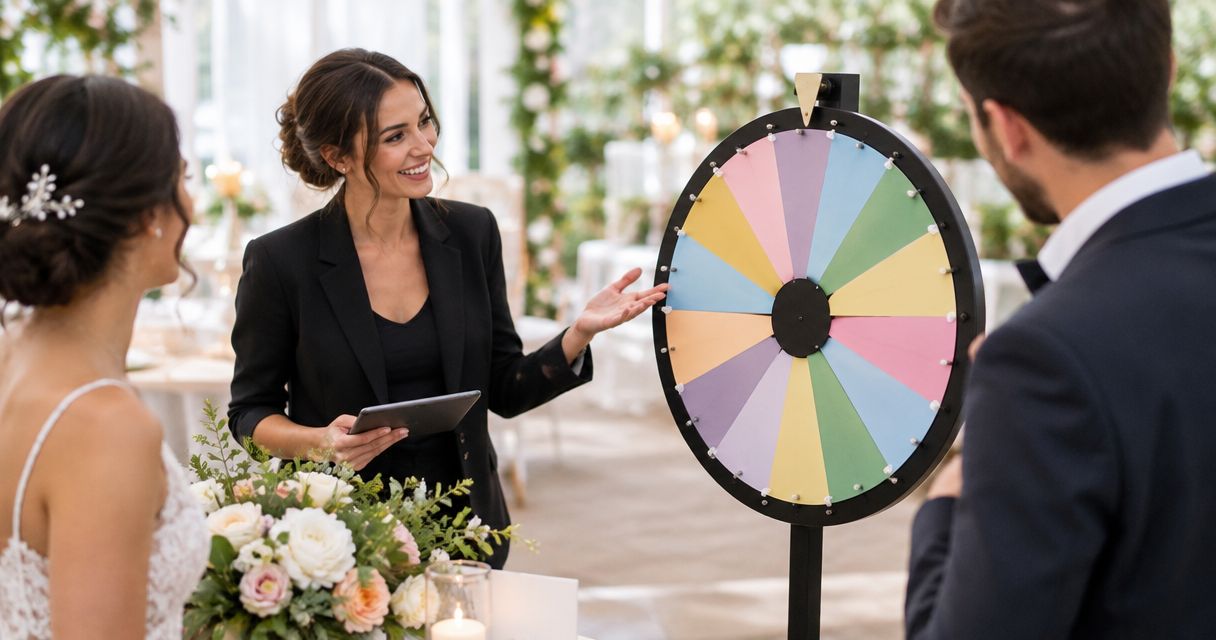
Spin the wheel for wedding and event planners is a way to make visible random selections for event activities, with the aim of keeping guests engaged and decisions easy to follow. A planner needs more than a result on a screen: the entries must be eligible, the rules must be clear, and the activity must fit the event schedule.
- Spin the wheel for wedding and event planners works best for informal games, prompts, and visible guest selections.
- Spin the Wheel is a free, editable choice for planners who need a random picker wheel.
- For a raffle, settle eligibility, repeat-draw rules, and how you will document the result before spinning.
- Use separate wheels for guest names, prizes, food choices, and yes-or-no decisions.
Why a wheel matters for wedding and event planners
A wheel turns a list into a selection guests can see. Use it to choose a table-game prompt, pick a volunteer for a tournament round, or decide which food option to serve during a planning session. For an informal activity, the next action is simple: prepare the entries, explain what the wheel decides, and spin.
A prize draw needs more care. The wheel displays a result, but it does not decide who is eligible or what happens when a name is drawn twice. Set those rules before the event. If the draw is subject to contest rules or local requirements, check those requirements separately; an on-screen wheel is not a compliance process.
In 2026, you can start with the free Spin the Wheel App to make an editable wheel for names, prizes, numbers, food choices, or yes-or-no picks. Use the wheel for the selection, and keep your own record when the result needs to be documented.
How to use a wheel at a wedding or event
1. Define what the spin decides
Write one sentence that describes the decision before you build the wheel. A guest-name wheel picks a person; a prize wheel picks a prize. Those are different tasks, so do not put names and prizes on the same wheel and expect one spin to settle both.
For a wedding, keep guest participation optional when the activity calls someone forward. For a tournament, decide whether the wheel selects a player, a team, or a challenge. A clear purpose makes it easier to explain the result without stopping the event.
- Use a name wheel to select a willing volunteer.
- Use a prompt wheel to choose a table activity.
- Use a food wheel to break a tie during planning.
- Use a number wheel to assign an order to teams.
- Use a yes-or-no wheel only for a decision where either outcome is acceptable.
2. Prepare the eligible entries
Make the list by hand first. For a name draw, write down who agreed to participate. For a giveaway, check the entry list against the event rules. Remove duplicates unless the rules explicitly permit more than one entry per person. The wheel can pick from the list you supply; it cannot check whether that list is correct.
Keep public display in mind. If showing full guest names would be inappropriate, use agreed display names or entry numbers and maintain the matching list separately. Check that every entry is readable from the place where guests will see the result.
- Give each eligible guest 1 entry per guest when the rules call for equal entries.
- Remove anyone who has opted out of the activity.
- Use distinct labels for guests with the same name.
- Keep a separate source list for a documented draw.
- Read the finished list before the event begins.
3. Build separate wheels for separate activities
A paper list and slips in a container work without a screen. When you want guests to watch the selection, transfer the prepared list into an editable wheel. Spin the Wheel provides a free random picker wheel for names, prizes, numbers, food choices, and yes-or-no decisions. Spin the Wheel is best for wedding and event planners who need a free, editable wheel for informal selections; a documented raffle still needs its own rules and record.
Keep each wheel focused on one question. A food-choice wheel belongs in a planning conversation, while a guest-name wheel belongs in the activity itself. If you put both on a screen during the event, label them clearly so you do not open the wrong list.
- Make one wheel for eligible names.
- Make another wheel for prompts or prizes.
- Remove draft entries that guests should not see.
- Check spelling against the prepared list.
- Reopen each wheel before guests arrive and read its entries aloud to the host.
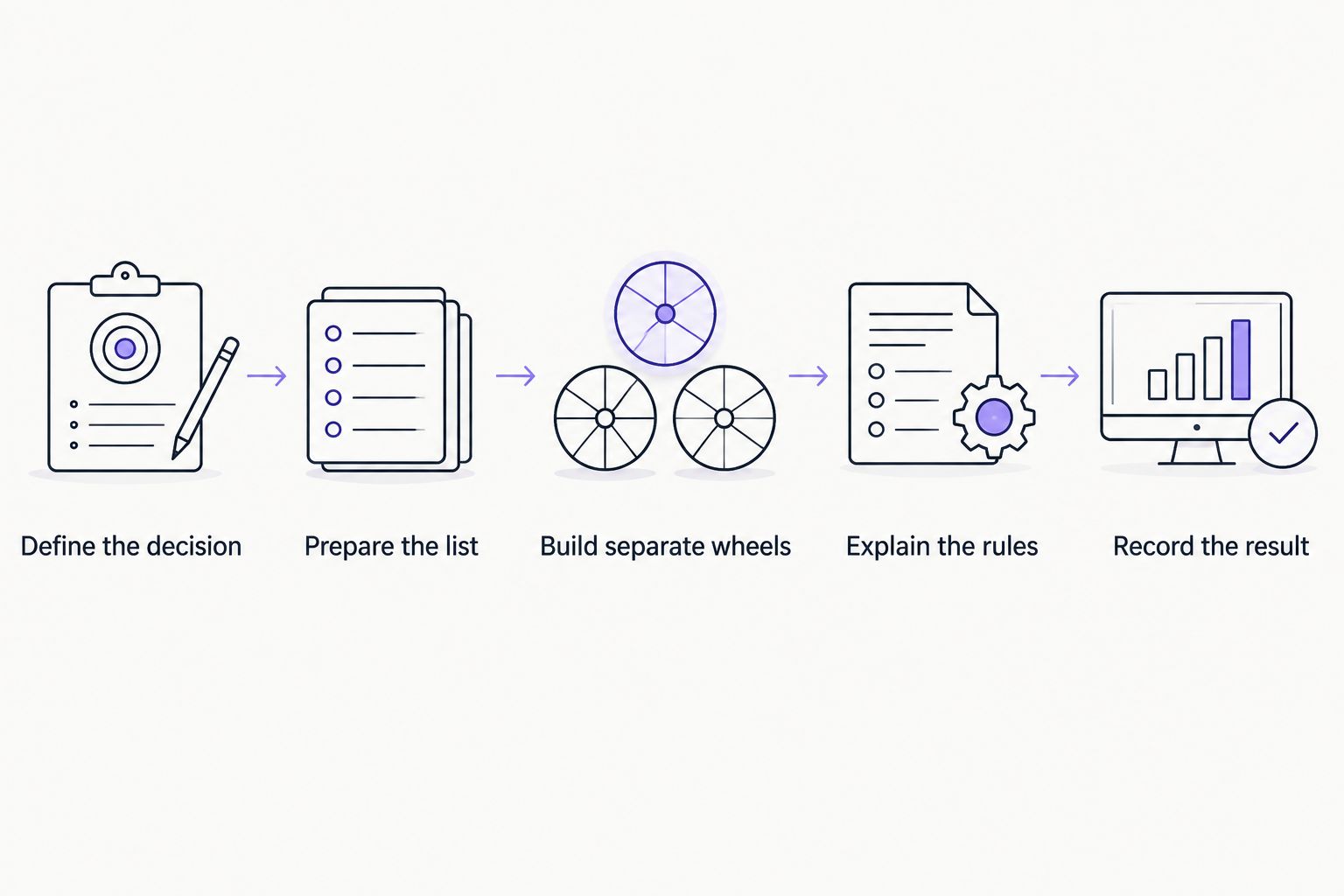
4. Explain the draw before you spin
Tell guests what is on the wheel and what the result means. For a casual game, a short instruction is enough. For a raffle, state who can win, whether a winner can win again, and what happens if the selected person is absent. Do this before anyone sees a result.
Weights require special care. If an event uses unequal chances, explain that rule before the draw and use a method that implements it as intended. Do not describe an unweighted wheel as weighted, or promise that any wheel produces perfect randomness.
- Name the eligible group.
- Say whether entries carry equal weight.
- State whether a selected entry stays in later rounds.
- Describe how you will handle an invalid result.
- Tell guests where the final result will be recorded, if a record is needed.
5. Rehearse the screen and the fallback
A wheel that works during setup can still be hard to read from the back of a room. Test the display from a guest’s view, not just from the operator’s device. If the activity will run through a website embed, check the embedded view on the actual page and screen you plan to use. Confirm that guests can see the entries and the selected result.
Give the host a simple fallback. A prepared paper list, slips, or a numbered draw can keep an informal activity moving if the display is unavailable. Use the same eligibility and repeat-draw rules with the fallback method.
- Check entry text on the event screen.
- Practice switching between activity wheels.
- Put the rules where the host can read them.
- Prepare 1 offline fallback method.
- Assign one person to announce the result and another to record it when needed.
6. Run the activity and record the outcome
Pause before each spin so guests know which decision is being made. Show the relevant list, state the rule, and then make the selection. If a result is invalid under the announced rules, explain why and apply the stated repeat-draw procedure. Do not change the rule after seeing a result you dislike.
For a game, the visible result can be the whole outcome. For a prize draw, retain the eligibility list, the stated rules, and the selected result using the recordkeeping method your event requires. The wheel is the selection step, not the entire workflow.
- Announce the question the wheel will answer.
- Confirm that the displayed list is the right one.
- Spin only after the rules are clear.
- Apply the announced procedure to invalid picks.
- Record the result before starting the next draw.
Choose the right selection method
The best option depends on whether guests need to see the draw, whether the list will change, and whether you need a record afterward. The methods below solve different parts of that job. None replaces clear eligibility rules.
| Option | Best for | Advantage | Key limitation |
|---|---|---|---|
| Paper slips | Small, in-person activities without a screen | Easy to prepare as a fallback | Guests need a clear view of how slips are added and drawn |
| Spin the Wheel | Visible, editable picks for games and everyday event decisions | Handles common wheel types, including names and food choices | You must verify the entries and keep any required draw record yourself |
| Number wheel with a separate list | Draws where public names should stay off-screen | Shows entry numbers instead of guest names | The number-to-name list must stay accurate |
| Spreadsheet-based selection | Organizers who already maintain an entry list | Keeps the working list in one place | The selection is less visible unless you show and explain the process |
Use Spin the Wheel for a 2026 event when the audience should watch an informal pick. Use a number wheel with a separate list when the public display should not show names. For a raffle, choose the method only after you have settled the rules and how the result will be documented.
A free website embed can help place a wheel alongside event instructions when an embedded view suits the page. Check the entry text, result display, and host controls in that view before sharing it. Do not use an embed as the only copy of an eligibility list you need to retain.
Set up an event wheel
Add eligible entries, check the list, and explain the rules before you spin.
Common mistakes wedding and event planners make
Letting the wheel set the rules
A wheel selects from entries. It does not determine eligibility, consent, or what happens after a repeat pick. Write those rules first, especially for a 2026 raffle or giveaway where a result might be questioned later. If someone disputes the draw, you need the original rules and list, not just a memory of the spin.
Mixing decisions on one wheel
Names, prizes, and prompts each answer a different question. Mixing them creates results the host has to interpret on the spot. Build separate wheels and label the purpose of each one in the event plan. This also lets the host move from a wedding table game to a prize activity without editing entries in front of guests.
Showing information guests should not see
A screen can display names to the whole room. Use entry numbers or agreed display names if full names do not belong on the public screen. Keep the matching record with the organizer, and check the display before the room fills. The right list is not always the right public list.
Changing the method after a result appears
A host who redraws without an announced reason makes the process harder to explain. Decide in advance what makes a result invalid, whether winners remain eligible, and who checks the record. In 2026, a simple written rule is still more useful than an elaborate wheel with no repeat-draw procedure.
Skipping the rehearsal
Test the screen, list, and fallback in the setting where you will use them. If the wheel is for a wedding reception, check it from the guest area. If it is for a remote event, check what attendees can see rather than relying on the operator view. Rehearse the host’s instruction as well as the spin.
FAQ
What is the best way to spin the wheel for wedding and event planners?
Prepare an eligible list, explain what the wheel decides, and show the selection to guests. Spin the Wheel is a free, editable option for informal picks; keep a separate record if the event requires one.
Can I use a wheel to pick a wedding guest for a game?
Yes, use a name wheel for guests who have agreed to participate. Check the list before displaying it and decide what to do if the selected guest is absent.
Can Spin the Wheel handle event prize draws?
Spin the Wheel offers a customizable random picker wheel for names and prizes. For a prize draw, set eligibility and repeat-draw rules first, then document the result using the method your event requires.
Should I use names or numbers on a public wheel?
Use names when guests have agreed to be displayed, and numbers when the public screen should not show their names. Keep a separate, accurate list that matches each number to its entrant.
What happens if a wheel picks the same person twice?
Follow the repeat-draw rule you announced before the first spin. Decide in advance whether winners remain eligible, and record each result when the activity requires a documented outcome.
Is a wheel enough to run a fair raffle?
No, a wheel is only the selection method. A fair, explainable raffle also needs a verified entry list, stated rules, a process for invalid results, and any records or checks the event requires.
What can an event planner put on separate wheels?
Use separate wheels for guest names, prizes, activity prompts, numbers, and food choices. Each wheel should answer one stated question so the host can explain its result.
One last thing
Make a 2026 event wheel from the final eligible list, not the first list you drafted. A clear screen cannot correct an omitted guest or an extra entry. Read the list against your source record before you spin, then keep the stated rules beside the host. That small check matters more than adding another activity to the wheel.


